Pigmo logo

Pigmo

Scheduled · Week 4, 2027

Pick any color, grab any website's palette, keep them all

-

Scheduled launch

Goes live Week 4, 2027

January 25 - January 31, 2027 · Leaderboard opens Monday 00:00 UTC

Browse Week 4, 2027

00

Days

00

Hours

00

Mins

00

Secs

Upvotes

Unlocks at launch

Dofollow backlink

Unlocks at launch

Leaderboard

Unlocks at launch

Comments

Unlocks at launch

Reviews

Unlocks at launch

Voting opens Week 4, 2027

Upvotes unlock when the launch week starts

Comments open at launch

Discussion unlocks with the leaderboard
Pigmo - Pick any color, grab any website's palette, keep them all

About Pigmo

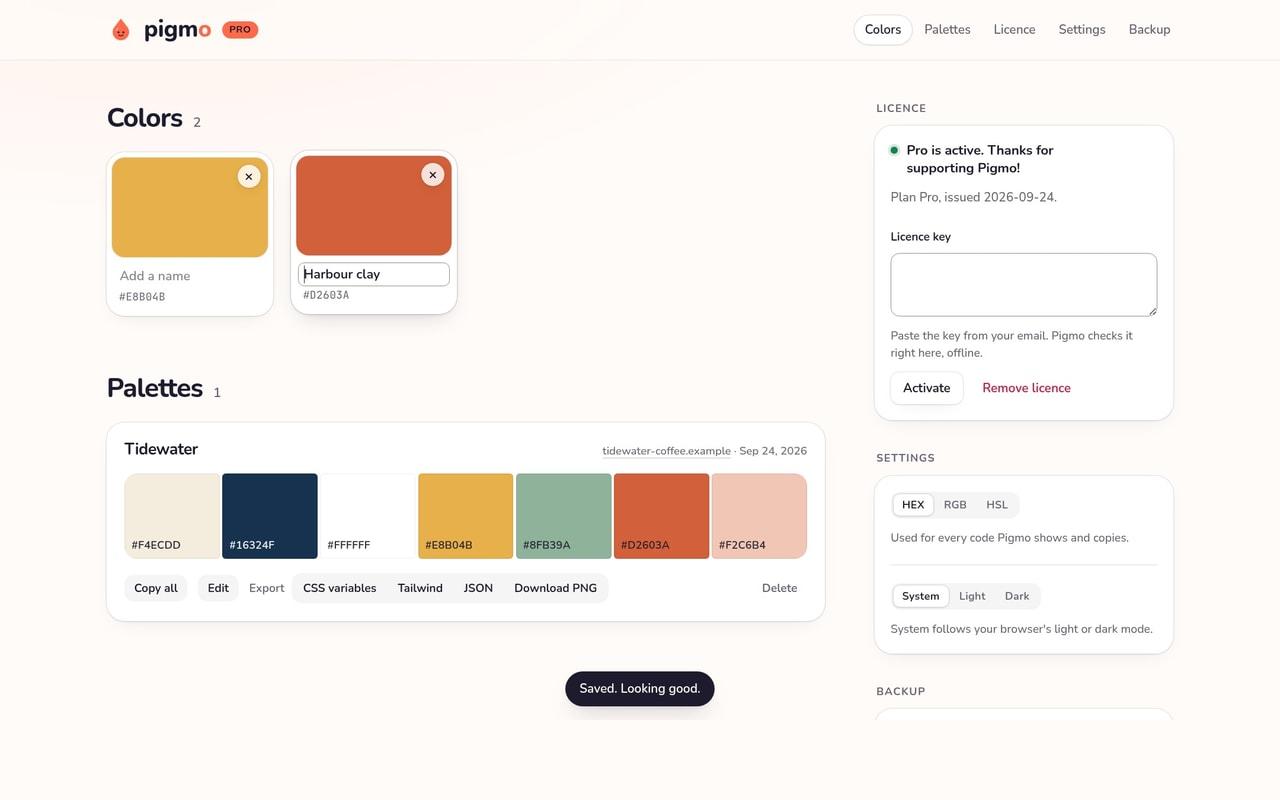
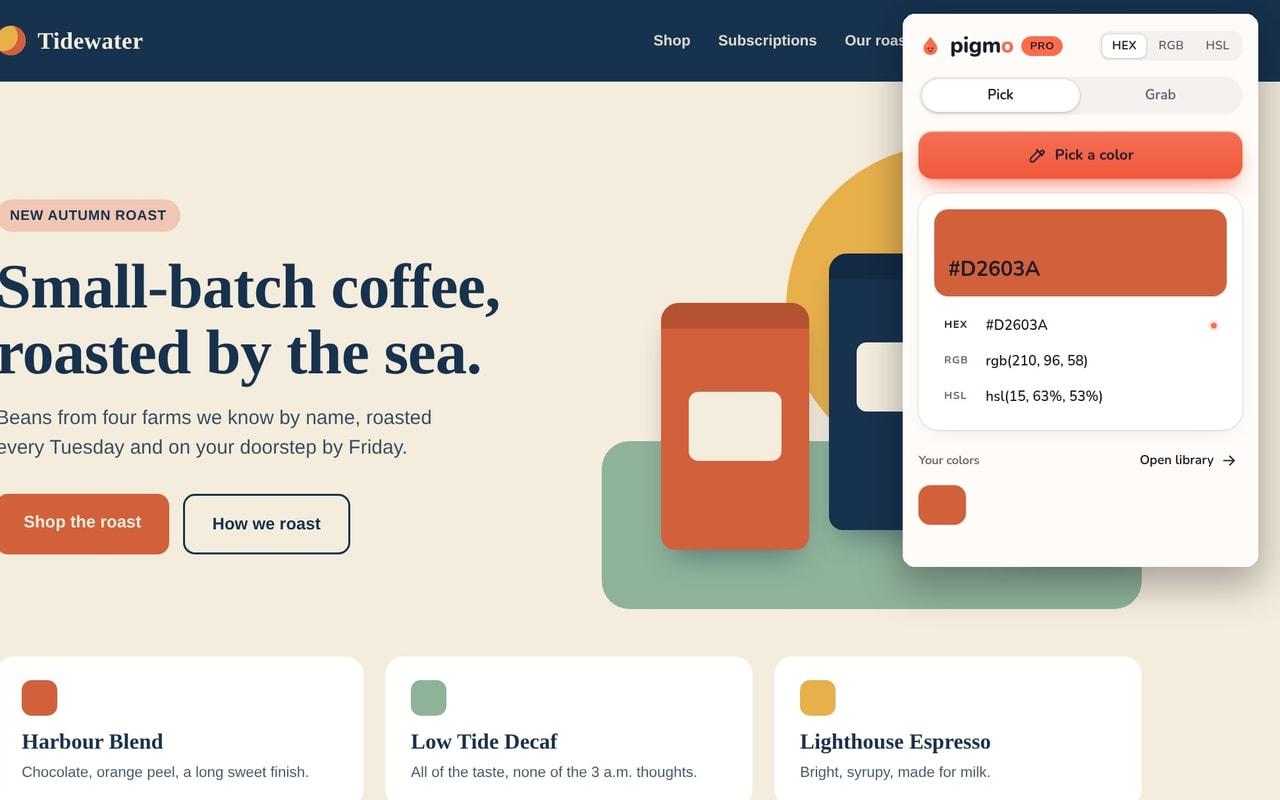
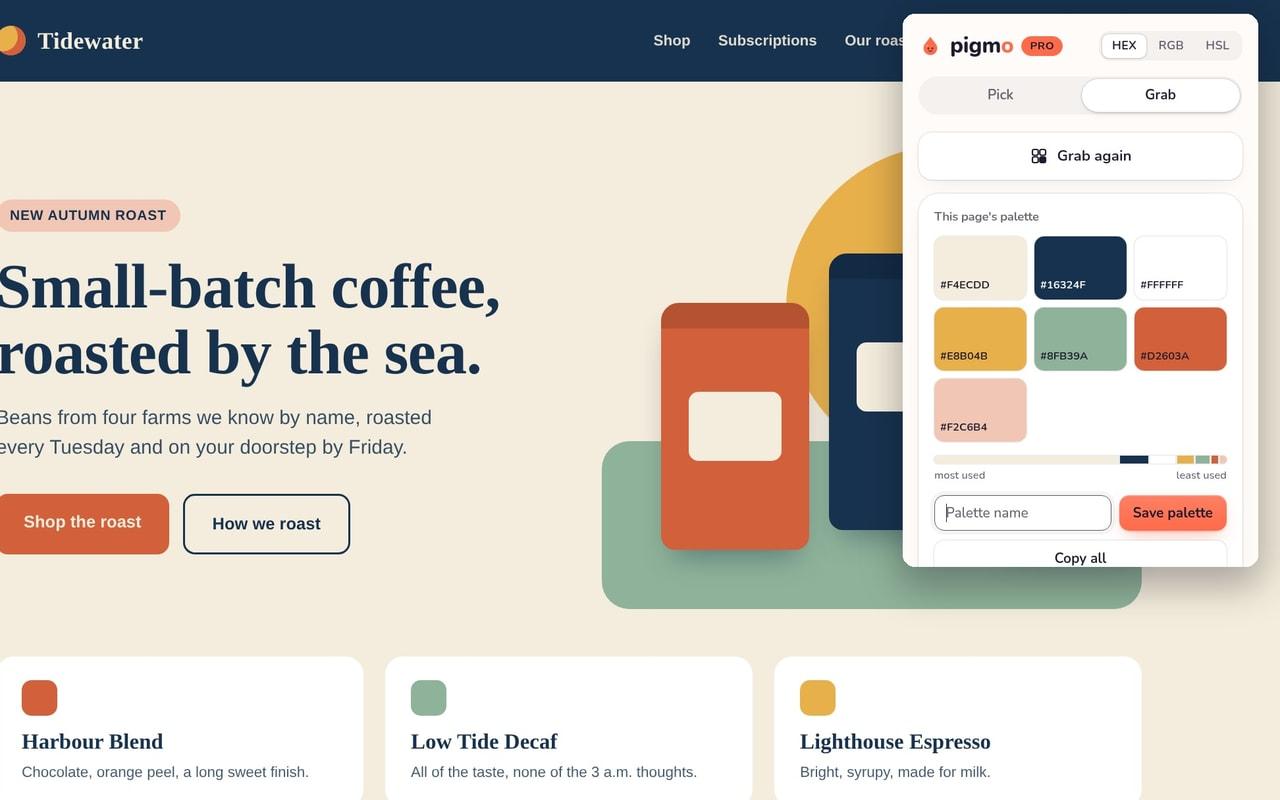
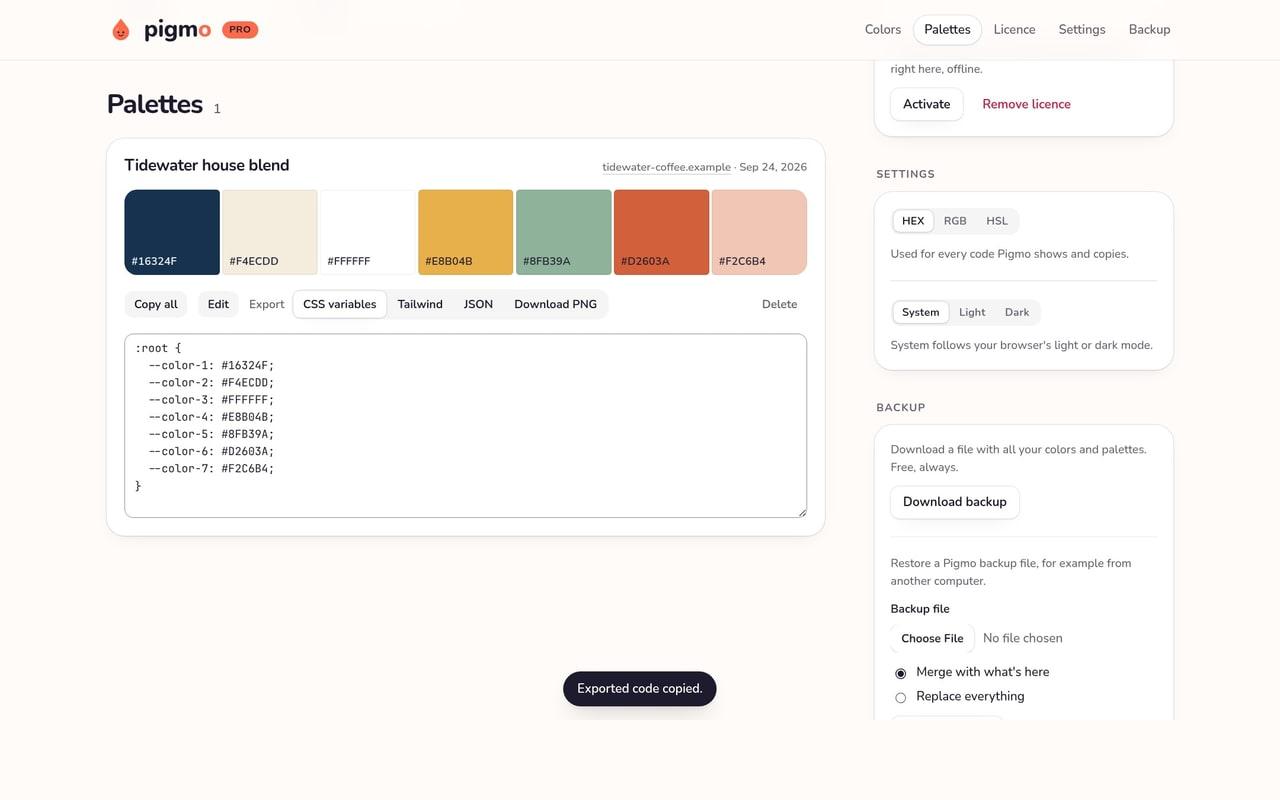
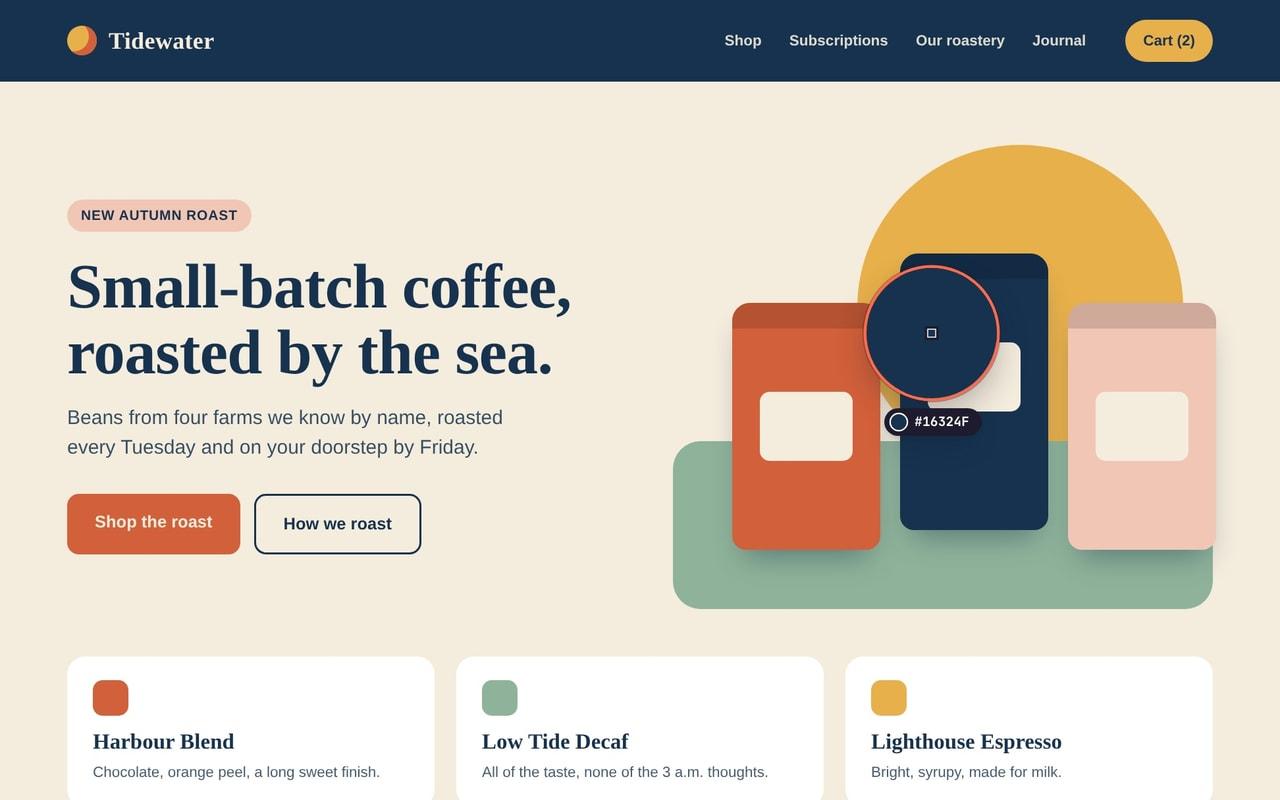
Pigmo is a color picker and eyedropper for Chrome that also grabs a website's whole color palette. Pick any pixel on a page, keep the colors you like, and copy them as HEX, RGB or HSL. Free, for good - Eyedropper with a magnifier: click any pixel on a web page. The code is copied and saved. - Save as many single colors as you like, and name them. - Copy codes as HEX, RGB or HSL. - Grab a website's color palette in one click and see where each color is used. - Download a backup of everything, any time. Pro: 19 EUR once, incl. VAT - Save palettes, rename them and reorder their colors. - Copy a whole palette in one click. - Export palettes as CSS variables, Tailwind colors or JSON. - Download a palette as a PNG image. - Restore your backup on another computer. Pay once. Yours forever. No subscription. Private by design No account. No tracking. No ads. Pigmo sends nothing to us. Your colors stay in your browser, on this device. Your licence key is checked on your device, offline. Made for web designers, UI designers and front-end developers who need a quick color picker, a palette extractor and a place to keep colors. Website: https://pigmo.app Questions? hello@gransoftware.de

Gallery

Pigmo screenshot 1 of 5
Pigmo screenshot 2 of 5
Pigmo screenshot 3 of 5
Pigmo screenshot 4 of 5
Pigmo screenshot 5 of 5

Overview

Who is it for?

Web designers, UI designers and front-end developers

Problem

Designers and developers pick colors off websites every day, then lose them in notes and screenshots, and copying a whole site's palette by hand takes ages.

Solution

Pigmo picks any pixel with a magnifier and saves it to a library. One click grabs a website's whole palette, ranked by how much each color is used. Copy codes as HEX, RGB or HSL; Pro exports palettes to CSS variables, Tailwind, JSON and PNG.

What makes it unique

Private by design: no account, no tracking, no network requests. It reads a tab only after you click. Free with no time limit; Pro is 19 EUR once, no subscription.