# FastCompressor - Batch image & video compressor with Watch Folders & Target Size
> Batch image & video compressor with Watch Folders & Target Size

```yaml
url: "https://www.scrolllaunch.com/products/fastcompressor"
website: "https://www.fastcompressor.com"
tier: premium · Verified
upvotes: 2
launch_week: 2026-W36
launched: "Week 36, 2026"
categories: "Other, Productivity"
tags: "image compression, video compression, batch processing"
pricing: Freemium
starting_price: $19 one-time
created: 2026-07-08
logo: "https://res.cloudinary.com/dwb211sw5/image/upload/v1783503256/scrolllaunch/products/product_6a4b40c80a3c484263b8a563_1783503256676.png"
cover: "https://res.cloudinary.com/dwb211sw5/image/upload/v1783503171/scrolllaunch/products/prefill_6a4b40c80a3c484263b8a563_1783503170710_cover.png"
video: "https://www.youtube.com/watch?v=S0_iouhFPJo"
```

## About FastCompressor

Tired of paying $10/month just to compress files or waiting for cloud uploads that compromise your privacy? 

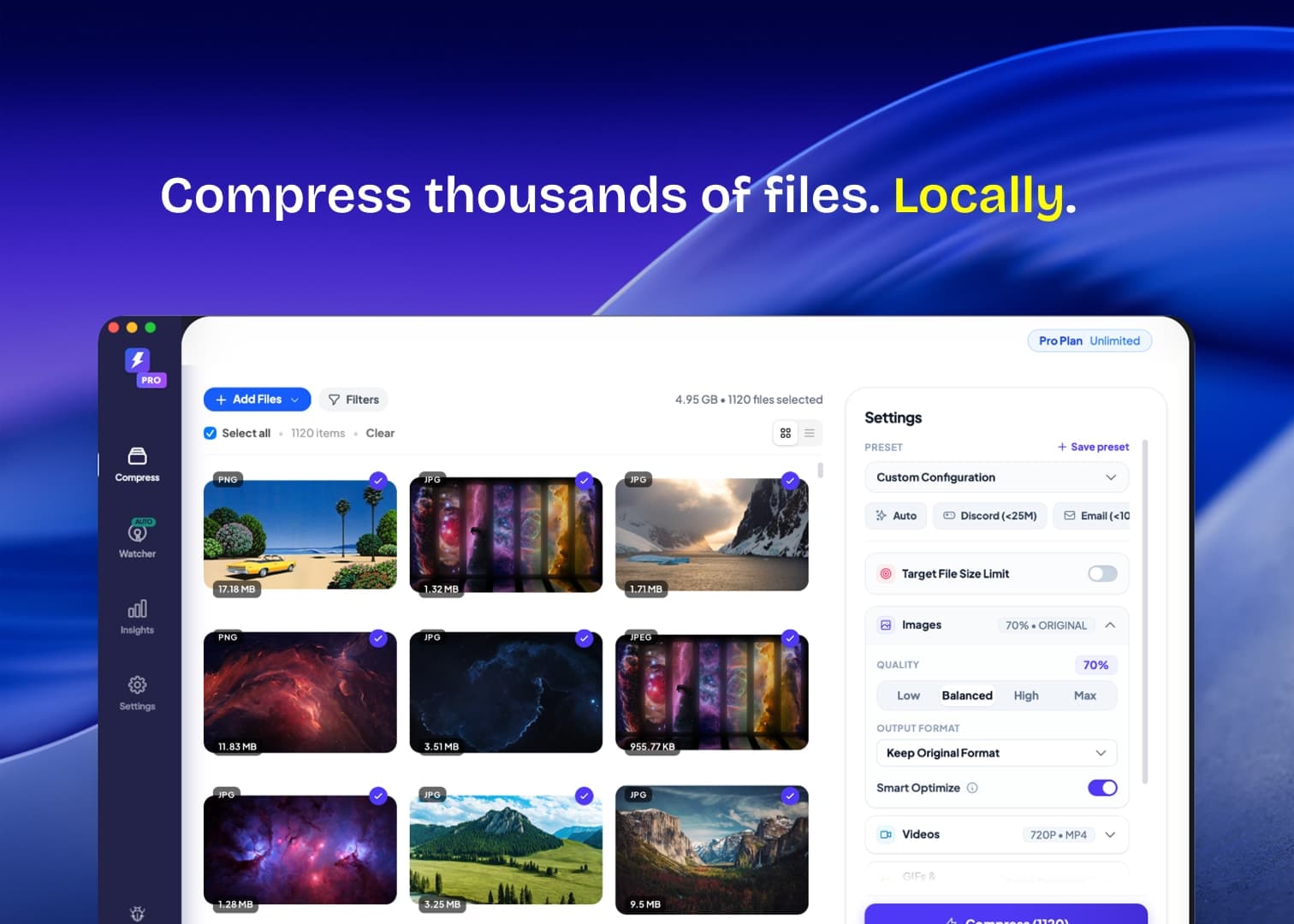
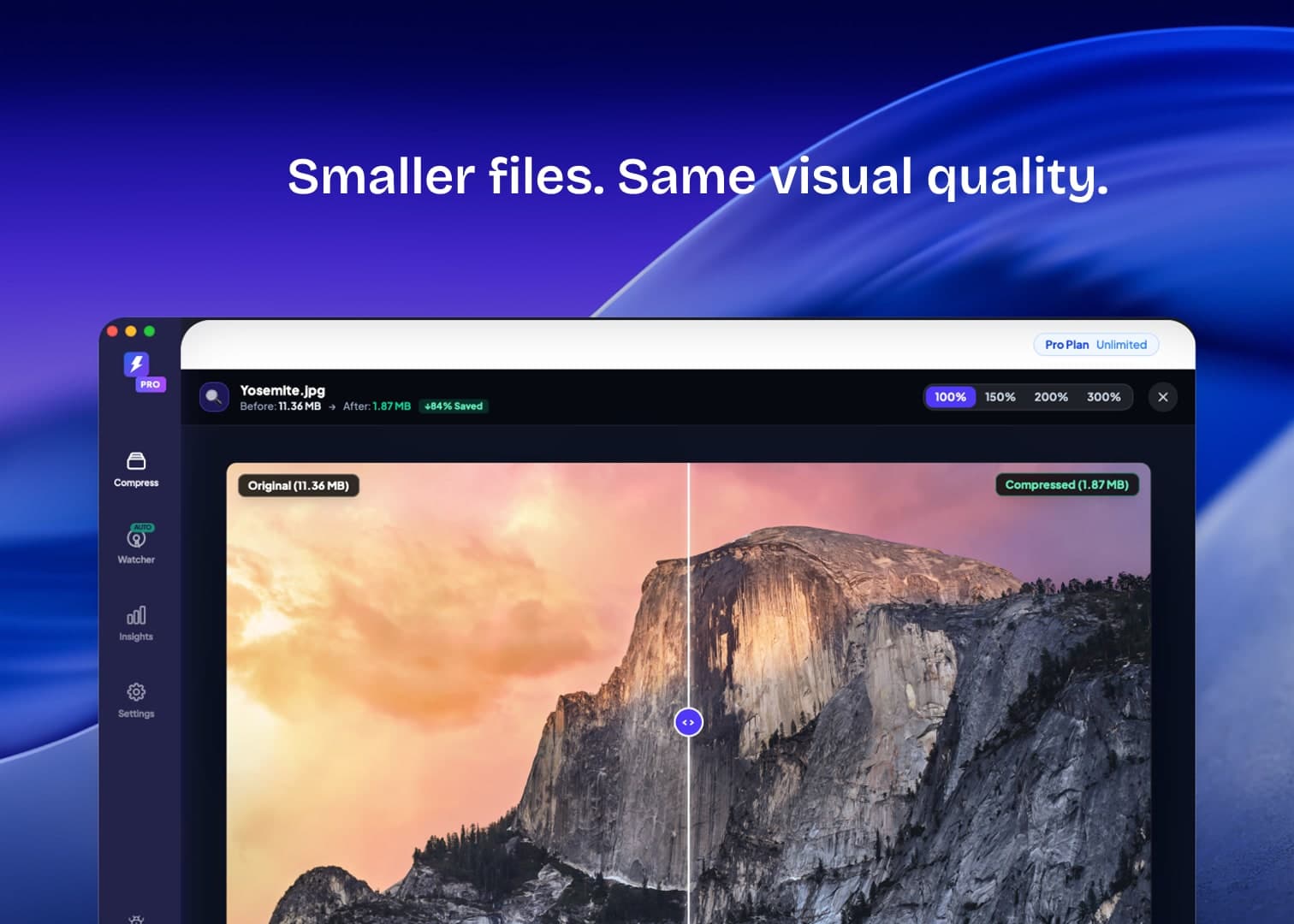
FastCompressor is a blazing-fast, 100% offline desktop compressor for Mac, Windows, and Linux (plus a free web version) that compresses images, 4K videos, and PDFs locally with zero quality loss.

🚀 WHY FASTCOMPRESSOR STANDS OUT:

🤖 Native AI & MCP Server — The first compressor with built-in Model Context Protocol. Connect it to Cursor, Claude Desktop, or Windsurf so AI agents can compress, convert, and audit project assets autonomously.

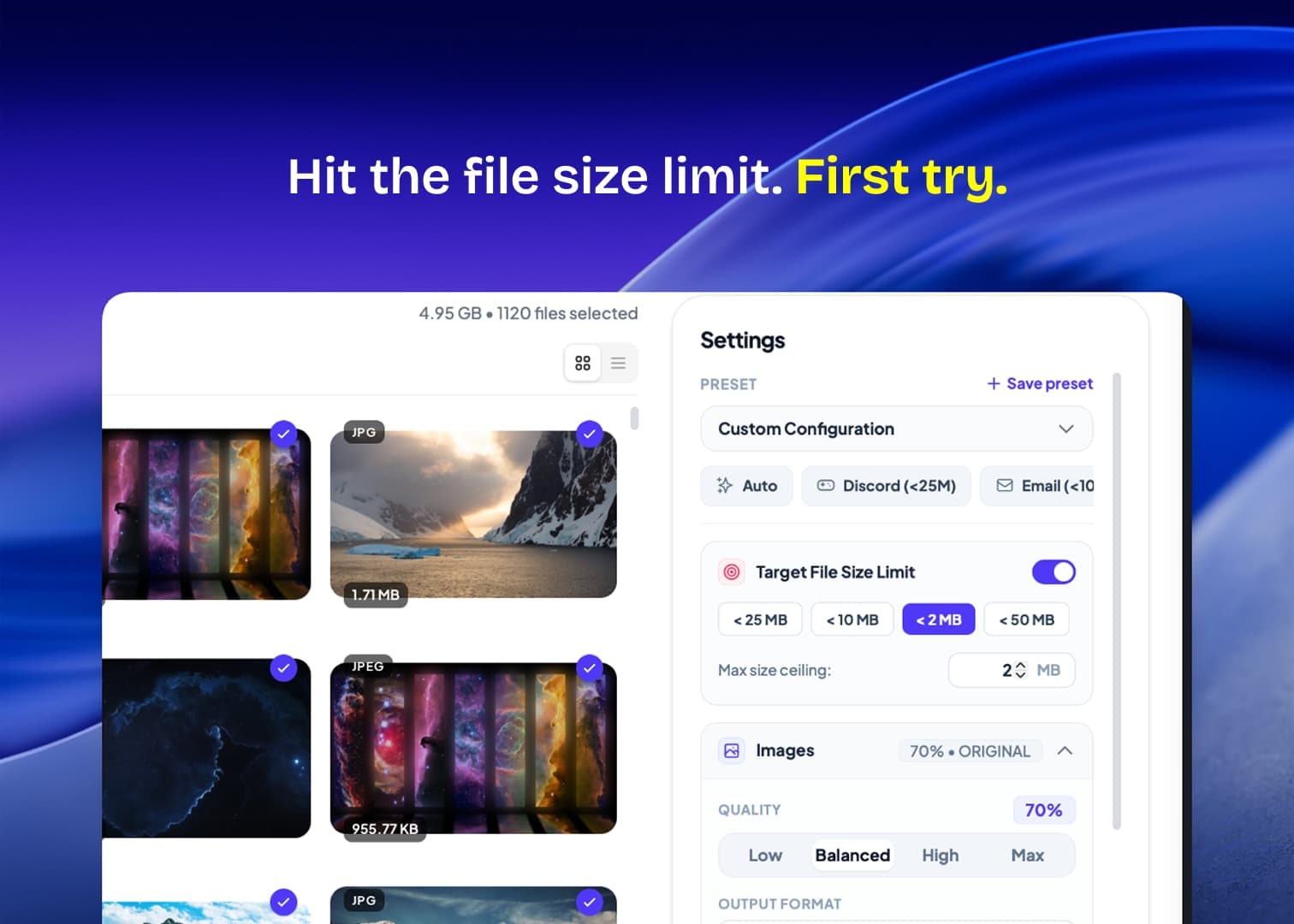
🎯 Target File Size Engine — Need a video under 25MB for Discord or 10MB for Gmail? Type the exact target size and FastCompressor calculates optimal bitrate automatically.

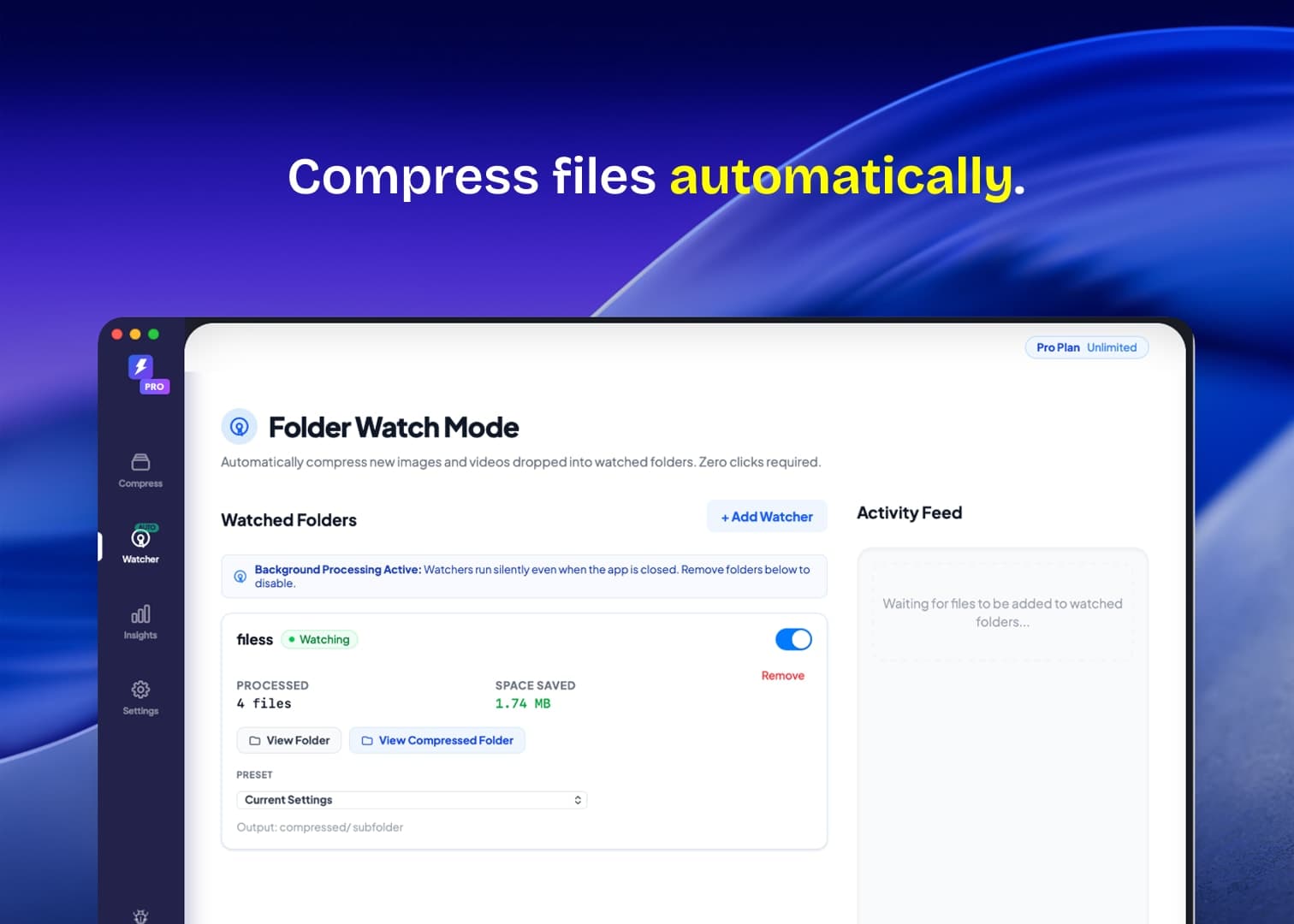
📁 Background Folder Watch — Set a "Watch Folder" (like Downloads or Obs-Captures) to automatically compress and convert new files in the background without opening the app.

⚡ 100% Private & GPU-Accelerated — Runs entirely on your machine via Libvips, WebAssembly & FFmpeg. No file size limits, zero cloud uploads, zero telemetry.

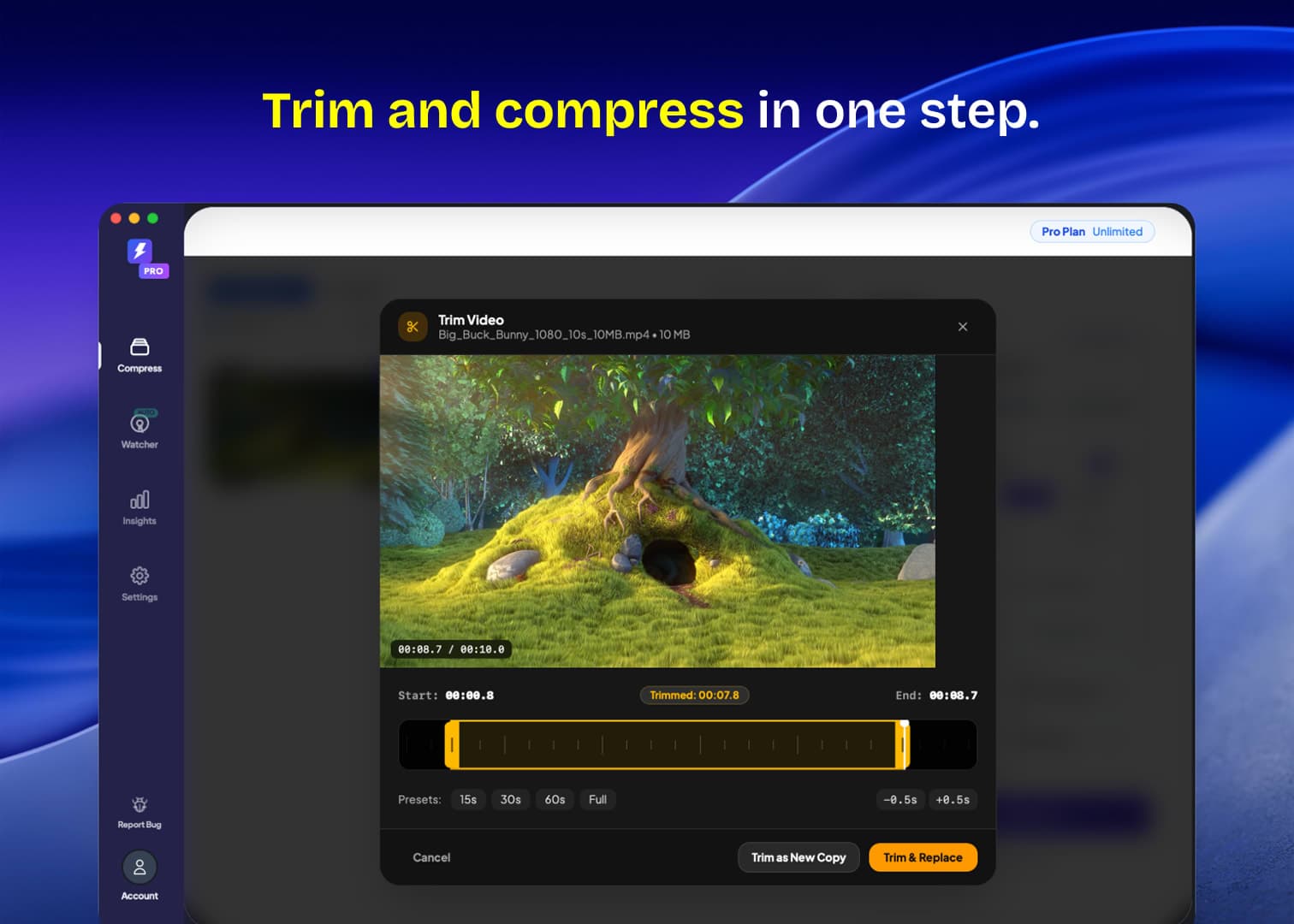
✂️ Built-in Video Trimmer — Trim clips, strip audio tracks, or convert to WebM/MP4 in seconds.

💎 PAY ONCE, COMPRESS FOREVER:
Use the free starter tier or unlock Lifetime Pro for a single one-time payment ($19). Zero subscriptions, use on up to 3 devices with lifetime updates.

## Overview

### Who is it for?

Designers, video editors, software developers & AI engineers (Cursor/Claude users), content creators, and privacy-conscious professionals who handle large volumes of media assets daily.

### Problem

Existing compression tools are broken: web services (TinyPNG, CloudConvert) force you to upload private files to remote servers, have strict upload limits, and charge recurring monthly subscriptions. Meanwhile, legacy desktop tools lack modern 4K video support, don't support custom target sizes (e.g., Discord <25MB, Gmail <10MB), and offer zero AI automation.

### Solution

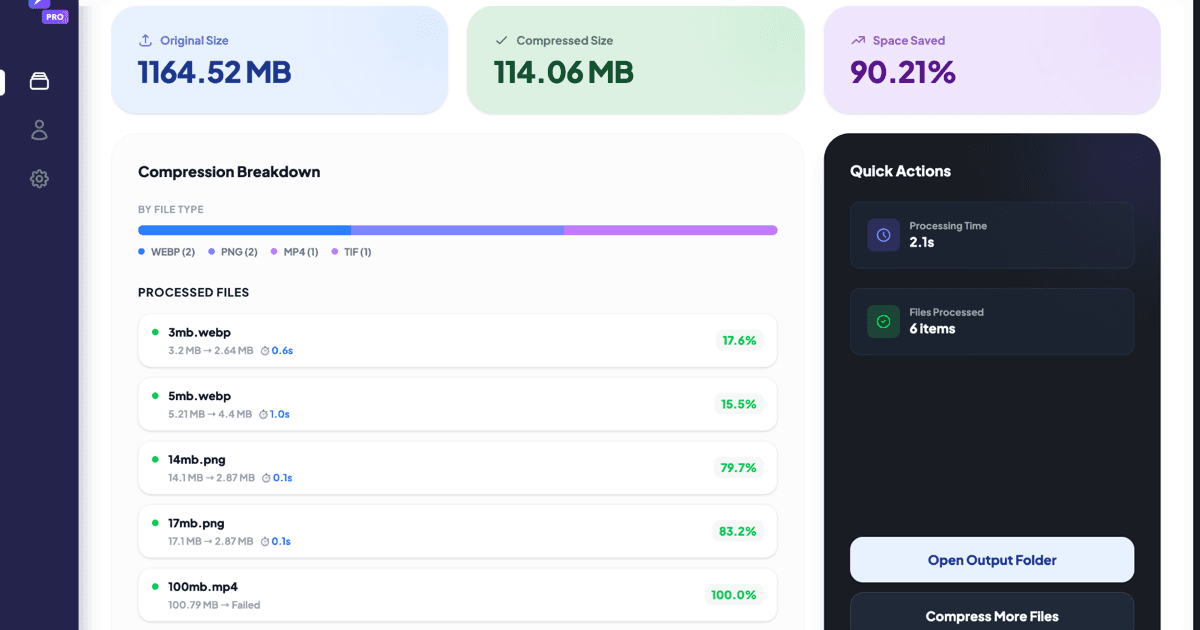
FastCompressor is a 100% offline, GPU-accelerated desktop app for Mac, Windows, and Linux that batch-compresses images, 4K videos, and PDFs entirely on your machine. With zero cloud uploads, files process in milliseconds with zero quality loss, customizable compression targets, and complete local privacy.

### What makes it unique

1. Built-in AI MCP Server: Allows AI coding agents (Cursor, Windsurf, Claude Desktop) to autonomously compress and optimize repository assets via natural language.
2. Target File Size Engine: Instantly hit exact file size limits (Discord 25MB, Email 10MB) with automatic bitrate calculation.
3. Background Folder Watch & Dropzone: Automatically compresses files dropped into watched folders (e.g. Downloads) in the background.
4. Transparent Lifetime Pricing: A generous free tier plus a one-time $19 lifetime license for up to 3 devices—no subscriptions ever.

## Use cases

1. [Batch image compression](https://www.scrolllaunch.com/use-cases/batch-image-compression)
2. [Video size reduction](https://www.scrolllaunch.com/use-cases/video-size-reduction)
3. [TIFF file optimization](https://www.scrolllaunch.com/use-cases/tiff-file-optimization)
4. [Image format conversion](https://www.scrolllaunch.com/use-cases/image-format-conversion)
5. [Background removal](https://www.scrolllaunch.com/use-cases/background-removal)
6. [Watermarking images](https://www.scrolllaunch.com/use-cases/watermarking-images)
7. [PDF merging](https://www.scrolllaunch.com/use-cases/pdf-merging)
8. [Folder watch automation](https://www.scrolllaunch.com/use-cases/folder-watch-automation)
9. [Social media image resizing](https://www.scrolllaunch.com/use-cases/social-media-image-resizing)
10. [Web performance optimization](https://www.scrolllaunch.com/use-cases/web-performance-optimization)

## Details

### Pricing model

- [Freemium](https://www.scrolllaunch.com/pricing-models/freemium)

### Collections

- [Freemium Productivity Products](https://www.scrolllaunch.com/categories/productivity/freemium)
- [Productivity Products for macOS](https://www.scrolllaunch.com/categories/productivity/macos)
- [Productivity Products for Windows](https://www.scrolllaunch.com/categories/productivity/windows)
- [Freemium macOS Products](https://www.scrolllaunch.com/platforms/macos/freemium)
- [Freemium Windows Products](https://www.scrolllaunch.com/platforms/windows/freemium)
- [Productivity Products for Linux](https://www.scrolllaunch.com/categories/productivity/linux)
- [Freemium “developer tools” Products](https://www.scrolllaunch.com/keywords/developer-tools/freemium)
- [Freemium Linux Products](https://www.scrolllaunch.com/platforms/linux/freemium)
- [Productivity Products for PDF merging](https://www.scrolllaunch.com/use-cases/pdf-merging/productivity)
- [Freemium Photoshop Alternatives](https://www.scrolllaunch.com/alternatives/photoshop/freemium)

### Platforms

- [macOS](https://www.scrolllaunch.com/platforms/macos)
- [Windows](https://www.scrolllaunch.com/platforms/windows)
- [Linux](https://www.scrolllaunch.com/platforms/linux)

### Tags

`#image compression` · `#video compression` · `#batch processing`

### Keywords

- [image compressor](https://www.scrolllaunch.com/keywords/image-compressor)
- [video compressor](https://www.scrolllaunch.com/keywords/video-compressor)
- [batch compression](https://www.scrolllaunch.com/keywords/batch-compression)
- [offline compression](https://www.scrolllaunch.com/keywords/offline-compression)
- [secure file processing](https://www.scrolllaunch.com/keywords/secure-file-processing)
- [mac apps](https://www.scrolllaunch.com/keywords/mac-apps)
- [Developer Tools](https://www.scrolllaunch.com/keywords/developer-tools)
- [Video](https://www.scrolllaunch.com/keywords/video)
- [Photography](https://www.scrolllaunch.com/keywords/photography)

## FastCompressor alternative to

- [TinyPNG](https://www.scrolllaunch.com/alternatives/tinypng)
- [Squoosh](https://www.scrolllaunch.com/alternatives/squoosh)
- [ImageOptim](https://www.scrolllaunch.com/alternatives/imageoptim)
- iLoveIMG
- Kraken.io
- [Photoshop](https://www.scrolllaunch.com/alternatives/photoshop)

## Frequently asked questions

**Q: Is it really private?**

Yes. FastCompressor performs all operations on your local CPU/GPU. It processes everything locally on your device.

**Q: Why use this over online tools?**

Online tools are slow, limit file sizes, and pose a privacy risk. FastCompressor is built for bulk workflows—compressing hundreds or thousands of assets instantly without waiting for any server.

**Q: What happens after the free limit?**

You can continue using the app for free! You'll just be limited to 20 files per session. To unlock unlimited bulk processing a one-time upgrade is available.

**Q: Does it support batch processing?**

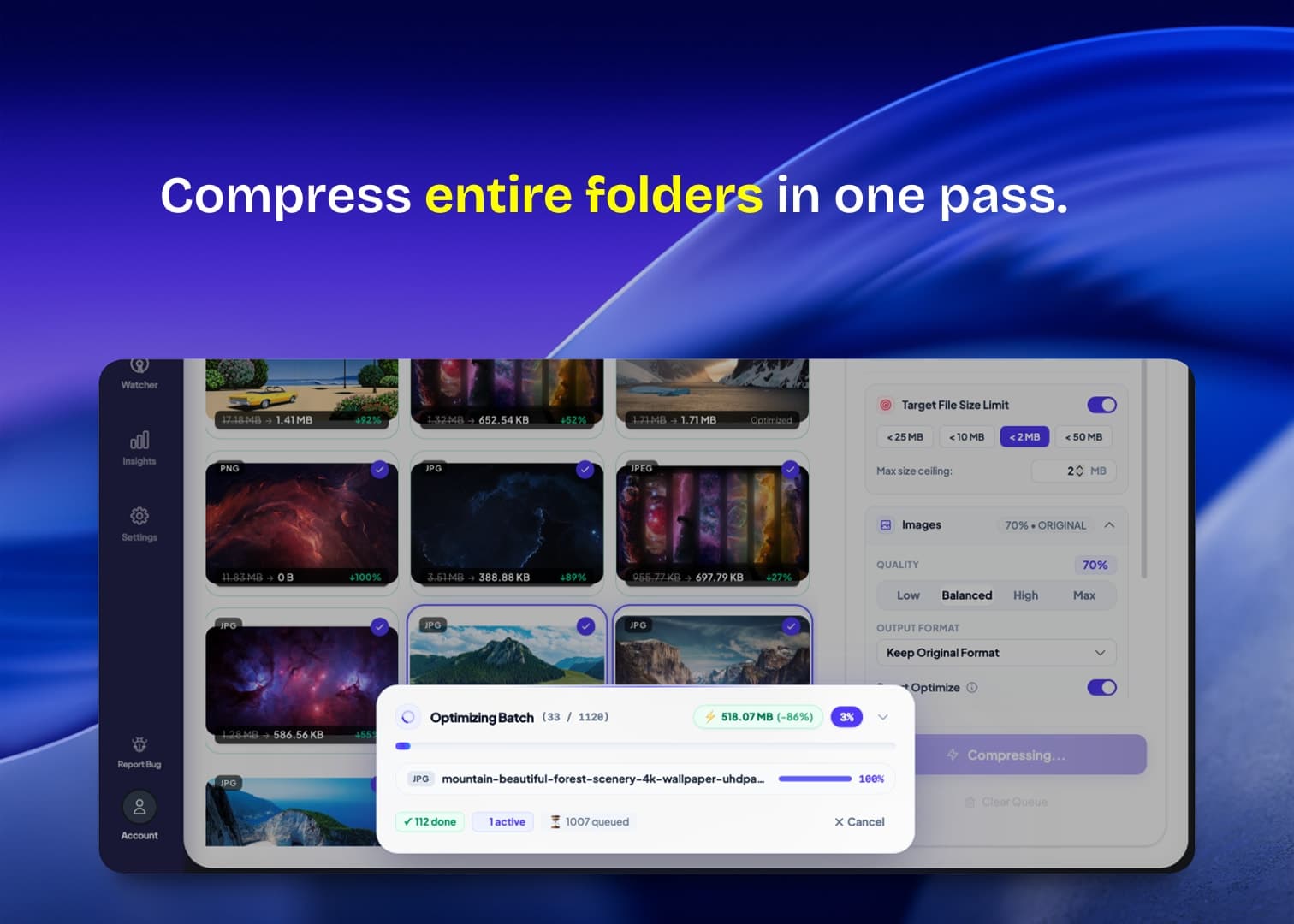
Yes! You can drag and drop multiple images or entire folders for simultaneous processing, saving you time and effort.

**Q: Does FastCompressor work offline on Mac, Windows, and Linux?**

Yes! FastCompressor is a fully offline image compressor. Download the free desktop app for macOS, Windows 10/11, or Linux.

## Media

![FastCompressor logo](https://res.cloudinary.com/dwb211sw5/image/upload/v1783503256/scrolllaunch/products/product_6a4b40c80a3c484263b8a563_1783503256676.png)

![FastCompressor cover](https://res.cloudinary.com/dwb211sw5/image/upload/v1783503171/scrolllaunch/products/prefill_6a4b40c80a3c484263b8a563_1783503170710_cover.png)

![FastCompressor screenshot 1](https://res.cloudinary.com/dwb211sw5/image/upload/v1783503304/scrolllaunch/products/product_6a4b40c80a3c484263b8a563_1783503304547.png)

![FastCompressor screenshot 2](https://res.cloudinary.com/dwb211sw5/image/upload/v1783503328/scrolllaunch/products/product_6a4b40c80a3c484263b8a563_1783503328718.png)

![FastCompressor screenshot 3](https://res.cloudinary.com/dwb211sw5/image/upload/v1788205796/scrolllaunch/products/product_6a4b40c80a3c484263b8a563_1788205796712_c1jjq2.jpg)

![FastCompressor screenshot 4](https://res.cloudinary.com/dwb211sw5/image/upload/v1788206708/scrolllaunch/products/product_6a4b40c80a3c484263b8a563_1788206708385_w02gqo.jpg)

![FastCompressor screenshot 5](https://res.cloudinary.com/dwb211sw5/image/upload/v1788206759/scrolllaunch/products/product_6a4b40c80a3c484263b8a563_1788206759188_wip0gk.jpg)

- [Demo video](https://www.youtube.com/watch?v=S0_iouhFPJo): https://www.youtube.com/watch?v=S0_iouhFPJo

- Embed URL: https://www.youtube-nocookie.com/embed/S0_iouhFPJo

## Links

- Website: https://www.fastcompressor.com
- Twitter / X: https://x.com/fastcompressor_
- Product Hunt: https://www.producthunt.com/products/fastcompressor/launches/fastcompressor-compress-at-scale
- Pricing page: https://www.fastcompressor.com/pricing

## Explore

- [More in Other](https://www.scrolllaunch.com/categories/other)
- [More in Productivity](https://www.scrolllaunch.com/categories/productivity)
- [All product launches](https://www.scrolllaunch.com/products)
- [Other launches in Week 36, 2026](https://www.scrolllaunch.com/week/2026/36)

_HTML version: https://www.scrolllaunch.com/products/fastcompressor_