# SmoothCapture - Create polished app demo videos fast

> Create polished app demo videos fast

```yaml
url: "https://www.scrolllaunch.com/products/smoothcapture"
website: "https://www.smoothcapture.app"
tier: premium · Verified
upvotes: 1
launch_week: 2026-W36
launched: "Week 36, 2026"
categories: "Video Editing, Productivity, Other"
tags: "screen recording, video editing, app demos"
pricing: Paid
starting_price: $99 one-time
maker: Vu Nguyen
created: 2026-09-01
logo: "https://res.cloudinary.com/dwb211sw5/image/upload/v1788257281/scrolllaunch/products/product_6a59962f442db989bd514264_1788257281108_rpofll.png"
cover: "https://res.cloudinary.com/dwb211sw5/image/upload/v1788257243/scrolllaunch/products/prefill_6a59962f442db989bd514264_1788257243816_cover_1.jpg"
video: "https://www.youtube.com/watch?v=n6alYaJcXHw"
```

## About SmoothCapture

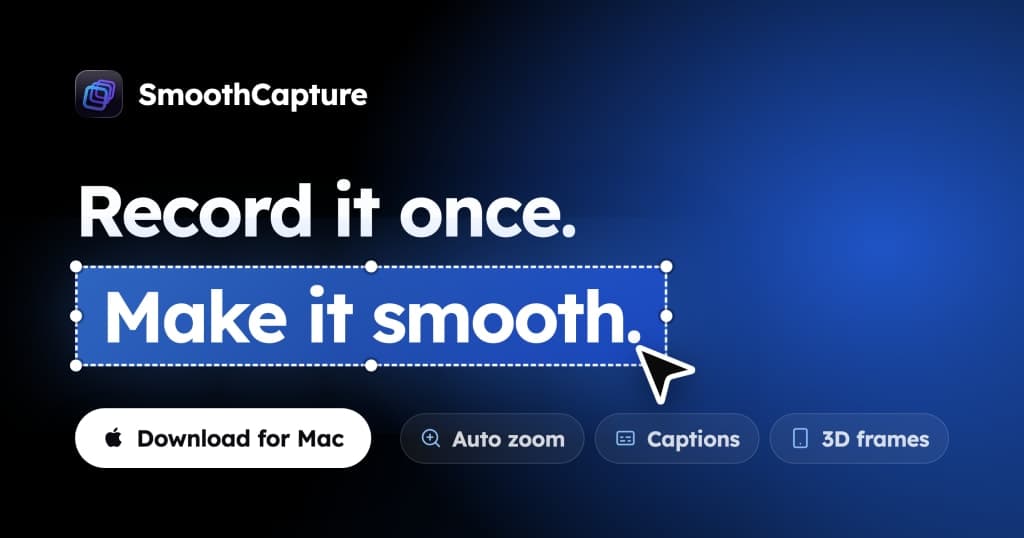
SmoothCapture records and edits app demo videos on your Mac, iPhone, or iOS Simulator. It's designed for developers and marketers who want to showcase their apps without the hassle of complex software. Capture your screen, add annotations, and export in various formats—all in one app.

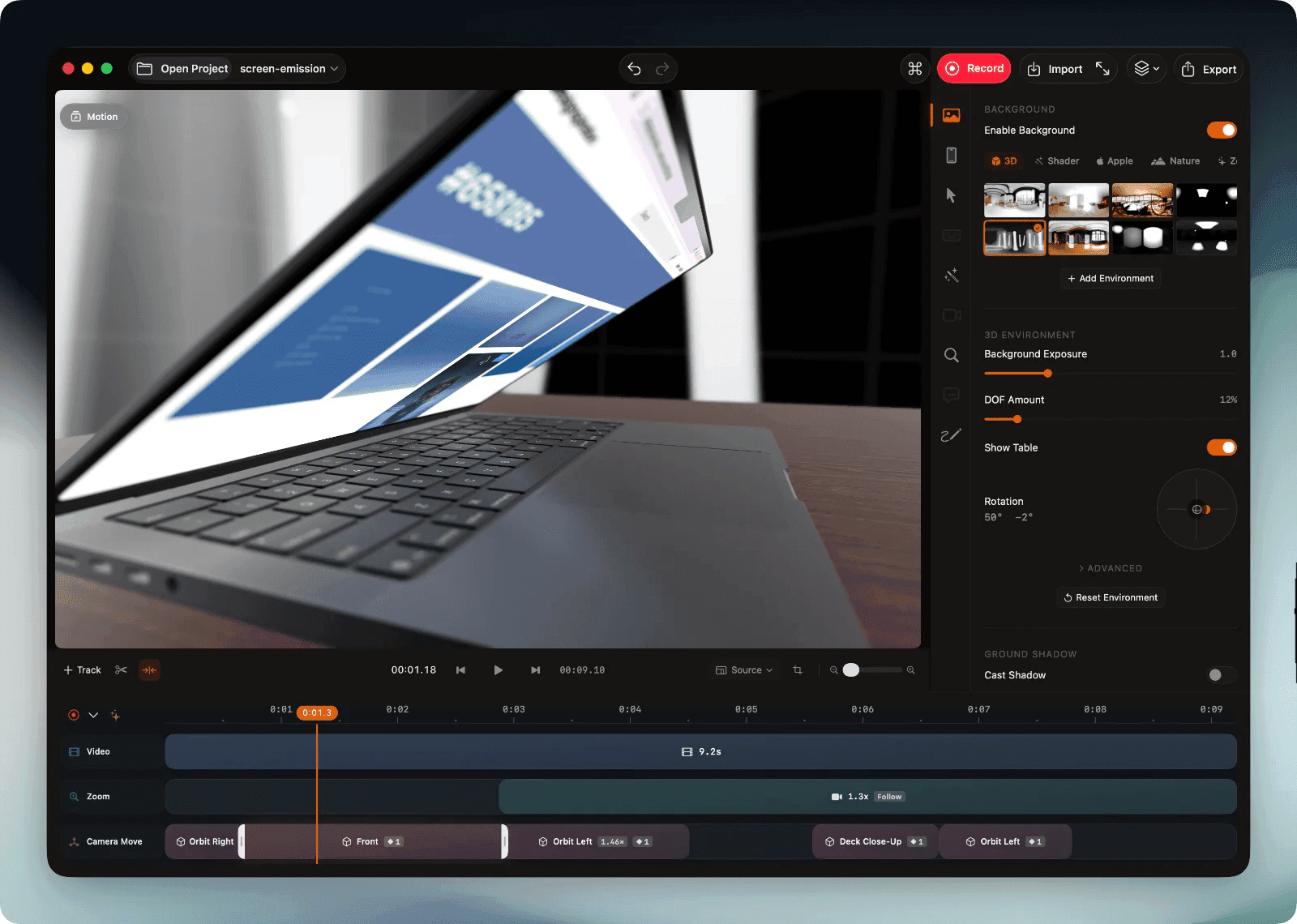
Start by recording from any source: your Mac's screen, an iPhone over USB, or the iOS Simulator. Trim mistakes, reorder clips, and enhance your video with 3D device frames and zoom effects. Export your polished video ready for your launch or App Store page with a simple one-time purchase to unlock exporting features.

## Overview

### Who is it for?

Developers and marketers creating app demo videos.

### Problem

Creating high-quality app demo videos can be time-consuming and requires multiple tools. Many existing solutions lack features like system audio capture, zoom effects, and easy editing, making it difficult to produce polished videos quickly.

### Solution

SmoothCapture simplifies the video creation process by integrating recording and editing into one app. Users can record their screens, iPhones, or simulators, and edit the footage with features like trimming, zooming, and adding annotations—all without needing advanced video skills.

### What makes it unique

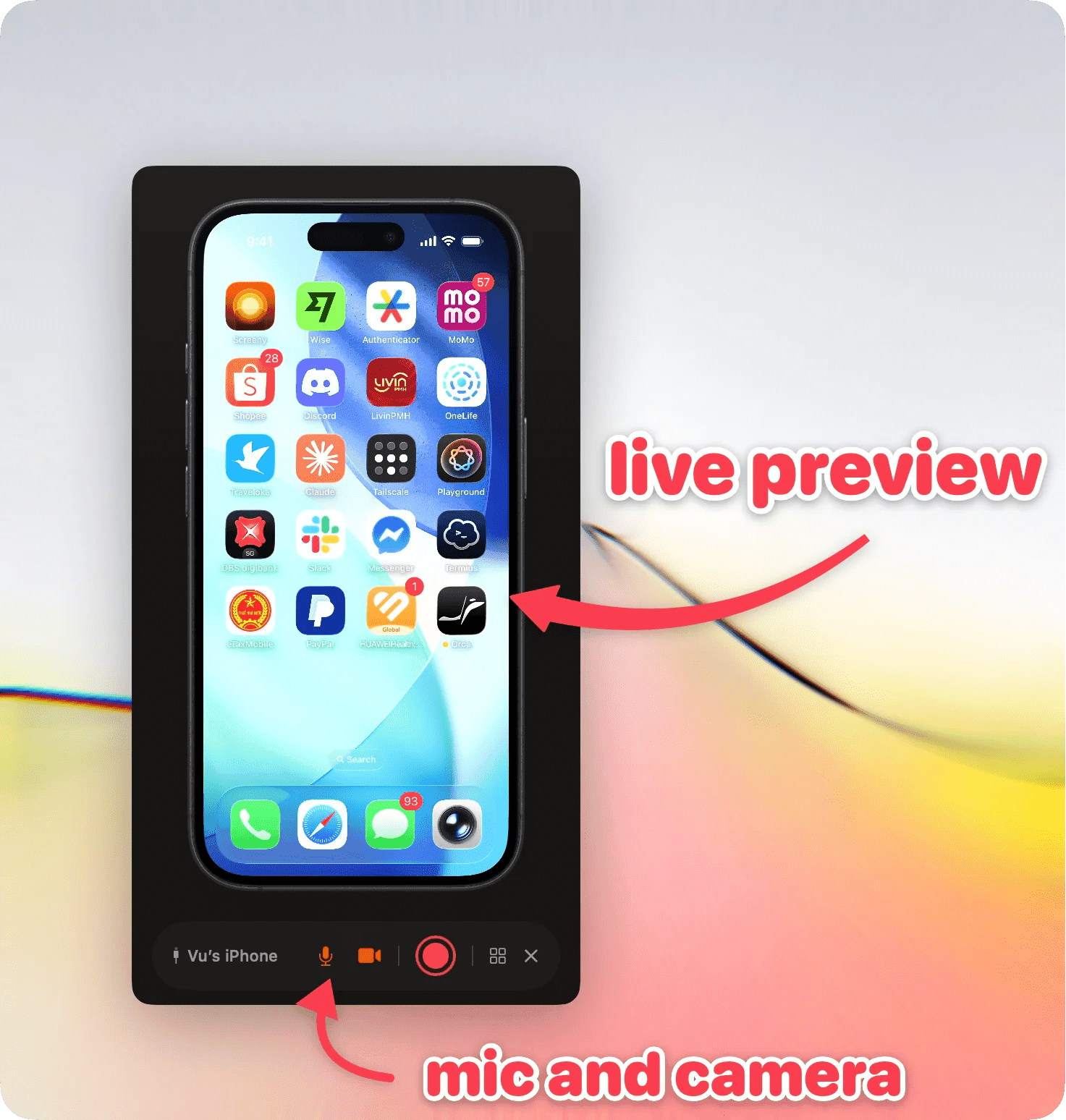
SmoothCapture uniquely allows users to record iPhones directly over USB with system audio, ensuring a clean capture for App Store previews. Its integrated timeline editor and 3D device frames make it stand out from other screen recording tools.

## Use cases

1. [App demo videos](https://www.scrolllaunch.com/use-cases/app-demo-videos)
2. [Screen recording](https://www.scrolllaunch.com/use-cases/screen-recording)
3. [Video editing](https://www.scrolllaunch.com/use-cases/video-editing)
4. [IOS Simulator capture](https://www.scrolllaunch.com/use-cases/ios-simulator-capture)
5. [3D device frames](https://www.scrolllaunch.com/use-cases/3d-device-frames)
6. [Audio mixing](https://www.scrolllaunch.com/use-cases/audio-mixing)
7. [Annotation](https://www.scrolllaunch.com/use-cases/annotation)
8. [Trim videos](https://www.scrolllaunch.com/use-cases/trim-videos)
9. [Export formats](https://www.scrolllaunch.com/use-cases/export-formats)
10. [Quick edits](https://www.scrolllaunch.com/use-cases/quick-edits)

## Details

### Pricing model

- [Paid](https://www.scrolllaunch.com/pricing-models/paid)

### Collections

- [Paid Productivity Products](https://www.scrolllaunch.com/categories/productivity/paid)
- [Productivity Products for macOS](https://www.scrolllaunch.com/categories/productivity/macos)
- [Paid macOS Products](https://www.scrolllaunch.com/platforms/macos/paid)
- [Productivity Products built with Swift](https://www.scrolllaunch.com/tech/swift/productivity)
- [Swift Products for macOS](https://www.scrolllaunch.com/tech/swift/macos)
- [Paid Video Editing Products](https://www.scrolllaunch.com/categories/video-editing/paid)
- [Video Editing Products for macOS](https://www.scrolllaunch.com/categories/video-editing/macos)
- [Paid Swift Products](https://www.scrolllaunch.com/tech/swift/paid)
- [Camtasia Alternatives for macOS](https://www.scrolllaunch.com/alternatives/camtasia/macos)
- [Loom Alternatives for macOS](https://www.scrolllaunch.com/alternatives/loom/macos)

### Platforms

- [macOS](https://www.scrolllaunch.com/platforms/macos)

### Tech stack

- [swift](https://www.scrolllaunch.com/tech/swift)
- [metal](https://www.scrolllaunch.com/tech/metal)

### Tags

`#screen recording` · `#video editing` · `#app demos`

### Keywords

- [app demo video](https://www.scrolllaunch.com/keywords/app-demo-video)
- [screen recording](https://www.scrolllaunch.com/keywords/screen-recording)
- [video editing](https://www.scrolllaunch.com/keywords/video-editing)

### Get the app

- [App Store](https://apps.apple.com/app/smoothcapture/id6789200094)

## SmoothCapture alternative to

- Screen Studio
- [Loom](https://www.scrolllaunch.com/alternatives/loom)
- [Camtasia](https://www.scrolllaunch.com/alternatives/camtasia)
- ScreenFlow
- CleanShot X
- [OBS Studio](https://www.scrolllaunch.com/alternatives/obs-studio)
- [Snagit](https://www.scrolllaunch.com/alternatives/snagit)

## Frequently asked questions

**Q: Can SmoothCapture record system audio on a Mac?**

Yes, it captures system audio natively without extra tools.

**Q: Is SmoothCapture free?**

You can record and edit for free; a one-time purchase unlocks exporting.

**Q: What Mac do I need?**

It requires macOS 15.2 or later and runs on all Mac models.

**Q: Can SmoothCapture record a physical iPhone or iPad?**

Yes, it can record over USB or wirelessly with device audio.

**Q: Can I record the iOS Simulator?**

Yes, it records the iOS Simulator directly for easy demo creation.

**Q: How is this different from Shift-Command-5?**

SmoothCapture adds features like system audio capture and a timeline editor.

**Q: Do I need to be online to use it?**

No, all recording and editing are done locally on your Mac.

**Q: What formats can I export in?**

You can export in MP4, MOV, GIF, and transparent ProRes.

**Q: Can I use it for App Store previews?**

Yes, it’s designed for creating high-quality App Store preview videos.

**Q: Is there a subscription?**

No, it's a one-time purchase with no subscription required.

## Media

![SmoothCapture logo](https://res.cloudinary.com/dwb211sw5/image/upload/v1788257281/scrolllaunch/products/product_6a59962f442db989bd514264_1788257281108_rpofll.png)

![SmoothCapture cover](https://res.cloudinary.com/dwb211sw5/image/upload/v1788257243/scrolllaunch/products/prefill_6a59962f442db989bd514264_1788257243816_cover_1.jpg)

![SmoothCapture screenshot 1](https://res.cloudinary.com/dwb211sw5/image/upload/v1788257559/scrolllaunch/products/product_6a59962f442db989bd514264_1788257558959_ne8xs3.png)

![SmoothCapture screenshot 2](https://res.cloudinary.com/dwb211sw5/image/upload/v1788257561/scrolllaunch/products/product_6a59962f442db989bd514264_1788257561721_wedmm9.png)

- [Demo video](https://www.youtube.com/watch?v=n6alYaJcXHw): https://www.youtube.com/watch?v=n6alYaJcXHw

- Embed URL: https://www.youtube-nocookie.com/embed/n6alYaJcXHw

## Links

- Website: https://www.smoothcapture.app
- Twitter / X: https://x.com/smooth_capture
- Pricing page: https://www.smoothcapture.app/pricing

## Explore

- [More in Video Editing](https://www.scrolllaunch.com/categories/video-editing)
- [More in Productivity](https://www.scrolllaunch.com/categories/productivity)
- [More in Other](https://www.scrolllaunch.com/categories/other)
- [All product launches](https://www.scrolllaunch.com/products)
- [Other launches in Week 36, 2026](https://www.scrolllaunch.com/week/2026/36)

_HTML version: https://www.scrolllaunch.com/products/smoothcapture_