# PC Launchpad - Free PC builder with guided part picking, comparisons, and planning tools
> Free PC builder with guided part picking, comparisons, and planning tools

```yaml
url: "https://www.scrolllaunch.com/products/pc-launchpad"
website: "https://www.pclaunchpad.com/builder"
tier: premium-plus · Verified
upvotes: 1
launch_week: 2026-W37
launched: "Week 37, 2026"
categories: "Other, Gaming, Productivity"
tags: "PC building, part picker, custom PC"
pricing: Free
maker: David Grong
created: 2026-09-02
logo: "https://res.cloudinary.com/dwb211sw5/image/upload/v1788377440/scrolllaunch/products/prefill_6a96fb3c4d94456ea585888c_1788377440489_logo_1.png"
cover: "https://res.cloudinary.com/dwb211sw5/image/upload/v1788377440/scrolllaunch/products/prefill_6a96fb3c4d94456ea585888c_1788377440481_cover_1.jpg"
```

## About PC Launchpad

PC Launchpad is a free PC builder and part picker that helps you choose components and understand how they fit your needs, budget, and build.

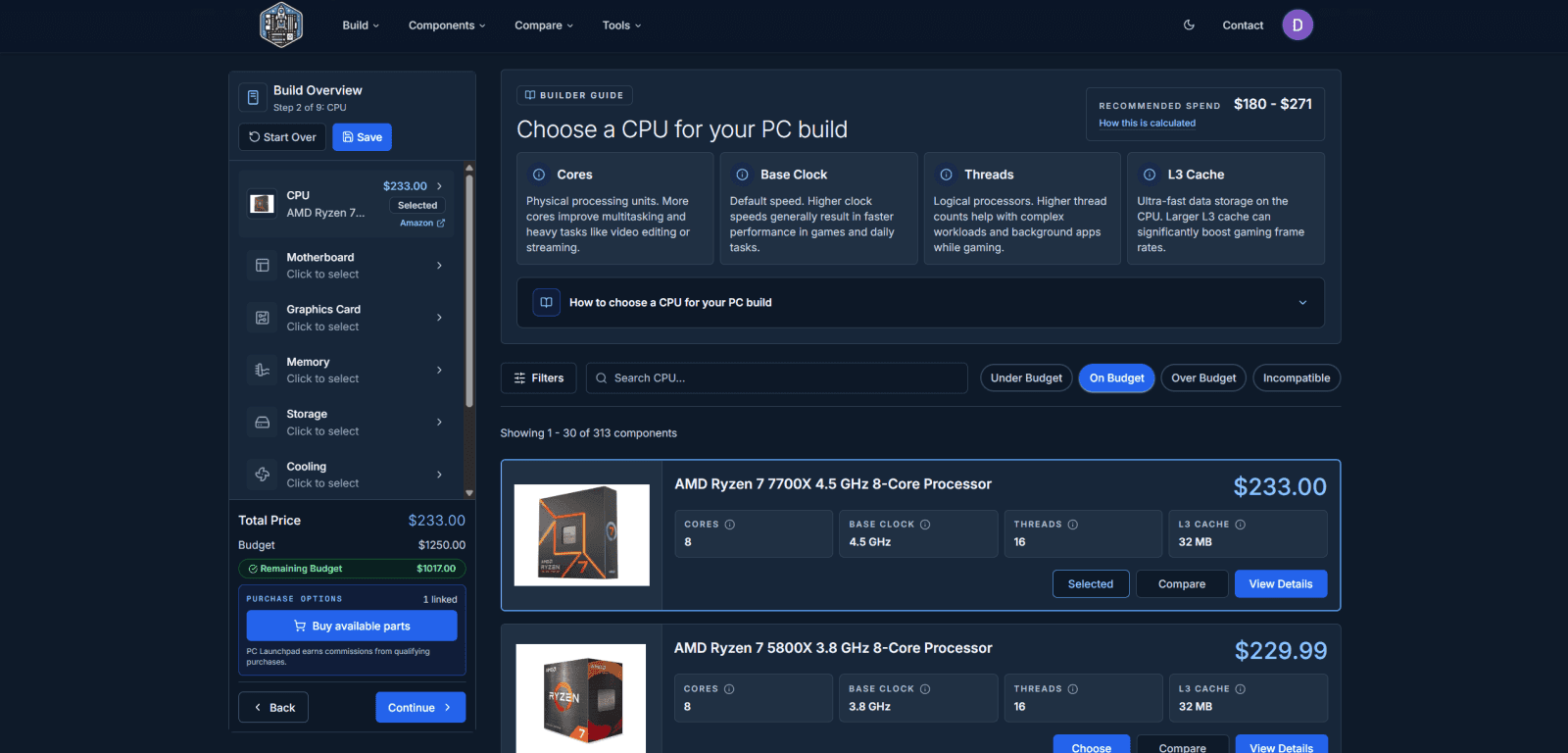
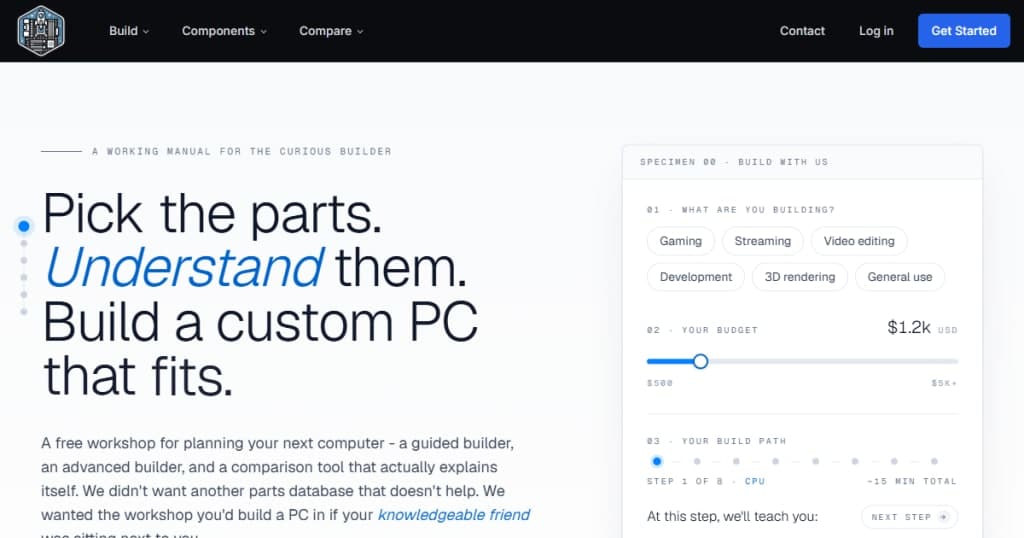
Start with the Guided Builder: tell it what you want to use your PC for and how much you want to spend, then work through your parts one step at a time. It has easily understandable spec explanations, budget-aware recommendations, and compatibility checks to help make each decision easier.

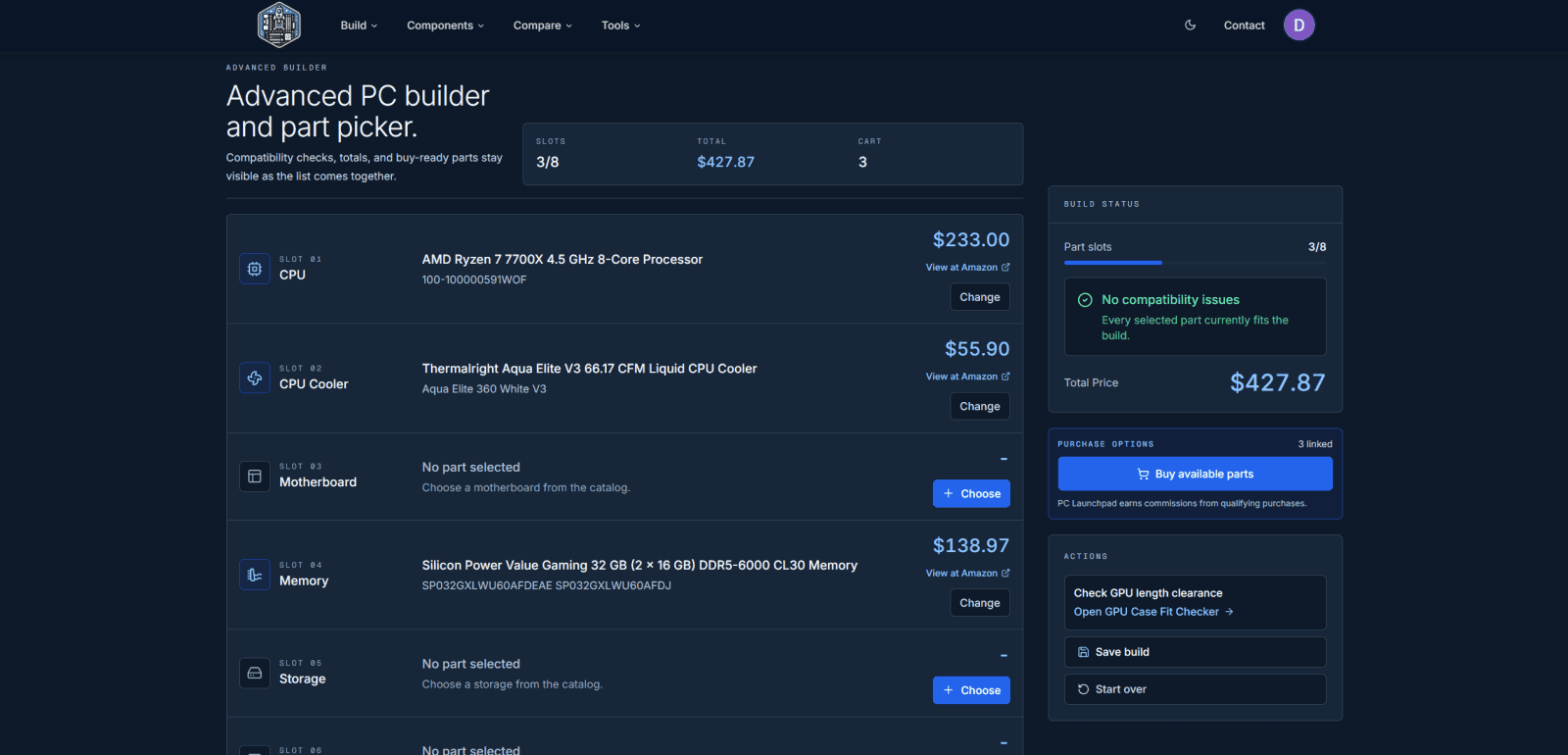
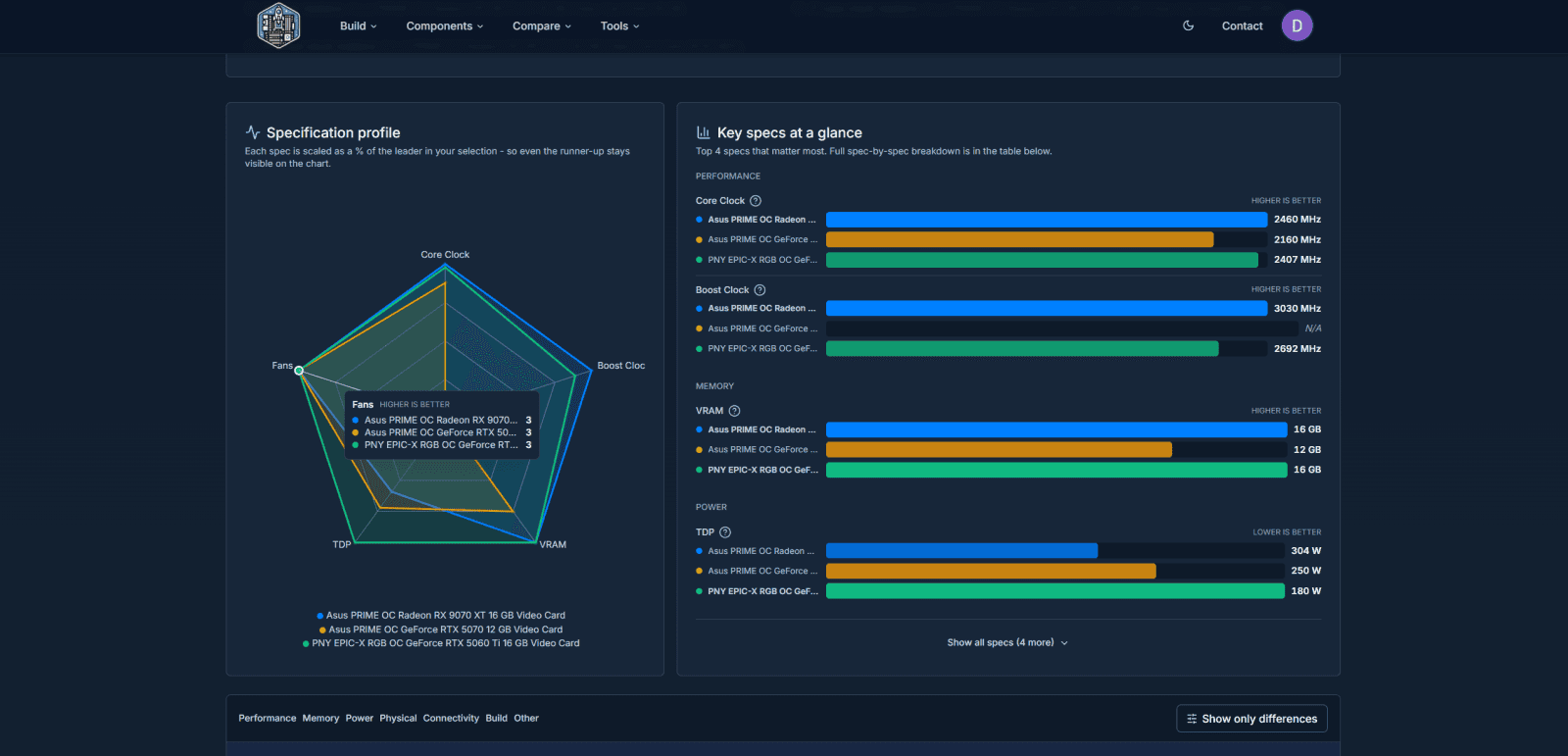
If you're already experienced in PC building, the Advanced Builder lets you choose parts in any order, track the total cost, and check compatibility as your build takes shape. Explore the component catalog and compare up to four parts side by side, with visual charts and explanations of the specs that matter.

Free planning tools help answer the questions that come up along the way:
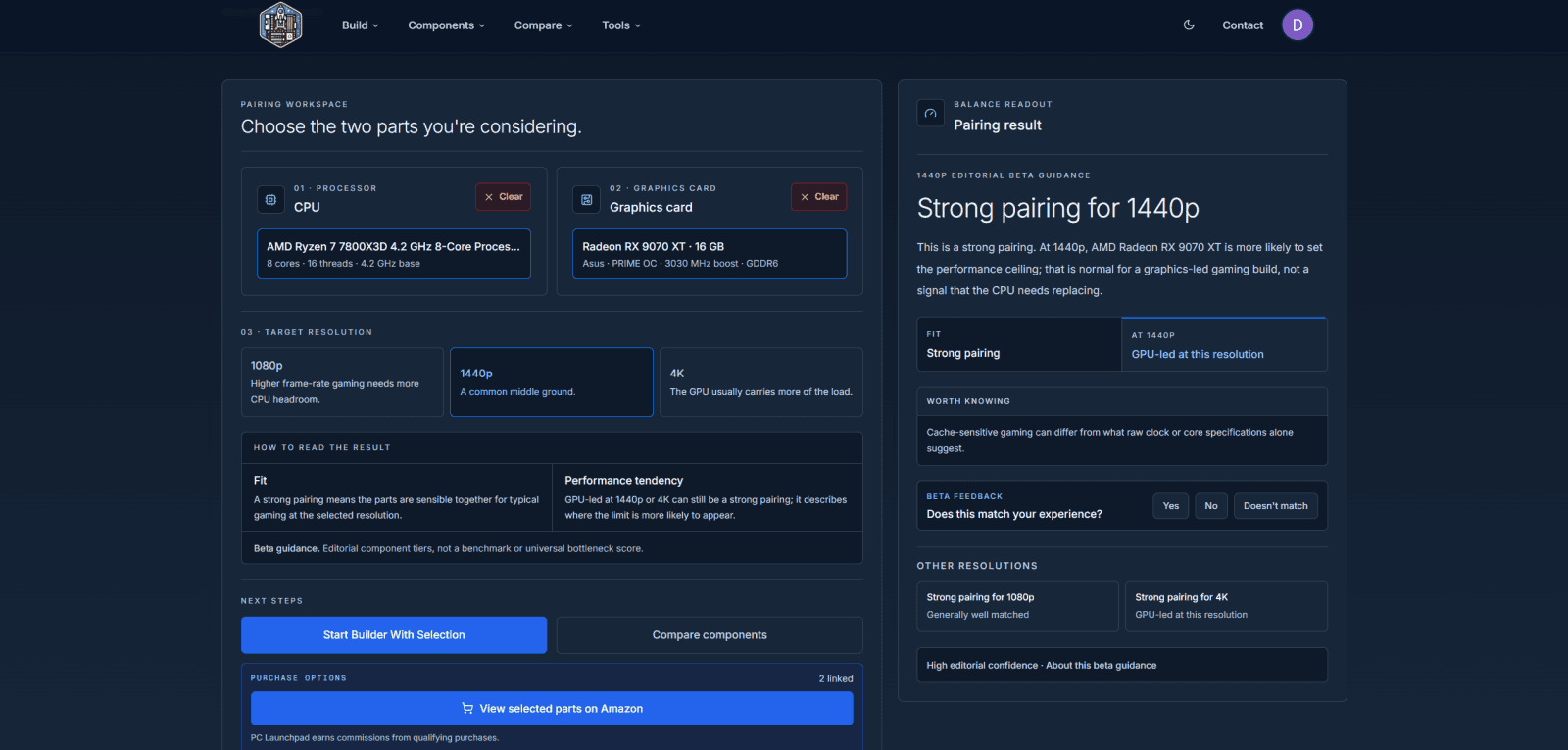
• CPU & GPU Balance Calculator: explore processor and graphics-card pairings at 1080p, 1440p, or 4K.
• GPU Case Fit Checker: compare graphics-card length with a case's listed clearance and spot tight fits.
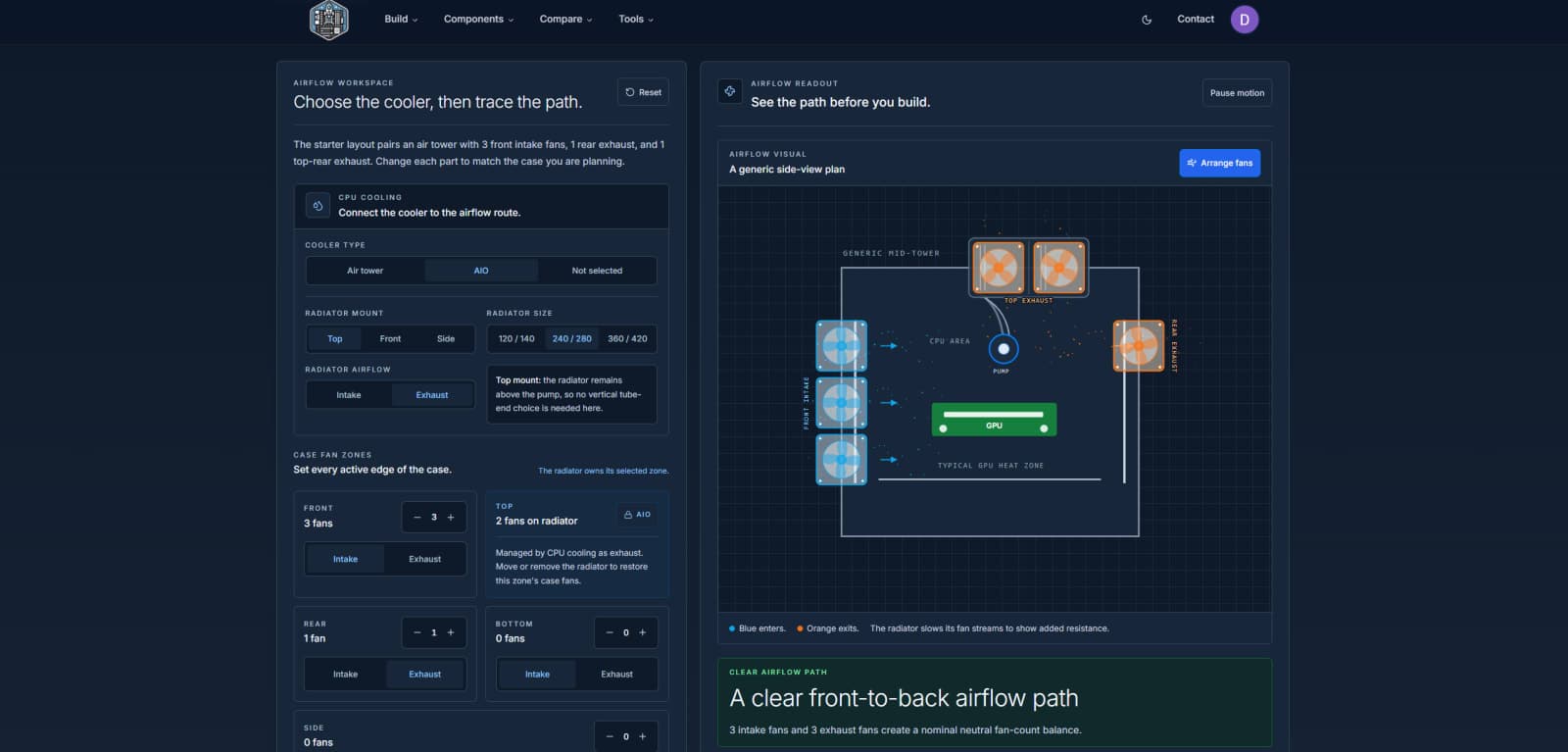
• PC Airflow Planner: visualize intake, exhaust, CPU cooler, and AIO radiator placement before assembly.
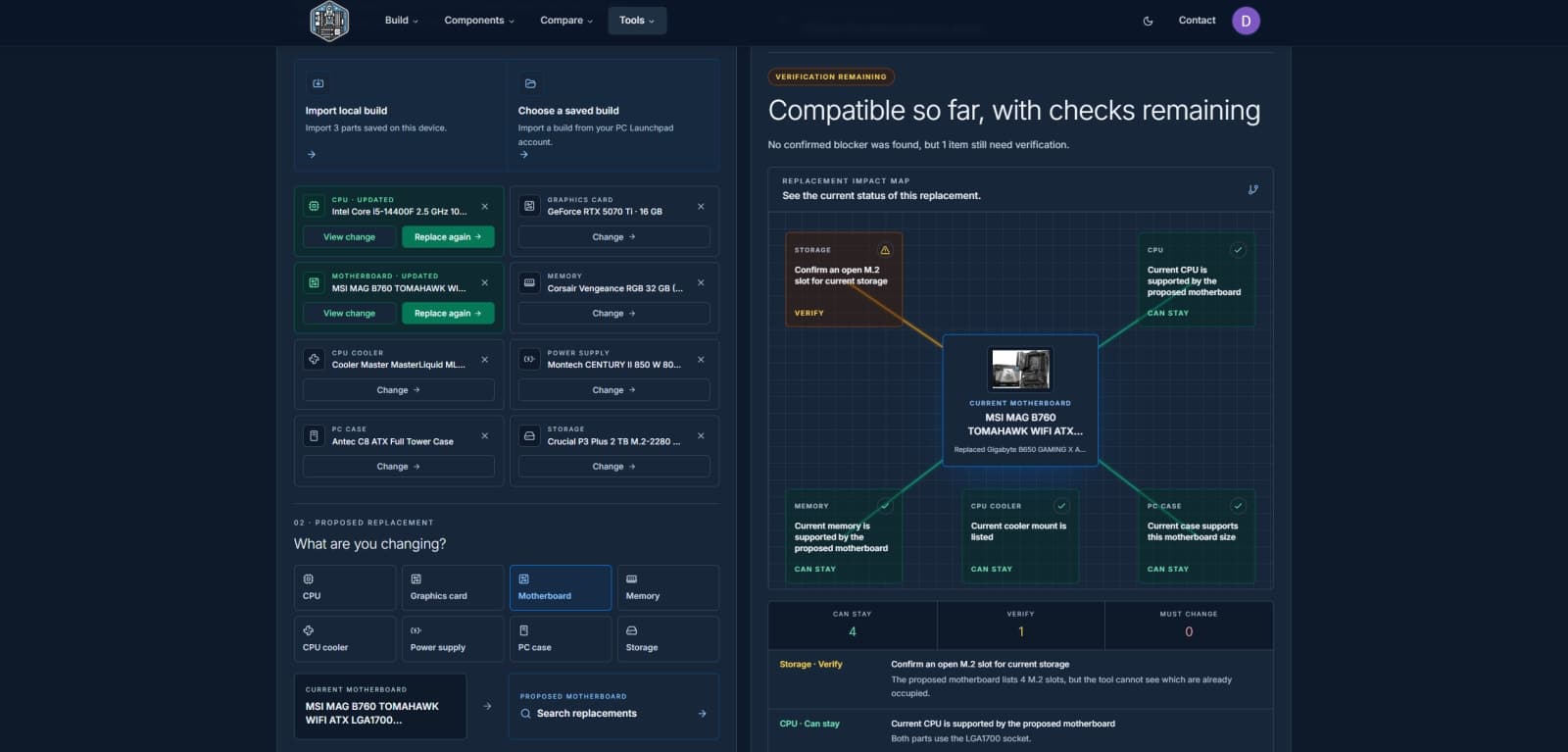
• PC Upgrade Checker: see which supporting components may need checking or replacing when you change a part.

Whether you're planning your first gaming PC, a creative workstation, or an upgrade, PC Launchpad helps you turn hardware research into a parts list you understand.

Free to use. No account required to get started.

## Overview

### Who is it for?

PC builders of all skill levels looking to customize their setups.

### Problem

Many potential PC builders struggle with selecting compatible components and understanding their functions. They often find existing tools too complex or lacking in guidance, leading to confusion and frustration during the building process.

### Solution

PC Launchpad offers a guided builder for beginners, walking them through each component selection with explanations and compatibility checks. For experienced users, the advanced builder allows for quick part selection while still ensuring compatibility. The tool simplifies the process of building a PC by providing clear definitions and tracking budgets dynamically.

### What makes it unique

Unlike other part pickers, PC Launchpad combines a guided experience with an advanced interface, catering to both novices and experts. It emphasizes education, providing detailed explanations of components and their roles, which helps users make informed decisions without feeling overwhelmed.

## Use cases

1. [Custom PC building](https://www.scrolllaunch.com/use-cases/custom-pc-building)
2. [Component comparison](https://www.scrolllaunch.com/use-cases/component-comparison)
3. [Budget tracking](https://www.scrolllaunch.com/use-cases/budget-tracking)
4. [Compatibility checking](https://www.scrolllaunch.com/use-cases/compatibility-checking)
5. [Part picking](https://www.scrolllaunch.com/use-cases/part-picking)
6. [Component picking](https://www.scrolllaunch.com/use-cases/component-picking)

## Details

### Pricing model

- [Free](https://www.scrolllaunch.com/pricing-models/free)

### Collections

- [Productivity Products for Web](https://www.scrolllaunch.com/categories/productivity/web)
- [Free Web Products](https://www.scrolllaunch.com/platforms/web/free)
- [Free Productivity Products](https://www.scrolllaunch.com/categories/productivity/free)
- [Free Gaming Products](https://www.scrolllaunch.com/categories/gaming/free)
- [Gaming Products for Web](https://www.scrolllaunch.com/categories/gaming/web)

### Platforms

- [Web](https://www.scrolllaunch.com/platforms/web)

### Tags

`#PC building` · `#part picker` · `#custom PC`

### Keywords

- [PC builder](https://www.scrolllaunch.com/keywords/pc-builder)
- [custom PC](https://www.scrolllaunch.com/keywords/custom-pc)
- [part picker](https://www.scrolllaunch.com/keywords/part-picker)
- [PC components](https://www.scrolllaunch.com/keywords/pc-components)
- [build a PC](https://www.scrolllaunch.com/keywords/build-a-pc)
- [pc](https://www.scrolllaunch.com/keywords/pc)

## PC Launchpad alternative to

- PCPartPicker
- BuildMyPC
- PC Builder
- Newegg PC Builder
- buildcores

## Frequently asked questions

**Q: Is this actually free? What is the catch?**

Yes, it's completely free with no account required. We earn from affiliate links when you purchase parts.

**Q: Why two builders instead of one?**

Beginners need guidance, while experts prefer a fast interface. Each builder serves its audience effectively.

**Q: How current is the parts data?**

Pricing is updated regularly from Amazon, and specs are sourced from manufacturers. New parts are added as they launch.

**Q: Do you offer custom builds or prebuilts?**

Not at the moment. We're focused on the research and build tool, but may explore custom options in the future.

## Media

![PC Launchpad logo](https://res.cloudinary.com/dwb211sw5/image/upload/v1788377440/scrolllaunch/products/prefill_6a96fb3c4d94456ea585888c_1788377440489_logo_1.png)

![PC Launchpad cover](https://res.cloudinary.com/dwb211sw5/image/upload/v1788377440/scrolllaunch/products/prefill_6a96fb3c4d94456ea585888c_1788377440481_cover_1.jpg)

![PC Launchpad screenshot 1](https://res.cloudinary.com/dwb211sw5/image/upload/v1788377591/scrolllaunch/products/product_6a96fb3c4d94456ea585888c_1788377590892_i8gjhv.png)

![PC Launchpad screenshot 2](https://res.cloudinary.com/dwb211sw5/image/upload/v1788377785/scrolllaunch/products/product_6a96fb3c4d94456ea585888c_1788377785190_q1evnz.jpg)

![PC Launchpad screenshot 3](https://res.cloudinary.com/dwb211sw5/image/upload/v1788377785/scrolllaunch/products/product_6a96fb3c4d94456ea585888c_1788377785221_o05r81.jpg)

![PC Launchpad screenshot 4](https://res.cloudinary.com/dwb211sw5/image/upload/v1788377785/scrolllaunch/products/product_6a96fb3c4d94456ea585888c_1788377785051_txajia.png)

![PC Launchpad screenshot 5](https://res.cloudinary.com/dwb211sw5/image/upload/v1788377785/scrolllaunch/products/product_6a96fb3c4d94456ea585888c_1788377785162_fy081r.png)

![PC Launchpad screenshot 6](https://res.cloudinary.com/dwb211sw5/image/upload/v1788377785/scrolllaunch/products/product_6a96fb3c4d94456ea585888c_1788377785213_ovue0j.png)

## Links

- Website: https://www.pclaunchpad.com/builder
- Launch story: https://www.scrolllaunch.com/blog/pc-launchpad-guide-to-building-custom-pc

## Explore

- [More in Other](https://www.scrolllaunch.com/categories/other)
- [More in Gaming](https://www.scrolllaunch.com/categories/gaming)
- [More in Productivity](https://www.scrolllaunch.com/categories/productivity)
- [All product launches](https://www.scrolllaunch.com/products)
- [Other launches in Week 37, 2026](https://www.scrolllaunch.com/week/2026/37)

_HTML version: https://www.scrolllaunch.com/products/pc-launchpad_