# Qursor — Point at any UI to send exact context to your AI

> Point at any UI to send exact context to your AI

```yaml
url: "https://www.scrolllaunch.com/products/qursor"
website: "https://qursor.xyz"
tier: premium · Verified
upvotes: 20
launch_week: 2026-W26
launched: "Week 26, 2026"
categories: "Productivity, DevTool, Other"
tags: "UI inspection, AI coding, visual feedback"
pricing: freemium
starting_price: $29 per year
maker: Omkar Birje
created: 2026-06-17
peak_rank: "#4 (Week 26, 2026)"
```

## About Qursor

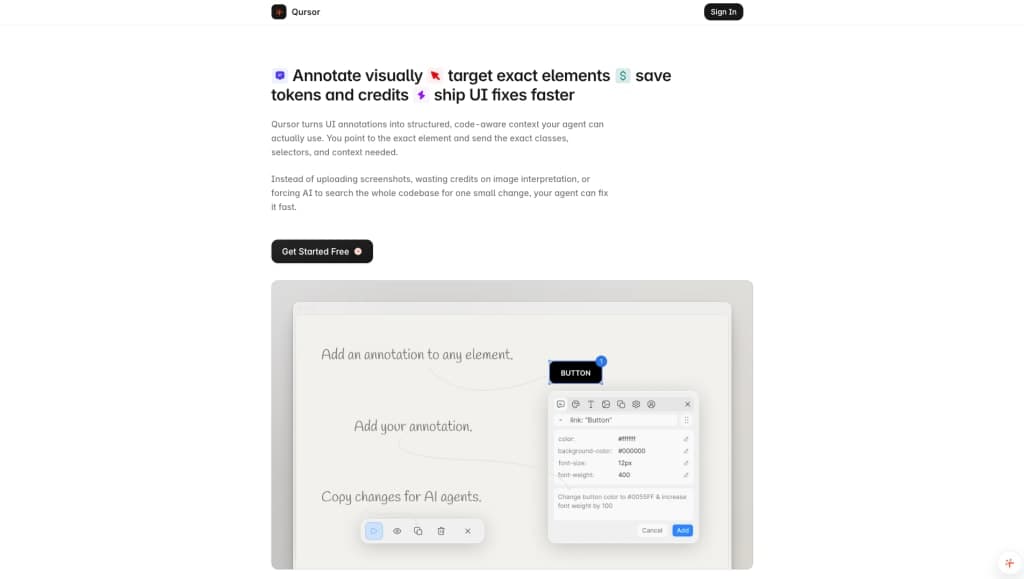
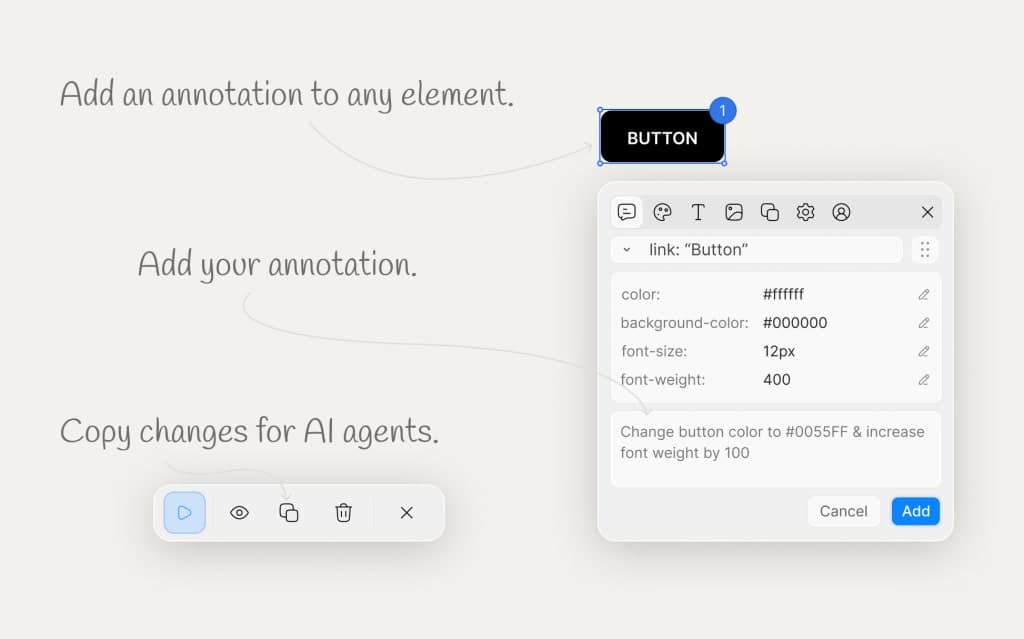
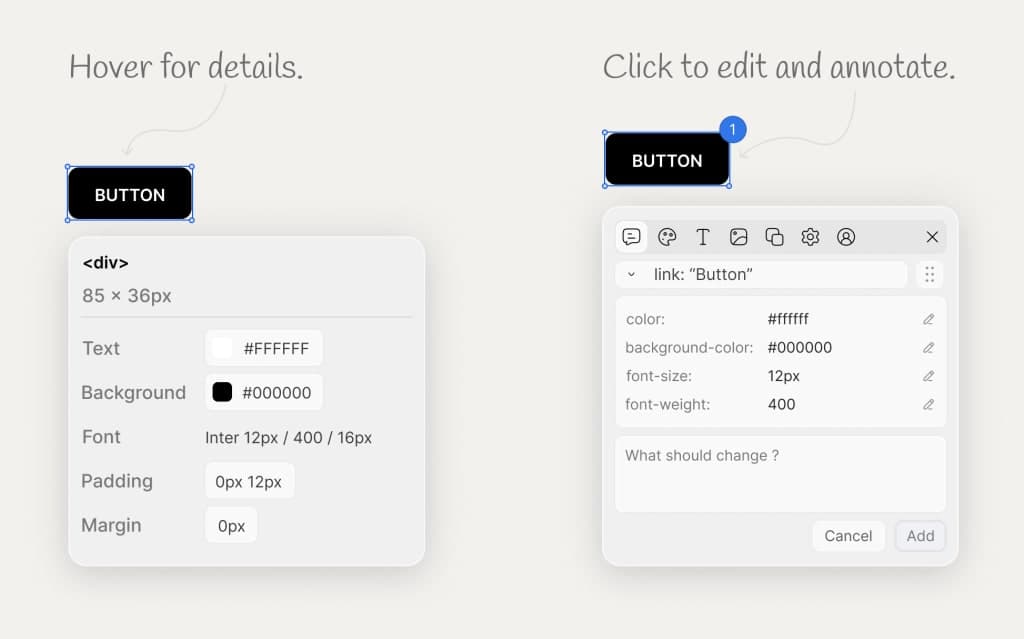
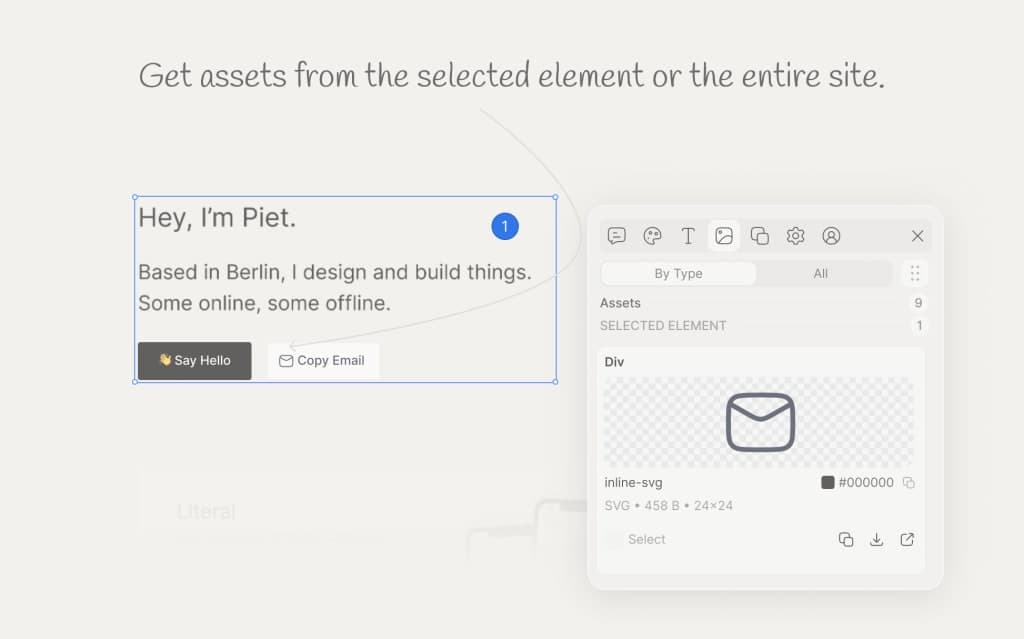
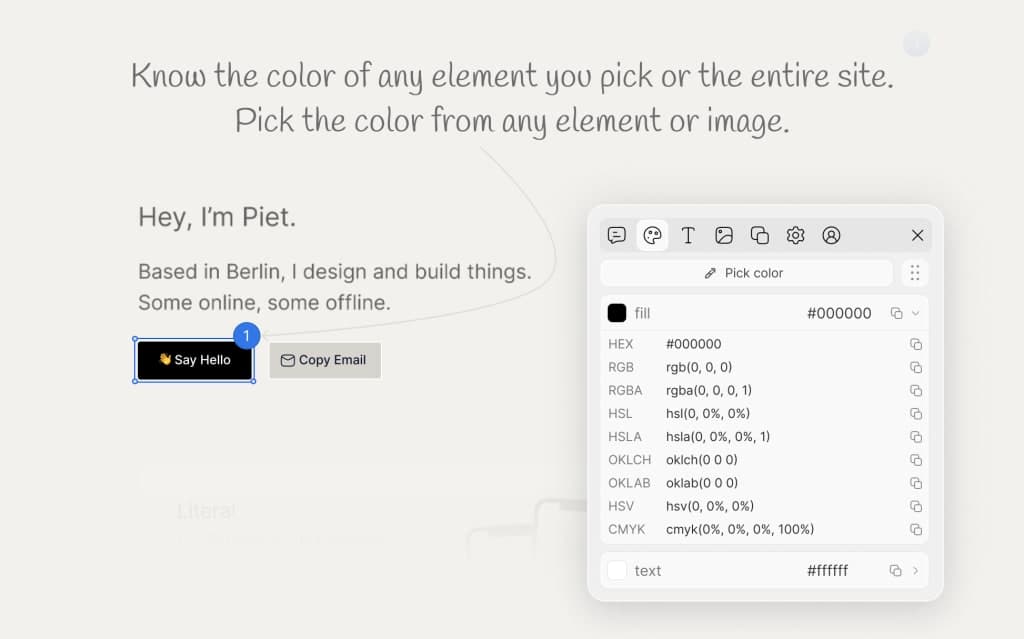
Qursor is a Chrome extension that allows you to visually inspect any website, point at exact UI elements, and turn those selections into structured, code-aware context. It helps you see fonts, colors, spacing, assets, and components, then copy everything you need to make or automate UI changes faster. With Qursor, you can annotate visually, target exact elements, and send the right classes, selectors, and context to your AI agent, allowing for faster fixes and reduced AI token usage.

## Overview

### Who is it for?

Designers, developers, and product managers looking to streamline UI changes.

### Problem

Qursor addresses the inefficiencies in making UI changes by providing a precise way to select and annotate elements without the need for vague screenshots or extensive explanations.

### Solution

By allowing users to visually inspect and select UI elements, Qursor provides structured context that can be directly used with AI coding tools, reducing the need for image interpretation and speeding up the development process.

### What makes it unique

Qursor stands out by offering a point-and-click workflow that eliminates the need for code or extensive setup, enabling users to quickly gather and send exact UI context to AI agents, thus saving time and reducing errors.

## Use cases

1. UI inspection
2. Component extraction
3. Color picking
4. Font detection
5. Client feedback collection

## Details

### Platforms

- browser_extension

### Tech stack

- astro

### Tags

`#UI inspection` · `#AI coding` · `#visual feedback`

### Get the app

- [Chrome Web Store](https://chromewebstore.google.com/detail/qursor/hombhnppflgpncghdihdoclanondbkmf)

## Qursor alternative to

- Figma
- Sketch
- Adobe XD

## Frequently asked questions

**Q: What is Qursor?**

Qursor is a Chrome extension that lets you inspect any website visually, point at exact UI elements, and turn those selections into structured, code-aware context.

**Q: Is Qursor free to use?**

Yes, Qursor has a free plan that gives you 3 picks every day including color picker, font detect, assets download, and component copy.

**Q: How do I get started?**

Install the extension from the Chrome Web Store, pin it to your toolbar, and open any website. Click the bubble in the bottom-left corner to launch Qursor.

**Q: Does Qursor work on any website?**

Yes, Qursor works on most pages you open in Chrome, including live production sites, staging URLs, and localhost during development.

**Q: Do I need to write any code to use Qursor?**

No, Qursor is a point-and-click workflow. You hover to inspect, click to select, and copy to export.

**Q: How does Qursor help save AI tokens and credits?**

Instead of sending screenshots, you send exact element context, which leads to smaller, more precise prompts and fewer retries.

**Q: Can my clients use Qursor to send me feedback?**

Yes, clients can install the extension and point at the exact element they want changed, adding notes and sending you the feedback.

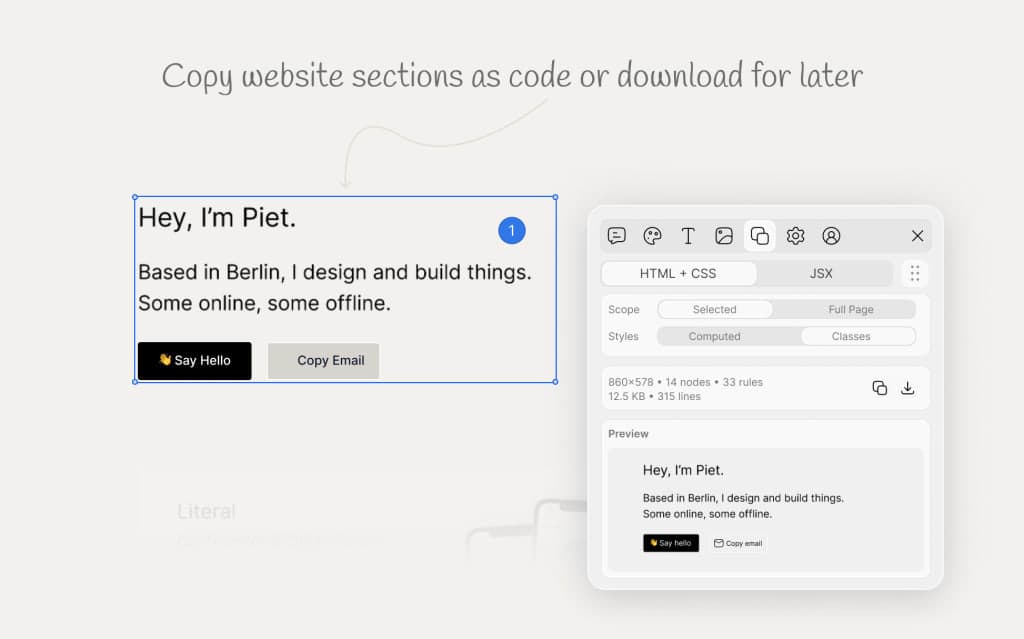
**Q: What formats can I export components in?**

You can copy components as HTML, CSS, or JSX, or download them directly.

**Q: Is there a difference between the yearly and lifetime plans?**

Both plans give you unlimited picks and the full feature set; the yearly plan is $29 per year, while the lifetime plan is a one-time $39 payment.

## Weekly rankings

- Week 26, 2026: **#4** of 19 (19 upvotes)

## Screenshots

- Screenshot 1: https://res.cloudinary.com/dwb211sw5/image/upload/v1781688708/scrolllaunch/products/product_69ef1fc8addcc8d0c1599264_1781688708062.jpg
- Screenshot 2: https://res.cloudinary.com/dwb211sw5/image/upload/v1781688794/scrolllaunch/products/product_69ef1fc8addcc8d0c1599264_1781688794450.jpg
- Screenshot 3: https://res.cloudinary.com/dwb211sw5/image/upload/v1781688809/scrolllaunch/products/product_69ef1fc8addcc8d0c1599264_1781688808944.jpg
- Screenshot 4: https://res.cloudinary.com/dwb211sw5/image/upload/v1781688821/scrolllaunch/products/product_69ef1fc8addcc8d0c1599264_1781688821666.jpg
- Screenshot 5: https://res.cloudinary.com/dwb211sw5/image/upload/v1781688831/scrolllaunch/products/product_69ef1fc8addcc8d0c1599264_1781688831719.jpg
- Screenshot 6: https://res.cloudinary.com/dwb211sw5/image/upload/v1781688838/scrolllaunch/products/product_69ef1fc8addcc8d0c1599264_1781688838099.jpg

## Links

- Website: https://qursor.xyz
- Twitter / X: https://www.x.com/QursorHQ
- Product Hunt: https://www.producthunt.com/products/qursor?embed=true&utm_source=badge-featured&utm_medium=badge&utm_campaign=badge-qursor
- Pricing page: https://qursor.xyz/pricing

## Explore

- [More in Productivity](https://www.scrolllaunch.com/products?category=Productivity)
- [More in DevTool](https://www.scrolllaunch.com/products?category=DevTool)
- [More in Other](https://www.scrolllaunch.com/products?category=Other)
- [All product launches](https://www.scrolllaunch.com/products)
- [Other launches in Week 26, 2026](https://www.scrolllaunch.com/week/2026/26)

_HTML version: https://www.scrolllaunch.com/products/qursor_