
About Tilemode
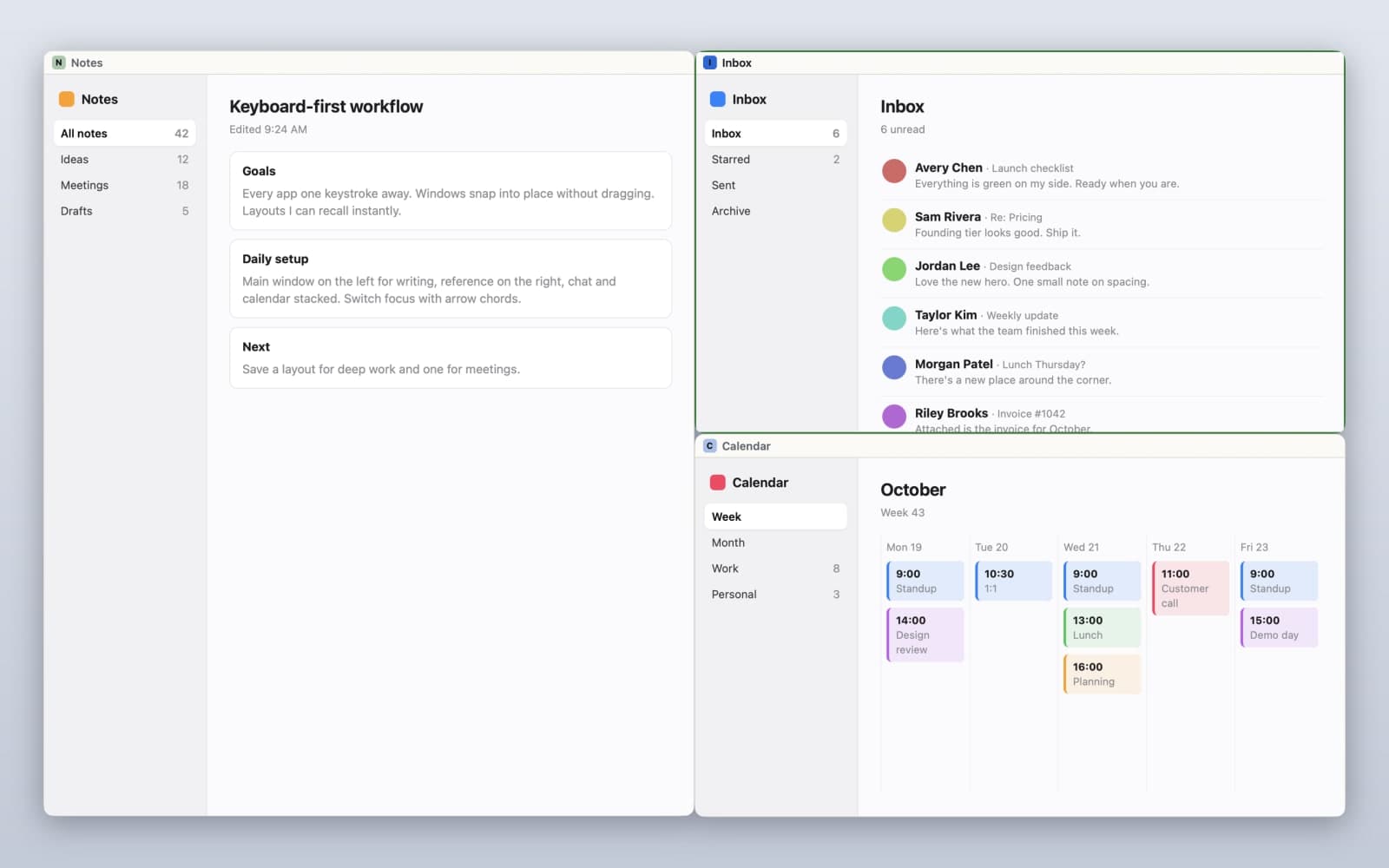
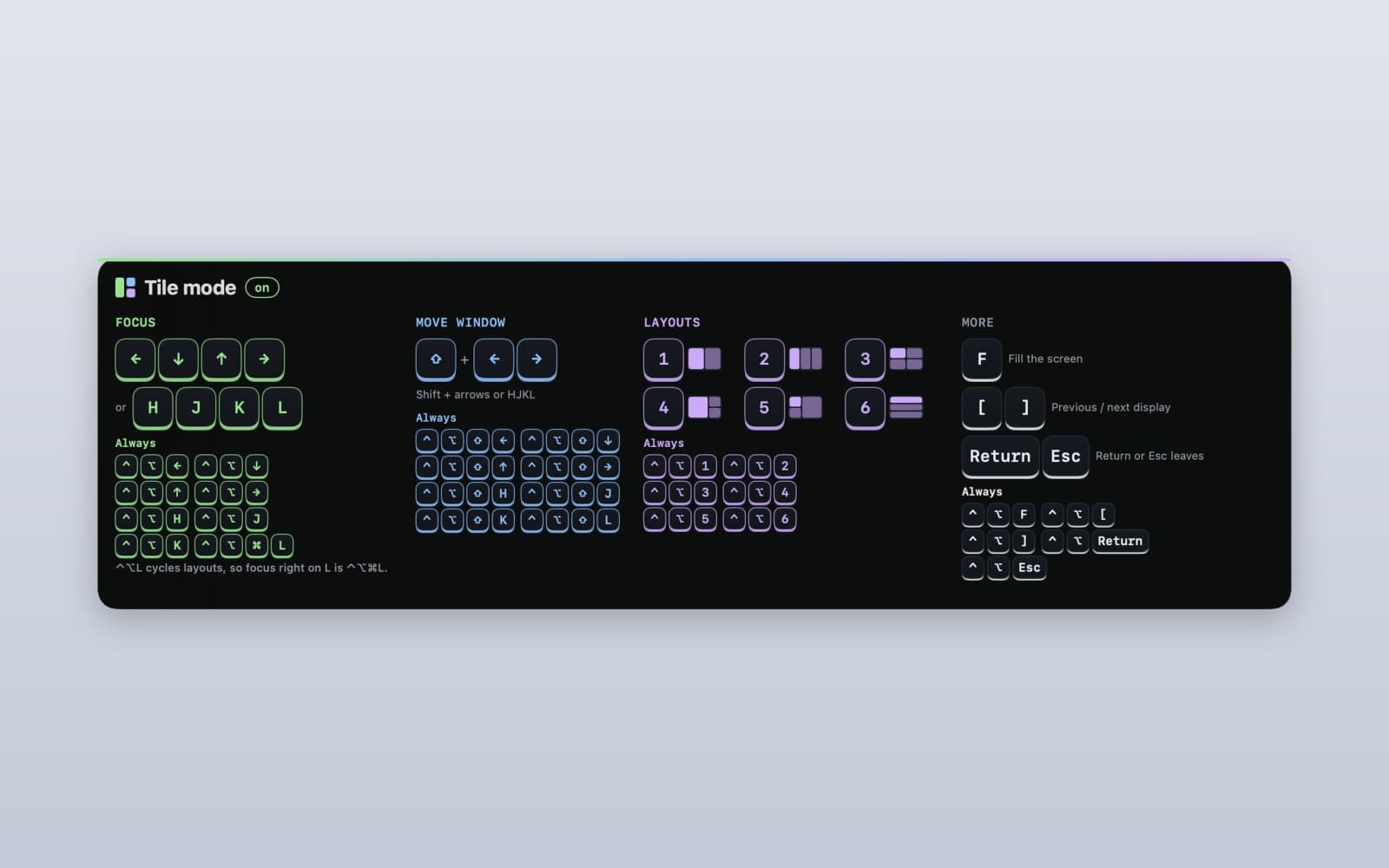
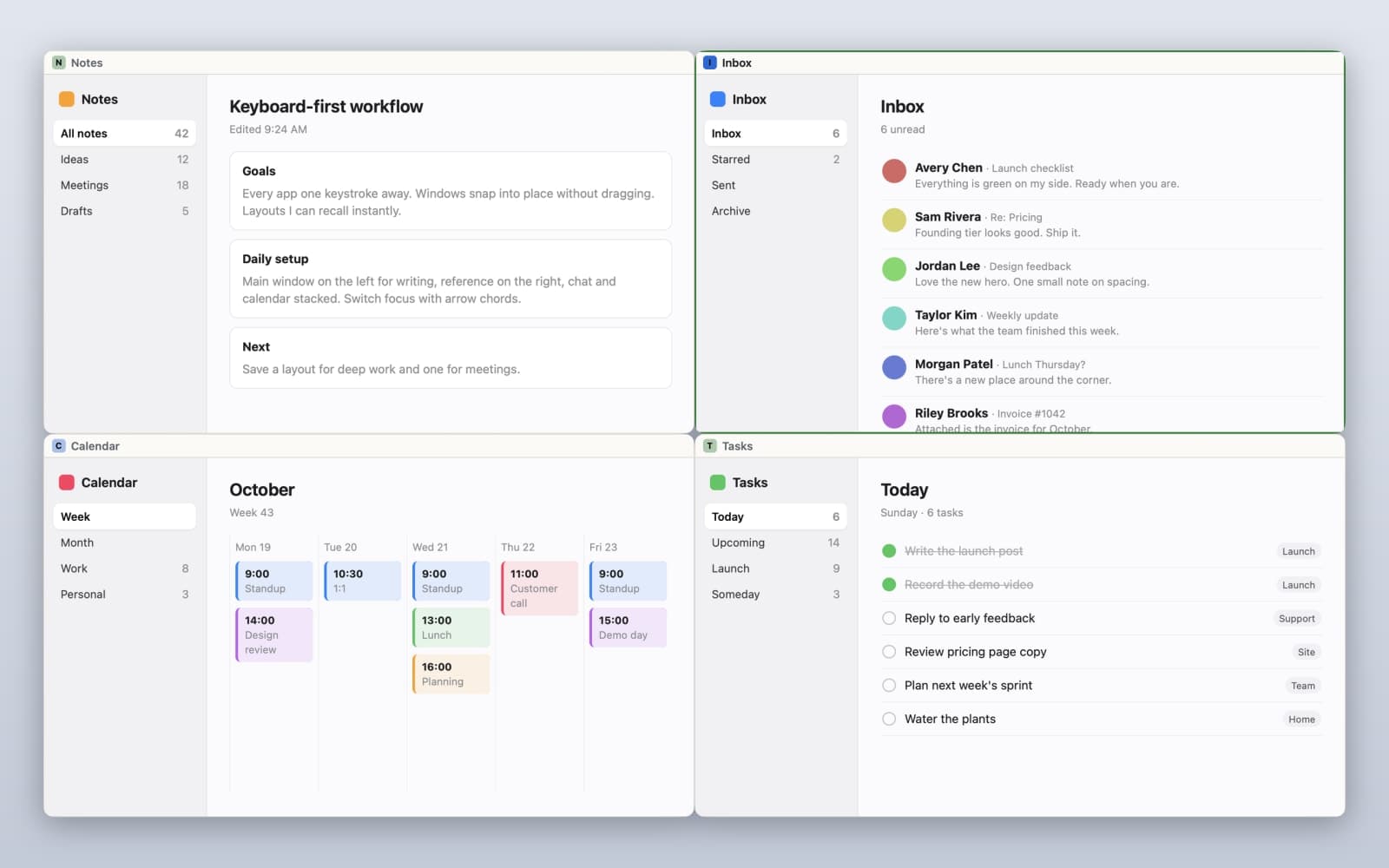
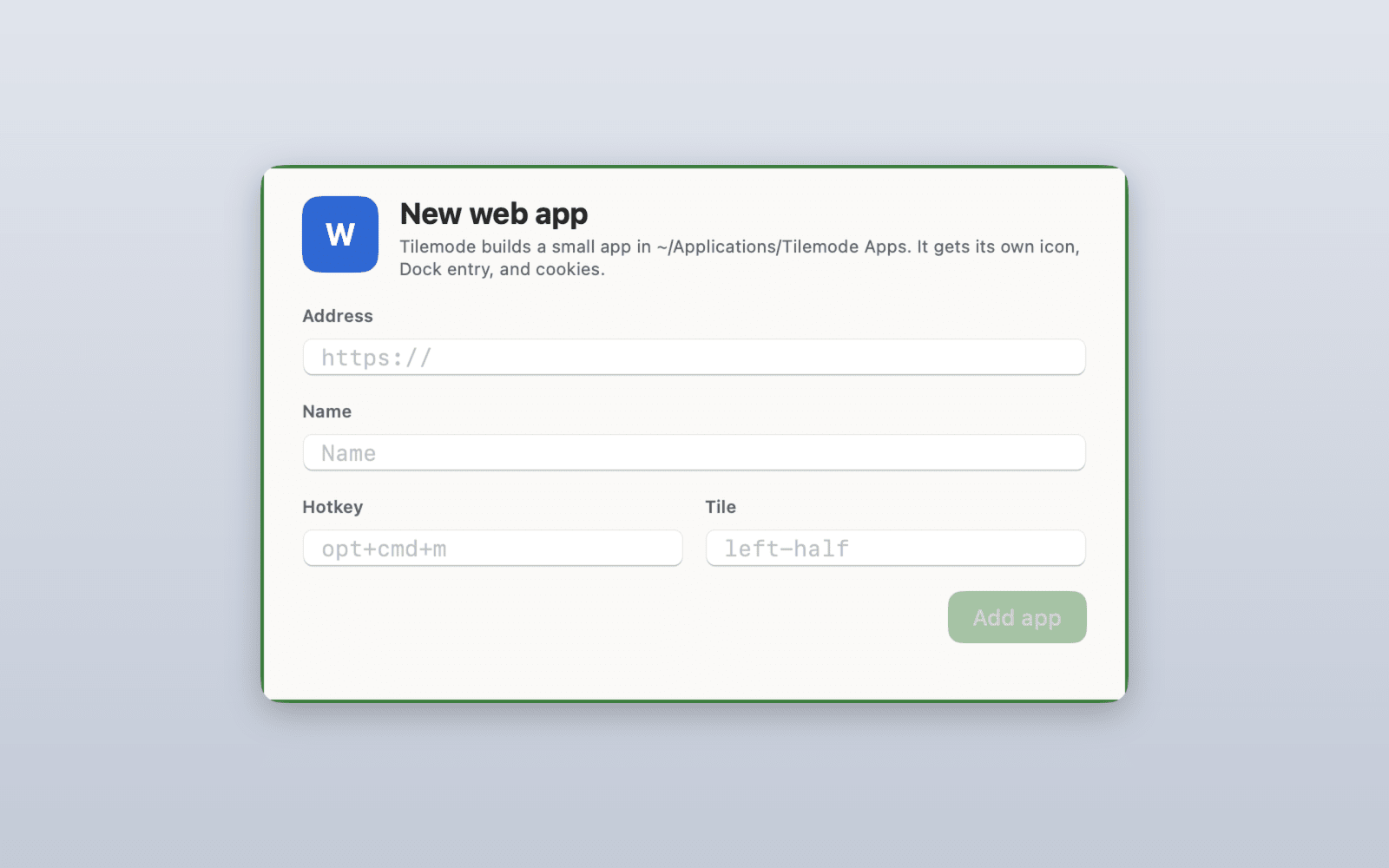
Tilemode is the keyboard cockpit for your Mac. Turn any website into a real Mac app with its own window, icon, Dock and Cmd-Tab spot, and separate logins. Give any app, web or native, a global hotkey that launches it, focuses it or cycles its windows. Press ⌃⌥ and a number key to snap windows into halves, thirds, 2×2 or main + stack, and save layouts you can recall in one key. If you use an AI coding assistant, Tilemode can teach it its commands, so you just say "make this site an app on ⌥⌘M and tile it left." Tilemode makes no AI calls itself, needs no API key, and the app sends no analytics. Your setup also carries to a new Mac with one command. One-time purchase, every 1.x update free.
Gallery
Demo video
Overview
Who is it for?
Mac users who live on the keyboard: developers, writers, and anyone juggling lots of apps and web tools.
Problem
Web tools get buried in browser tabs and windows end up scattered, so getting to the thing you need takes longer than it should.
Solution
Tilemode turns any website into its own Mac app, puts every app on a global hotkey, and tiles windows with a key press, so everything is one keystroke away. Set it up in the app, or ask your AI coding assistant to do it.
What makes it unique
One clean keyboard UI that brings web apps, hotkeys and tiling together in a native Mac app. Your AI coding assistant can set it all up for you, while Tilemode itself makes no AI calls and sends no analytics. One-time purchase.
FAQ
- What does Tilemode do?
- Tilemode keeps your Mac's windows organized and easy to get to from the keyboard. Turn any website into its own Mac app, give every app a global hotkey, and tile windows with a key press. Set it all up in the app, or ask the AI coding assistant you already use to do it for you.
- Do I have to use the terminal?
- Never. Everything has a normal Mac UI. The tilemode command is there for agents, scripts, and people who enjoy that sort of thing.
- Do I need an AI API key?
- No. Tilemode works fully without AI. If you already use an AI coding assistant, Tilemode can teach it its commands so it sets things up for you, using the subscription you already pay for. Tilemode itself never calls an AI service.
- Will it fight with my existing shortcuts?
- Tilemode checks for conflicts with system shortcuts before binding and tells you. Everything is rebindable in config.toml.
- Is it a subscription?
- No. Pay once and keep it, and every 1.x update is free. Licenses come for 1, 3 or 5 Macs; current prices are at tilemode.app.
- Why isn't it on the Mac App Store?
- App Store rules don't allow apps that move other apps' windows around, which is the whole point of Tilemode. So you get it directly from tilemode.app.
- Does it work with multiple displays and the notch?
- Yes. Tiles respect each display's usable area, menu bar and notch included.
- Does it work offline?
- Yes. Web apps need the internet like any website, but hotkeys and tiling don't. The license only needs to check in now and then, and Tilemode keeps working offline for up to 30 days in between.
- What Macs does it run on?
- macOS 14 Sonoma or later, on Apple silicon and Intel Macs.
- Who makes Tilemode?
- Lonny Kapelushnik, an indie developer in Florida. Questions or ideas? Email support@tilemode.app or reach out on X: @lonnyk.