-
Scheduled launch
Goes live Week 14, 2027
April 5 - April 11, 2027 · Leaderboard opens Monday 00:00 UTC
00
Days
00
Hours
00
Mins
00
Secs
Upvotes
Unlocks at launch
Dofollow backlink
Unlocks at launch
Leaderboard
Unlocks at launch
Comments
Unlocks at launch
Reviews
Unlocks at launch
Voting opens Week 14, 2027
Upvotes unlock when the launch week starts
Comments open at launch
Discussion unlocks with the leaderboard
About Typebar
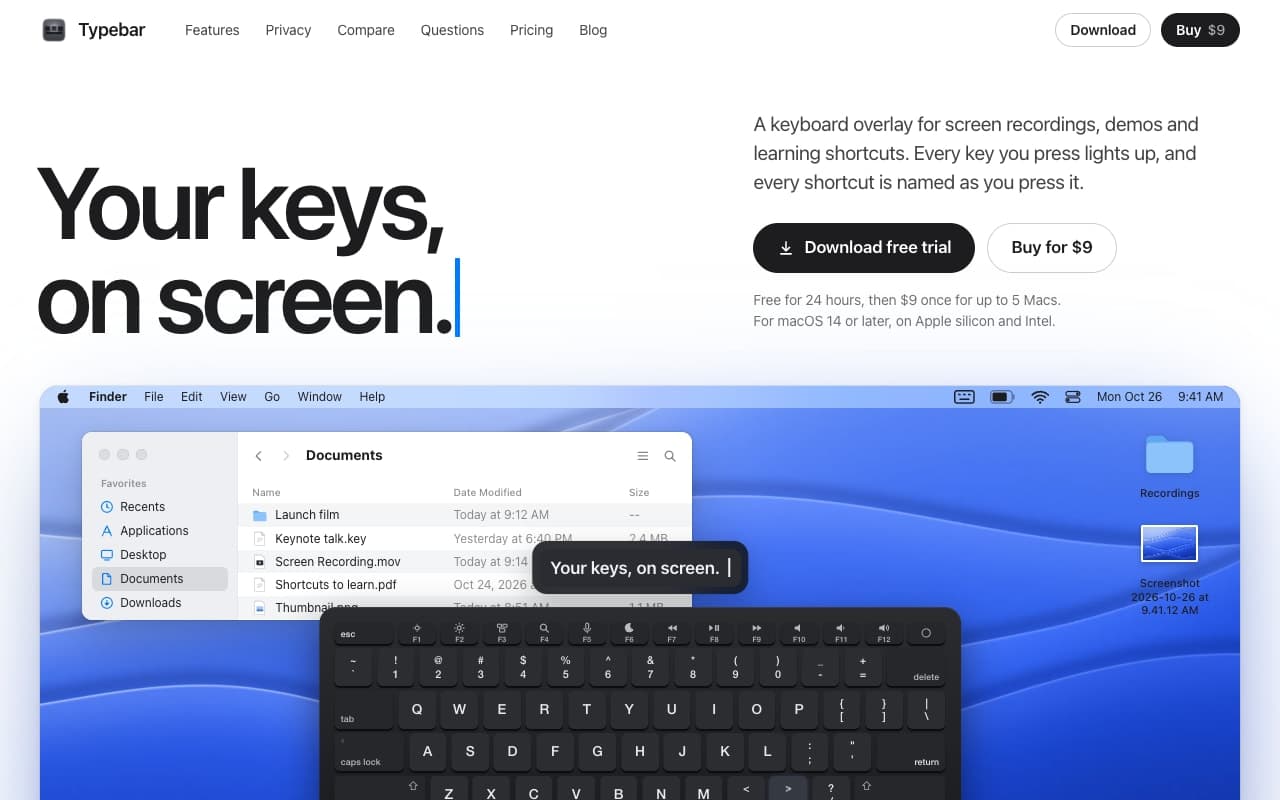
Typebar is a keyboard overlay for the Mac, made for screen recordings, demos and learning shortcuts. Every key you press lights up on an on-screen keyboard, and a pill names each shortcut from the app's own menus, like Screenshot Selection for Shift Command 4.
Hold a modifier and the keys show what they do in the app in front. There are cheatsheets for every app, 20 hand-made packs and your own keybindings from 11 apps. Click ripples, a cursor halo, Spotlight, six switch sounds and 40 themes with a theme editor are built in.
Password fields stay private, and nothing you type is saved or sent anywhere. Typebar can show itself when a recording starts and hide when it stops.
Free for 24 hours, then $9 once for up to 5 Macs. macOS 14 or later, on Apple silicon and Intel.
Gallery






