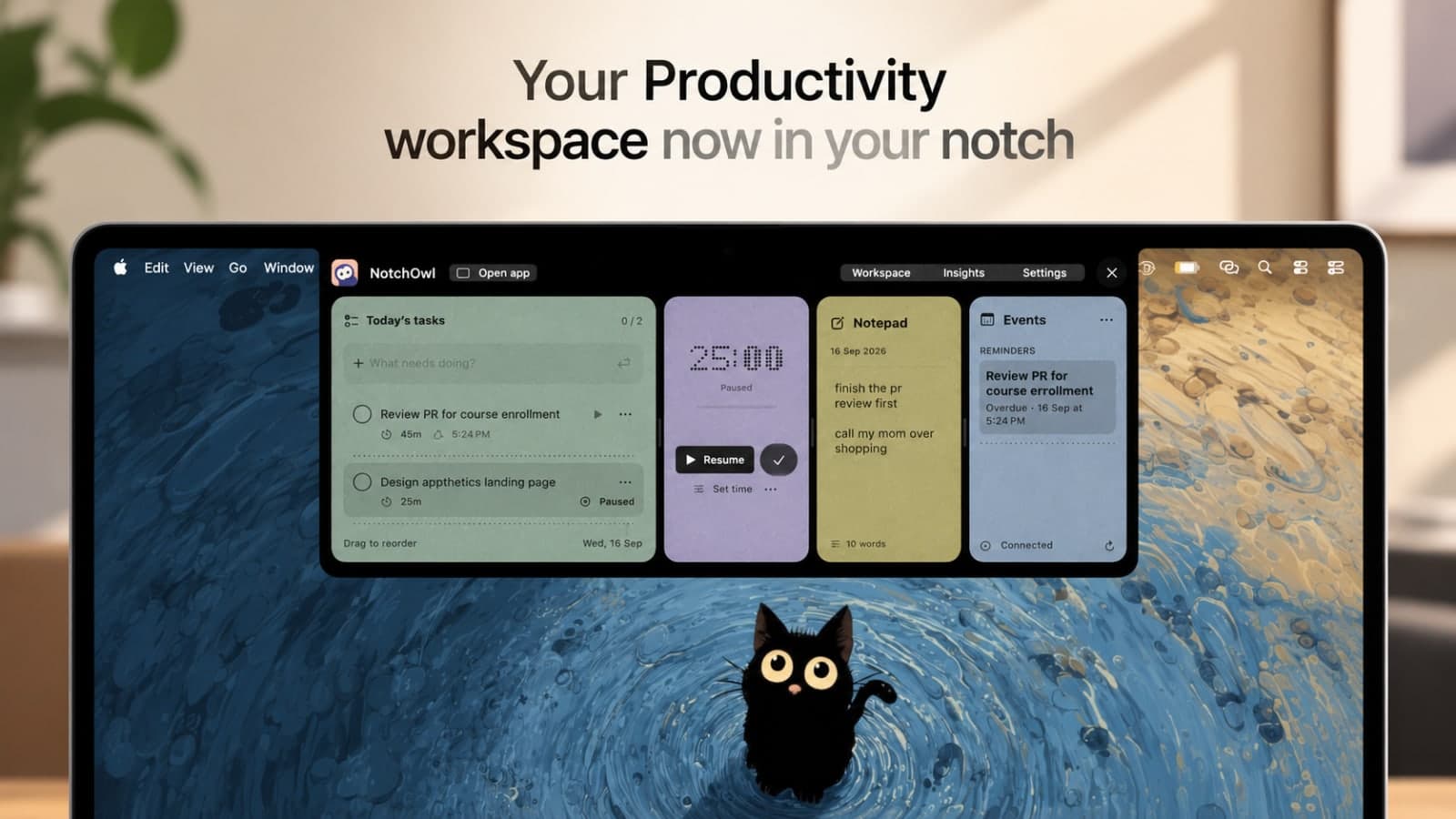
# NotchOwl - Turn your Mac’s notch into a sleek productivity workspace.
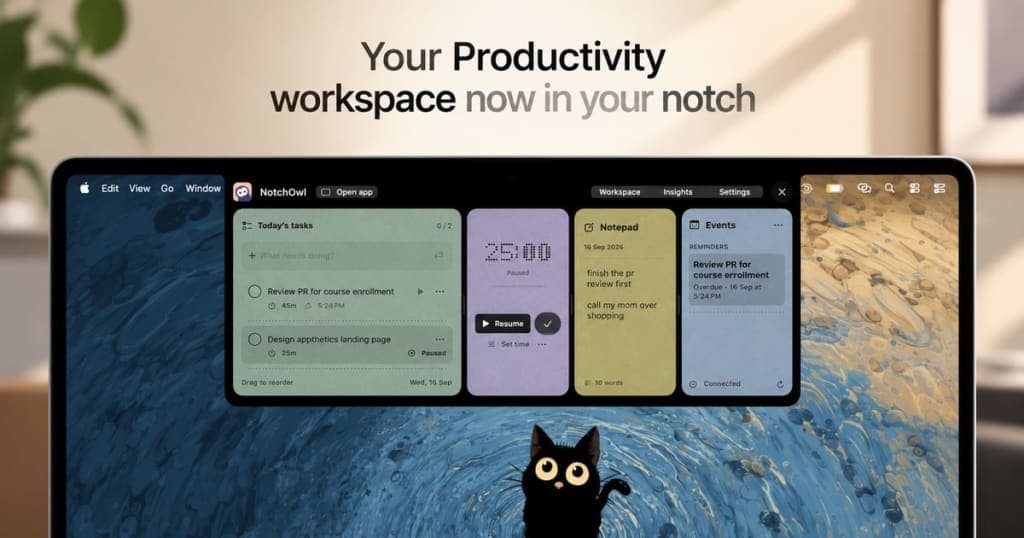
> Turn your Mac’s notch into a sleek productivity workspace.

```yaml
url: "https://www.scrolllaunch.com/products/notchowl"
website: "https://www.notchowl.com"
tier: free
upvotes: 0
launch_week: 2027-W01
launched: "Week 1, 2027"
categories: "Productivity, Other"
tags: "task management, focus timer, note-taking"
pricing: Paid
starting_price: $4.9 one-time
maker: Aditya Jaiswal
created: 2026-09-19
logo: "https://res.cloudinary.com/dwb211sw5/image/upload/v1789794554/scrolllaunch/products/prefill_69ee6a7f6fd43f830bdd98c7_1789794554239_logo_1.png"
cover: "https://res.cloudinary.com/dwb211sw5/image/upload/v1789794554/scrolllaunch/products/prefill_69ee6a7f6fd43f830bdd98c7_1789794554175_cover_1.jpg"
video: "https://youtu.be/xiY5zRmb9cY?si=_s3MDfO7Lvp0_AUj"
```

## About NotchOwl

NotchOwl combines tasks, notes, focus timers, and calendar events into one accessible space at the top of your Mac. Designed for Mac users, it keeps your workflow organized without the hassle of switching between windows. Capture your thoughts, manage your tasks, and maintain your focus—all in one place.

With NotchOwl, you can set a focus timer for your tasks, jot down quick notes, and track your daily activity. The insights feature helps you visualize your completed tasks and focus time, giving you a clearer picture of your productivity. It's all about making your day more efficient and keeping everything you need just a hover away.

Forget subscriptions; NotchOwl offers a one-time purchase for lifetime access. Use it on up to three Macs and enjoy lifetime updates, ensuring you always have the latest features. With a 14-day money-back guarantee, you can try it risk-free and see how it fits into your daily routine.

## Overview

### Who is it for?

Mac users looking for productivity tools.

### Problem

NotchOwl addresses the challenge of managing tasks, notes, and focus time without constant window switching. It centralizes these functions in one easy-to-access location, enhancing productivity and focus.

### Solution

By integrating tasks, notes, and a focus timer into your Mac's notch, NotchOwl allows you to stay organized and focused on your work. You can quickly jot down ideas, track tasks, and visualize your productivity without losing sight of your current task.

### What makes it unique

NotchOwl uniquely leverages the Mac's notch to provide a dedicated space for productivity tools, minimizing distractions and maximizing focus. Its one-time purchase model contrasts with subscription-based competitors, making it a cost-effective choice for users.

## Use cases

1. [Task management](https://www.scrolllaunch.com/use-cases/task-management)
2. [Focus tracking](https://www.scrolllaunch.com/use-cases/focus-tracking)
3. [Note taking](https://www.scrolllaunch.com/use-cases/note-taking)
4. [Daily planning](https://www.scrolllaunch.com/use-cases/daily-planning)

## Details

### Pricing model

- [Paid](https://www.scrolllaunch.com/pricing-models/paid)

### Collections

- [Paid Productivity Products](https://www.scrolllaunch.com/categories/productivity/paid)
- [Productivity Products for macOS](https://www.scrolllaunch.com/categories/productivity/macos)
- [Paid macOS Products](https://www.scrolllaunch.com/platforms/macos/paid)
- [Productivity Products for Task management](https://www.scrolllaunch.com/use-cases/task-management/productivity)
- [Notion Alternatives for macOS](https://www.scrolllaunch.com/alternatives/notion/macos)
- [Paid Notion Alternatives](https://www.scrolllaunch.com/alternatives/notion/paid)
- [Paid Evernote Alternatives](https://www.scrolllaunch.com/alternatives/evernote/paid)

### Platforms

- [macOS](https://www.scrolllaunch.com/platforms/macos)

### Tags

`#task management` · `#focus timer` · `#note-taking`

### Keywords

- [task management](https://www.scrolllaunch.com/keywords/task-management)
- [focus timer](https://www.scrolllaunch.com/keywords/focus-timer)
- [note\-taking](https://www.scrolllaunch.com/keywords/note-taking)
- [Mac productivity](https://www.scrolllaunch.com/keywords/mac-productivity)
- [Mac apps](https://www.scrolllaunch.com/keywords/mac-apps)

## Media

![NotchOwl logo](https://res.cloudinary.com/dwb211sw5/image/upload/v1789794554/scrolllaunch/products/prefill_69ee6a7f6fd43f830bdd98c7_1789794554239_logo_1.png)

![NotchOwl cover](https://res.cloudinary.com/dwb211sw5/image/upload/v1789794554/scrolllaunch/products/prefill_69ee6a7f6fd43f830bdd98c7_1789794554175_cover_1.jpg)

![NotchOwl screenshot 1](https://res.cloudinary.com/dwb211sw5/image/upload/v1789794620/scrolllaunch/products/product_69ee6a7f6fd43f830bdd98c7_1789794620267_h62rjh.jpg)

- [Demo video](https://youtu.be/xiY5zRmb9cY?si=_s3MDfO7Lvp0_AUj): https://youtu.be/xiY5zRmb9cY?si=_s3MDfO7Lvp0_AUj

- Embed URL: https://www.youtube-nocookie.com/embed/xiY5zRmb9cY

## Links

- Website: https://www.notchowl.com
- GitHub: https://github.com/jswladitya/notchowl-releases/releases/download/v1.0.8-build-10/NotchOwl-1.0.8-10.dmg
- Twitter / X: https://x.com/adityaships
- LinkedIn: https://www.linkedin.com/in/adityajaiswal0403/
- Pricing page: https://www.notchowl.com/pricing

## Explore

- [More in Productivity](https://www.scrolllaunch.com/categories/productivity)
- [More in Other](https://www.scrolllaunch.com/categories/other)
- [All product launches](https://www.scrolllaunch.com/products)
- [Other launches in Week 1, 2027](https://www.scrolllaunch.com/week/2027/1)

_HTML version: https://www.scrolllaunch.com/products/notchowl_