# PocketShell — Manage every machine you own from your phone
> Manage every machine you own from your phone

```yaml
url: "https://www.scrolllaunch.com/products/pocketshell"
website: "https://pocketshell.app"
tier: premium · Verified
upvotes: 13
launch_week: 2026-W29
launched: "Week 29, 2026"
categories: "DevTool, Mobile App, SaaS"
tags: "terminal, monitoring, mobile"
pricing: freemium
starting_price: $4.99/month
maker: Yash Agarwal
created: 2026-07-04
peak_rank: "#11 (Week 29, 2026)"
```

## About PocketShell

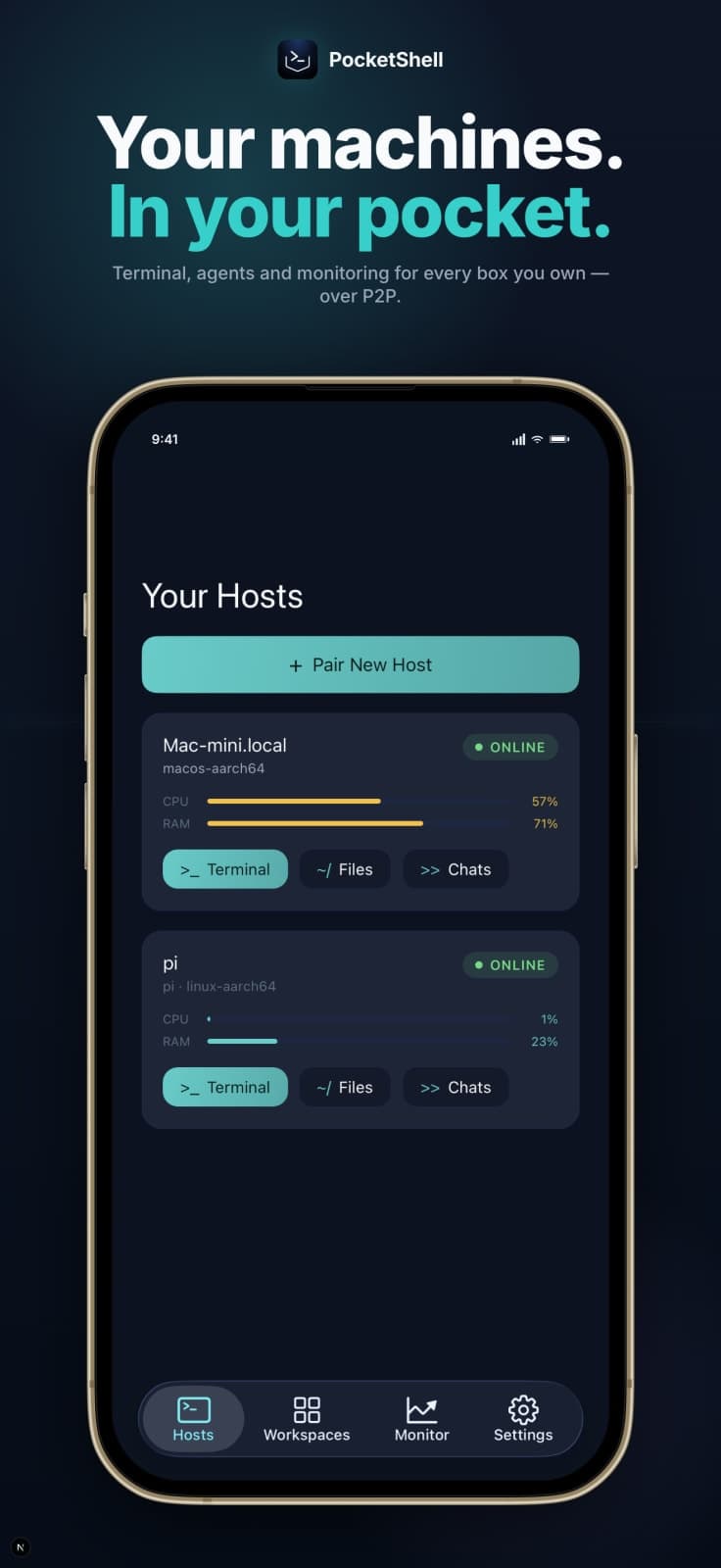
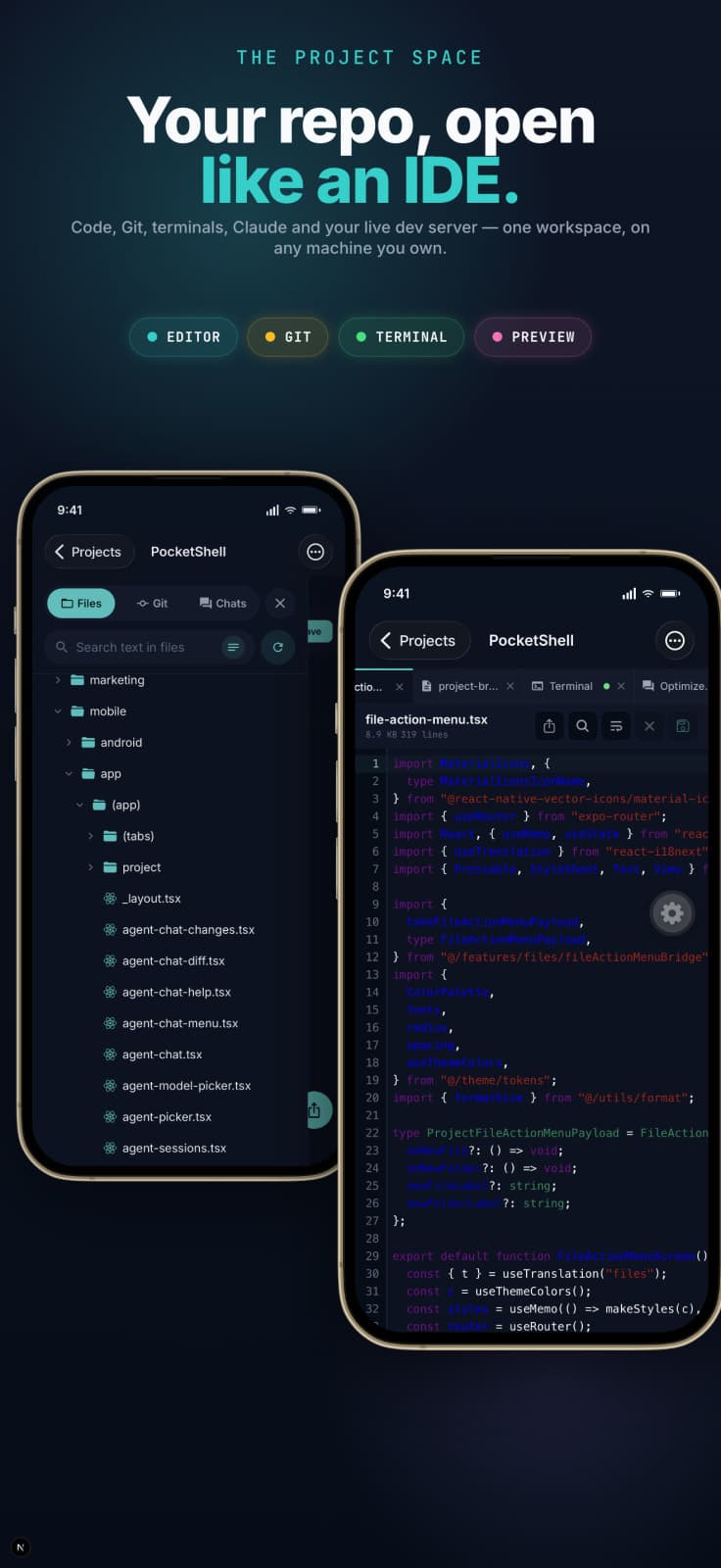
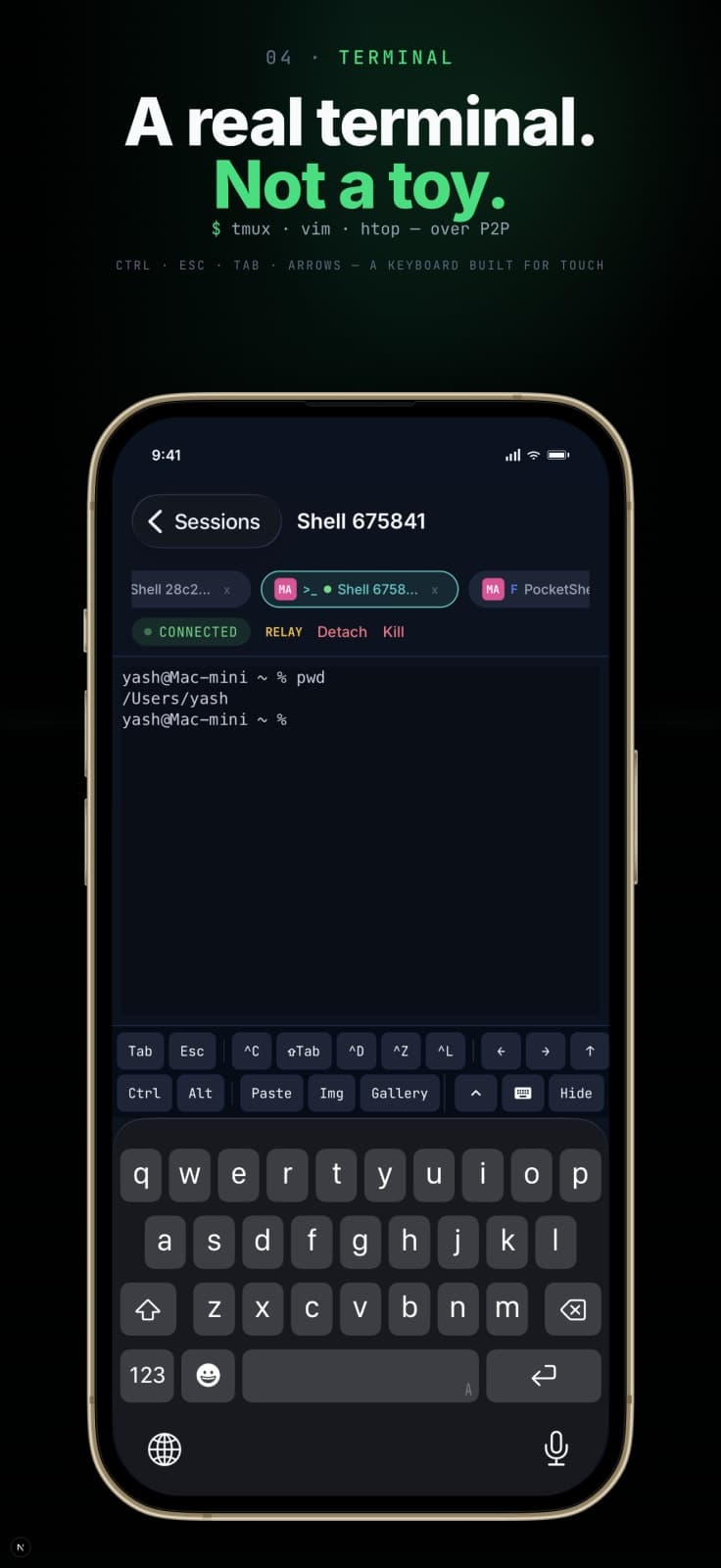
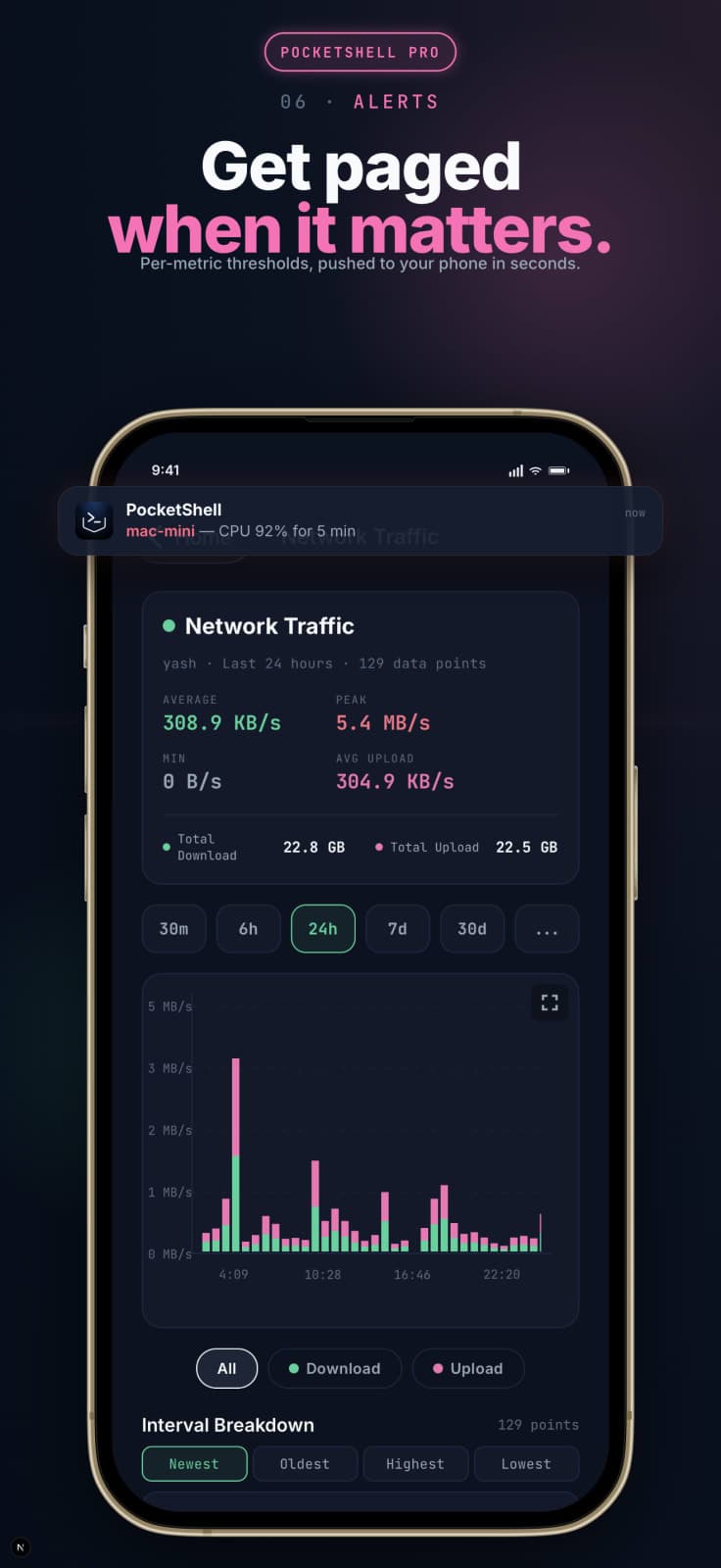
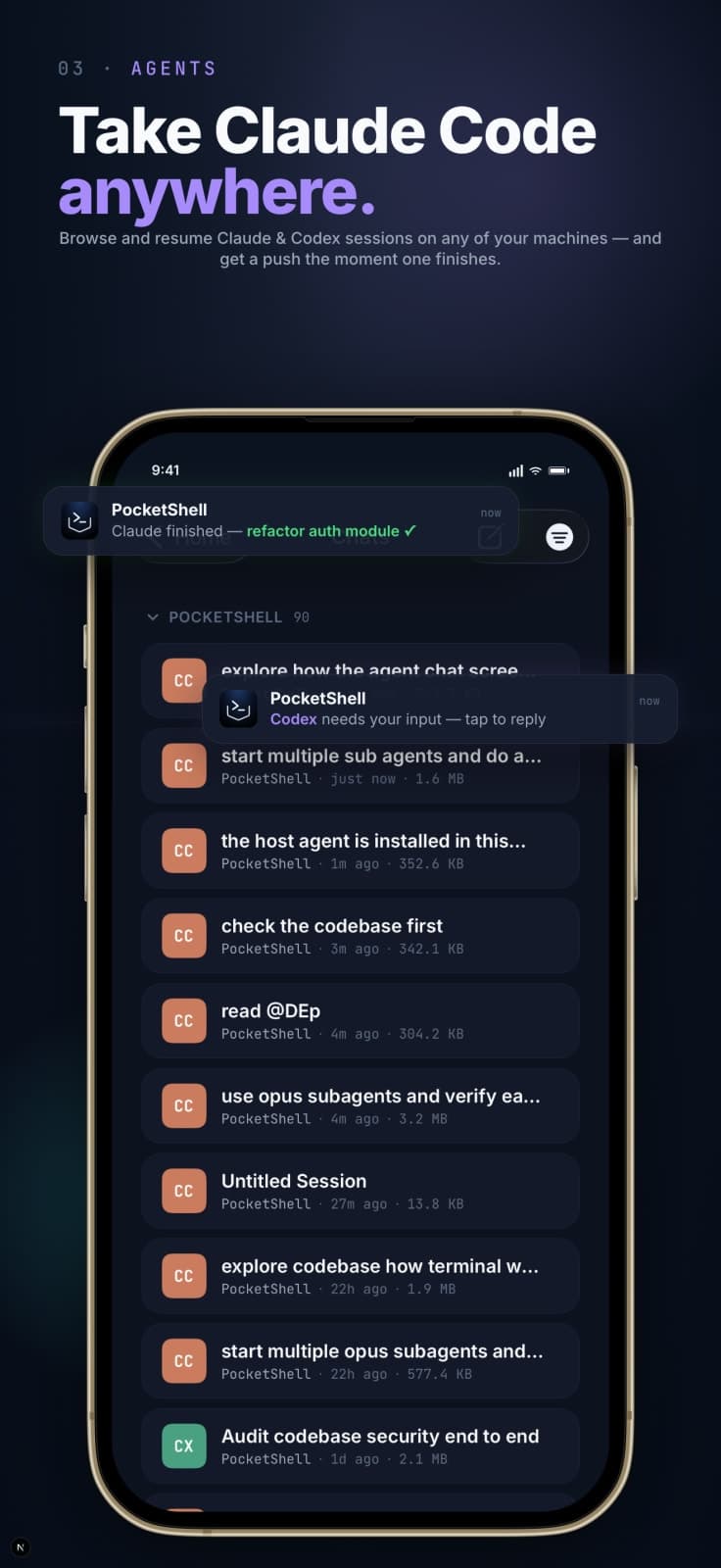
PocketShell gives you a real terminal, live CPU/RAM/disk/network monitoring, and alerts for every host you own, from your phone. It supports Linux, macOS, Windows, Raspberry Pi, NAS, and VPS. With an open-source host agent and end-to-end encryption, you can manage your machines securely without the need for SSH keys on your phone or inbound ports. The app allows you to open project folders like an IDE, monitor system performance, and receive push alerts for critical events, all from your mobile device.

## Overview

### Who is it for?

Developers and system administrators managing multiple machines.

### Problem

PocketShell addresses the issue of not being notified when a machine goes offline or experiences performance issues. It consolidates monitoring and management of various machines into one app, eliminating the need for multiple vendor-specific applications.

### Solution

By providing a real terminal and project space on your phone, PocketShell allows users to monitor system performance, receive alerts, and manage their machines without needing to be physically present. It integrates Claude and Codex sessions for seamless coding and monitoring.

### What makes it unique

PocketShell uniquely combines terminal access, monitoring, and project management in one app, with end-to-end encryption and no need for SSH keys or inbound ports, unlike other remote access tools that require additional setups.

## Use cases

1. Server monitoring
2. Remote terminal access
3. Project management
4. Live coding sessions
5. Performance alerts

## Details

### Platforms

- ios
- android

### Tech stack

- WebRTC
- React

### Tags

`#terminal` · `#monitoring` · `#mobile`

### Get the app

- [App Store](https://apps.apple.com/us/app/pocketshell/id6764135099)
- [Play Store](https://play.google.com/store/apps/details?id=app.pocketshell.mobile)

## PocketShell alternative to

- Termius
- Tailscale
- Happy

## Frequently asked questions

**Q: What machines can I manage with PocketShell?**

You can manage Linux, macOS, Windows, Raspberry Pi, NAS, and VPS machines.

**Q: Is PocketShell secure?**

Yes, PocketShell uses end-to-end encryption and does not require inbound ports or SSH keys on your phone.

**Q: Do I need to install anything on my machines?**

Yes, you need to install a small open-source agent on each host you want to manage.

**Q: Can I access my coding sessions with Claude and Codex?**

Yes, PocketShell allows you to access and manage your Claude and Codex sessions from any machine.

**Q: Is there a mobile app available?**

Yes, PocketShell is available on both the App Store and Google Play.

**Q: How does PocketShell compare to other remote access tools?**

PocketShell combines terminal access, monitoring, and project management in one app, unlike many competitors that require multiple tools.

**Q: What happens if I lose my phone?**

You can remove the agent from your machines using a command, ensuring no leftover trust remains.

**Q: Is there a cost associated with using PocketShell?**

PocketShell is open-source and free to use.

**Q: How do I set up PocketShell?**

Setup takes about 2 minutes; install the host agent and scan a QR code to pair your phone.

**Q: Can I monitor multiple machines at once?**

Yes, PocketShell provides a dashboard to monitor the status of all your machines in one place.

## Weekly rankings

- Week 29, 2026: **#11** of 34 (13 upvotes)

## Screenshots

- Screenshot 1: https://res.cloudinary.com/dwb211sw5/image/upload/v1783941479/scrolllaunch/products/product_69ef5df734a65ede622f0426_1783941479411_ib4uxp.jpg
- Screenshot 2: https://res.cloudinary.com/dwb211sw5/image/upload/v1783941483/scrolllaunch/products/product_69ef5df734a65ede622f0426_1783941483642_0cfgxa.jpg
- Screenshot 3: https://res.cloudinary.com/dwb211sw5/image/upload/v1783941498/scrolllaunch/products/product_69ef5df734a65ede622f0426_1783941498447_tro0lq.jpg
- Screenshot 4: https://res.cloudinary.com/dwb211sw5/image/upload/v1783941513/scrolllaunch/products/product_69ef5df734a65ede622f0426_1783941513660_7livzz.jpg
- Screenshot 5: https://res.cloudinary.com/dwb211sw5/image/upload/v1783941532/scrolllaunch/products/product_69ef5df734a65ede622f0426_1783941531976_xpyf2y.jpg

## Links

- Website: https://pocketshell.app
- GitHub: https://github.com/yashagldit/PocketShell
- Twitter / X: https://x.com/yashagl
- Demo video: https://youtube.com/shorts/ZrKwMqRfoOg?feature=share
- Pricing page: https://pocketshell.app/pricing

## Explore

- [More in DevTool](https://www.scrolllaunch.com/products?category=DevTool)
- [More in Mobile App](https://www.scrolllaunch.com/products?category=Mobile%20App)
- [More in SaaS](https://www.scrolllaunch.com/products?category=SaaS)
- [All product launches](https://www.scrolllaunch.com/products)
- [Other launches in Week 29, 2026](https://www.scrolllaunch.com/week/2026/29)

_HTML version: https://www.scrolllaunch.com/products/pocketshell_