stepkeep logo

stepkeep

Scheduled · Week 4, 2027

Turn any browser task into a step-by-step guide with annotated screenshots

-

Scheduled launch

Goes live Week 4, 2027

January 25 - January 31, 2027 · Leaderboard opens Monday 00:00 UTC

Browse Week 4, 2027

00

Days

00

Hours

00

Mins

00

Secs

Upvotes

Unlocks at launch

Dofollow backlink

Unlocks at launch

Leaderboard

Unlocks at launch

Comments

Unlocks at launch

Reviews

Unlocks at launch

Voting opens Week 4, 2027

Upvotes unlock when the launch week starts

Comments open at launch

Discussion unlocks with the leaderboard
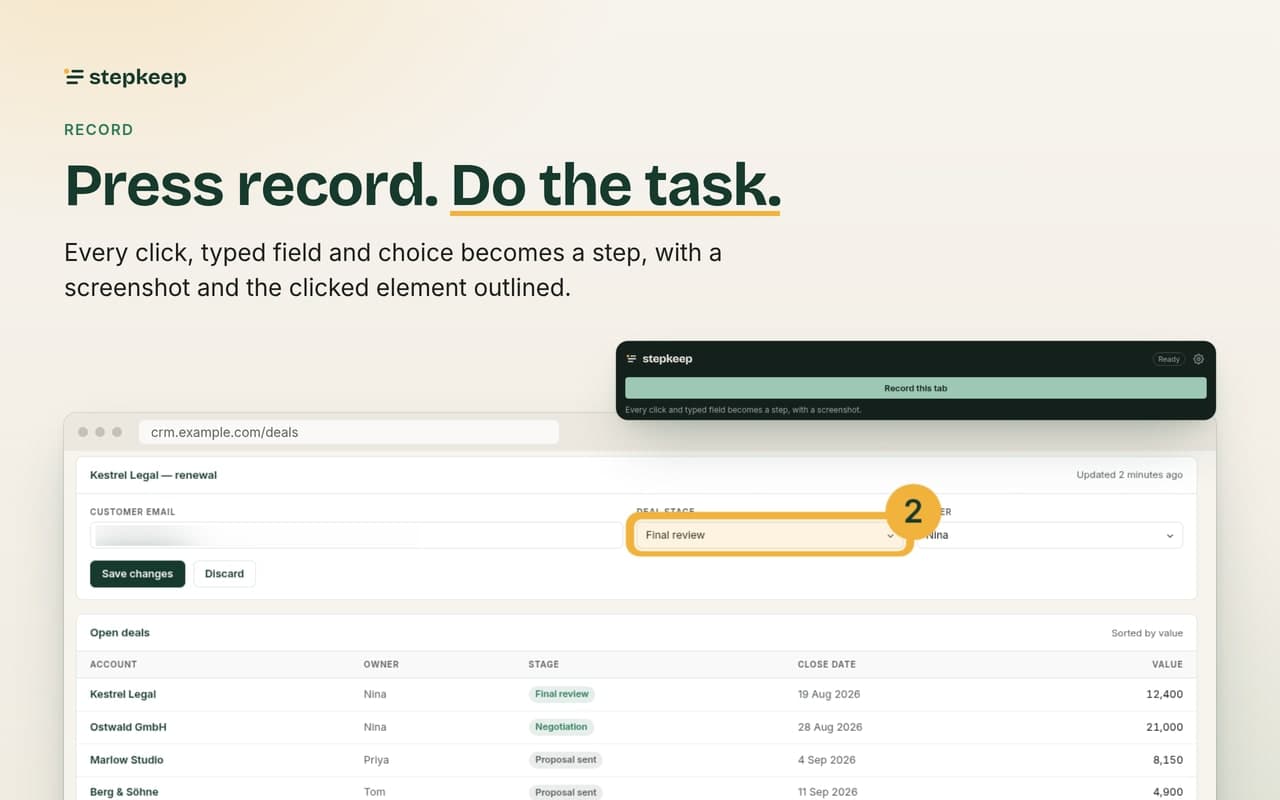
stepkeep - Turn any browser task into a step-by-step guide with annotated screenshots

About stepkeep

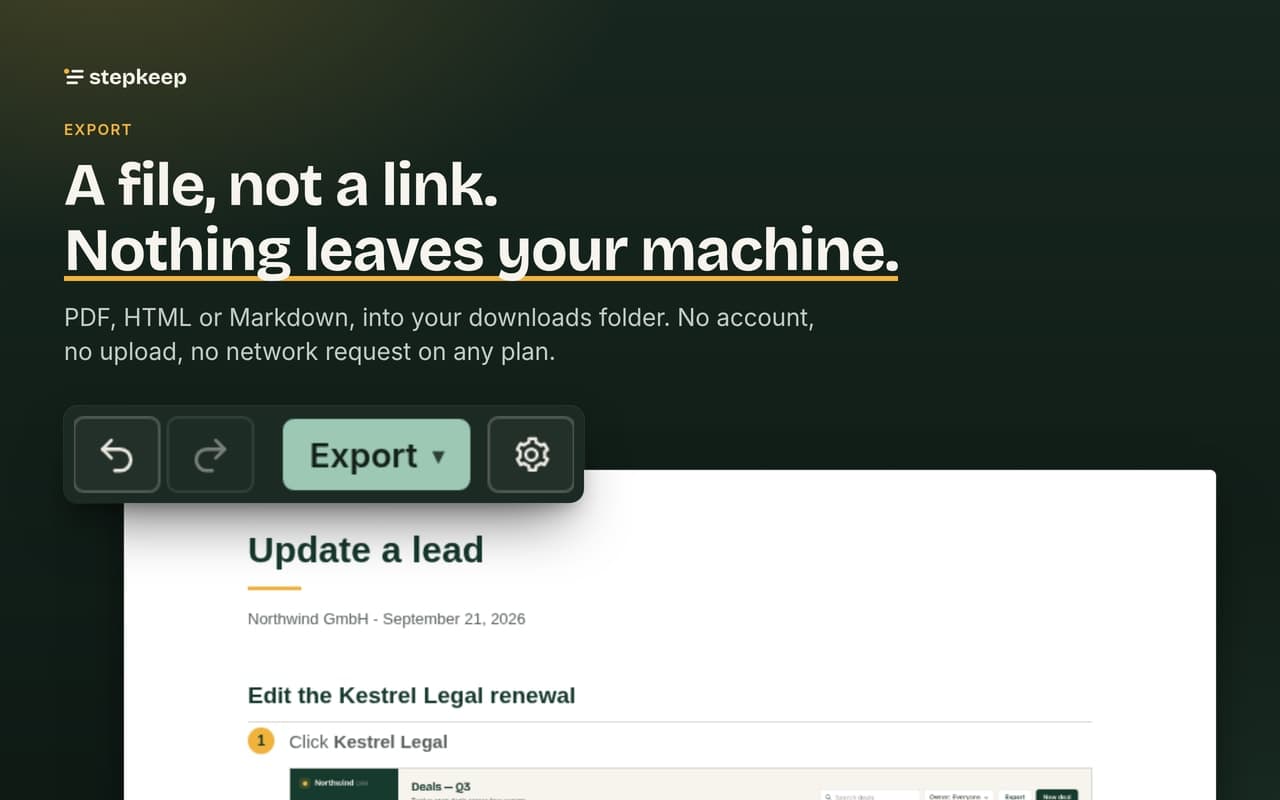
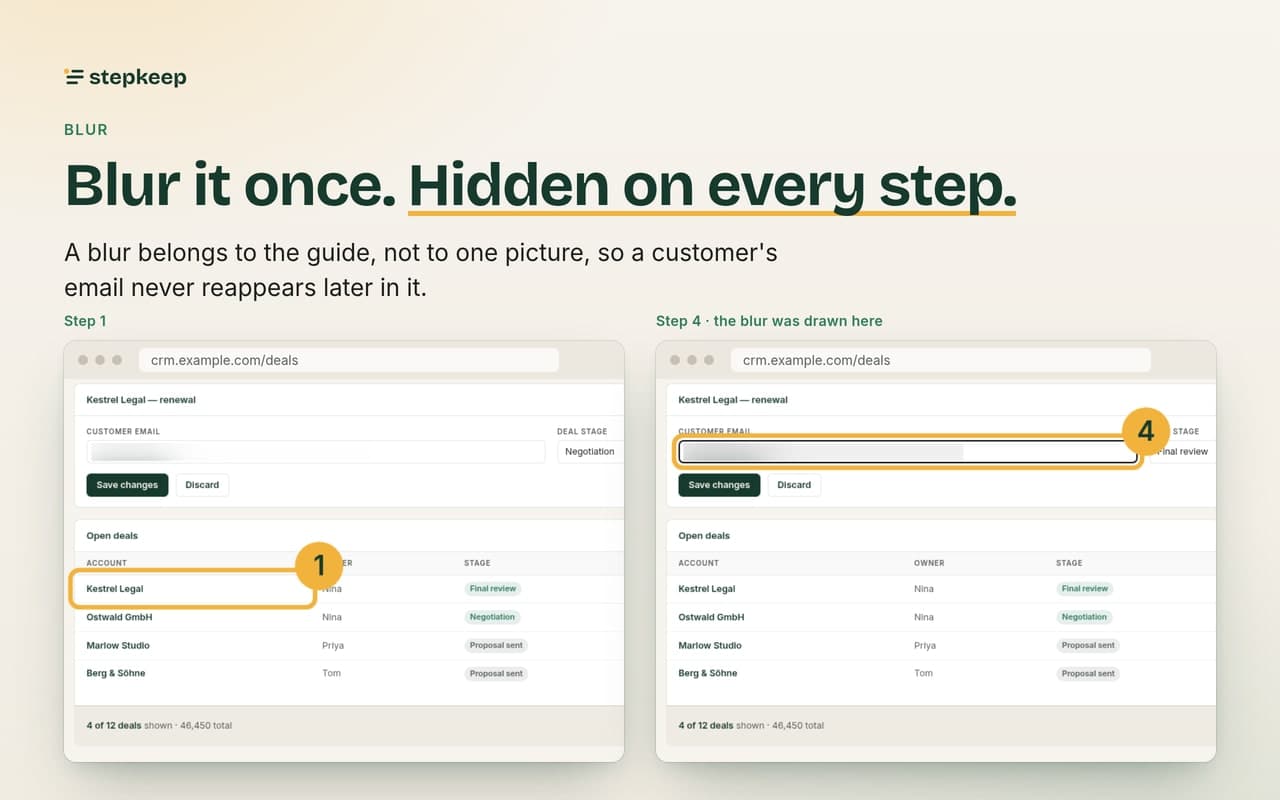
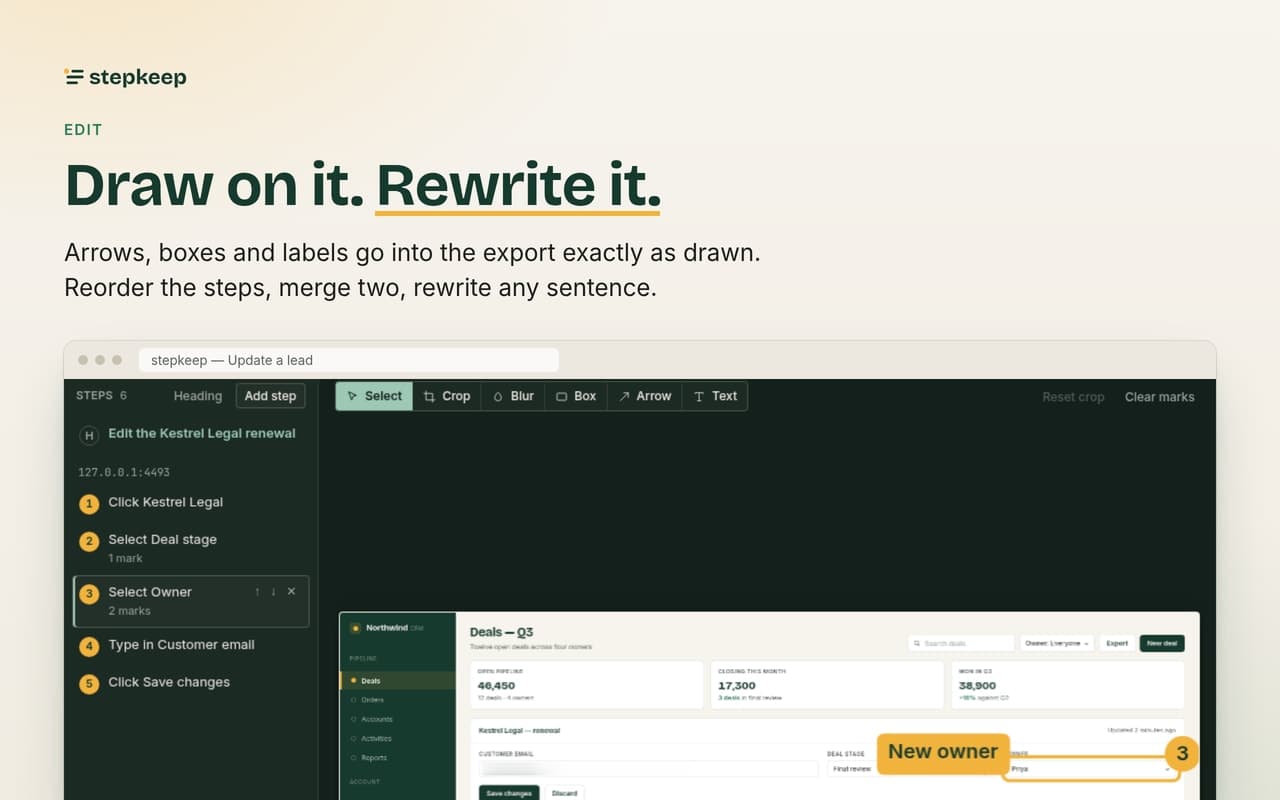
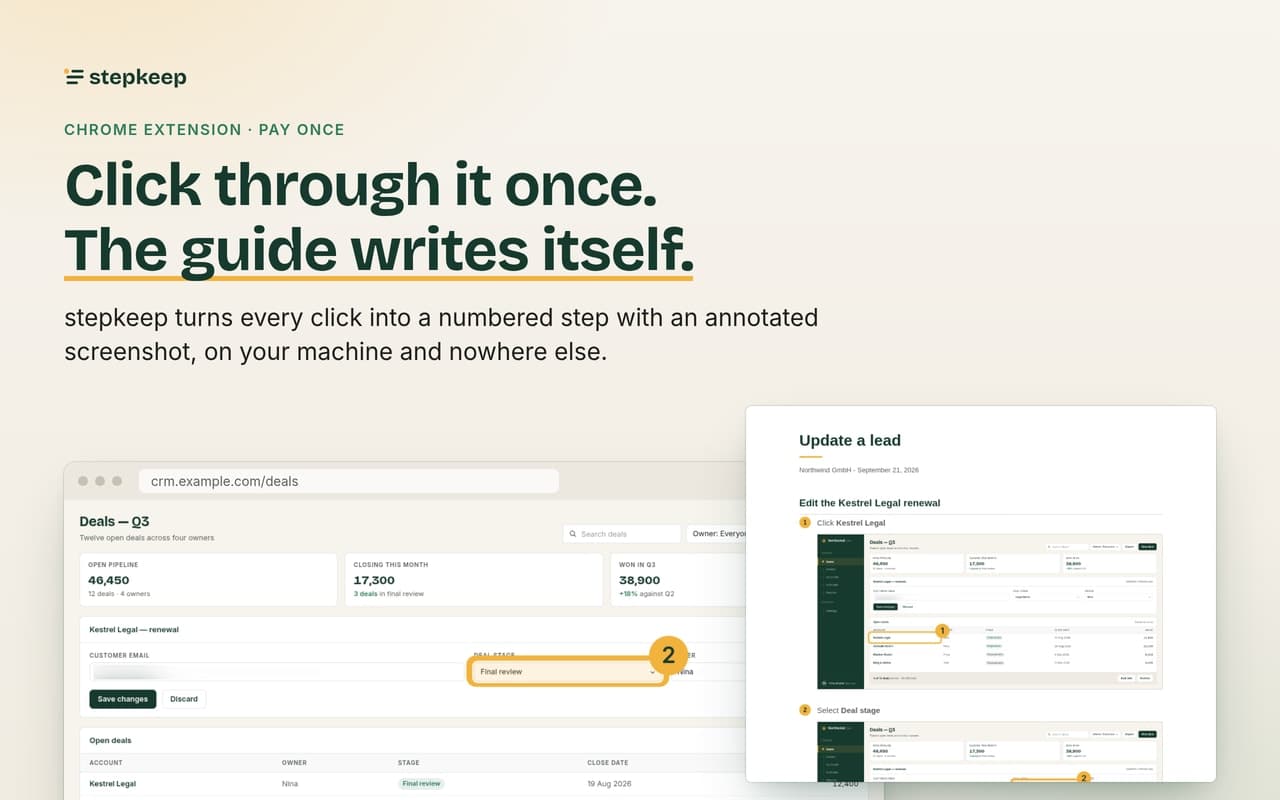
Write the SOP by doing the task. stepkeep is a Chrome extension that records a browser task and turns it into a step-by-step guide with annotated screenshots. Press record, do the work as usual, and every click, typed field and choice becomes a numbered step with the clicked element outlined. What people use it for: SOPs and work instructions, onboarding docs for new hires, support how-tos and help centre articles, internal process documentation, client walkthroughs, training material, and bug reports that show exactly what was clicked. How it works: 1. Press record on the tab you want to document. 2. Do the task. The recorder follows you across pages. 3. Edit: rewrite any sentence, reorder or merge steps, draw arrows, boxes and labels, and blur anything that should not be shared. 4. Export to PDF, Markdown or HTML, or copy the Markdown straight into Notion, Confluence, a wiki or a ticket. Everything stays on your machine. Guides and screenshots live in your own browser profile. No account, no stepkeep server, no network request of any kind, no telemetry. A paid licence key is verified offline inside the extension. Pricing: free for up to 5 guides. Personal is 59 EUR once, no subscription.

Gallery

stepkeep screenshot 1 of 5
stepkeep screenshot 2 of 5
stepkeep screenshot 3 of 5
stepkeep screenshot 4 of 5
stepkeep screenshot 5 of 5

Overview

Who is it for?

Operations leads, support and onboarding teams, agencies and anyone who writes SOPs or how-tos

Problem

Writing an SOP or how-to means doing the task, taking screenshots, cropping and annotating them, and retyping every step by hand. It takes hours and goes stale fast.

Solution

Press record and do the task once. Every click, typed field and choice becomes a numbered step with a cropped, annotated screenshot. Edit, blur, then export to PDF, Markdown or HTML.

What makes it unique

Nothing leaves your machine: no account, no server, no network request, no telemetry. The licence is verified offline. One payment of 59 EUR instead of a per-seat subscription.