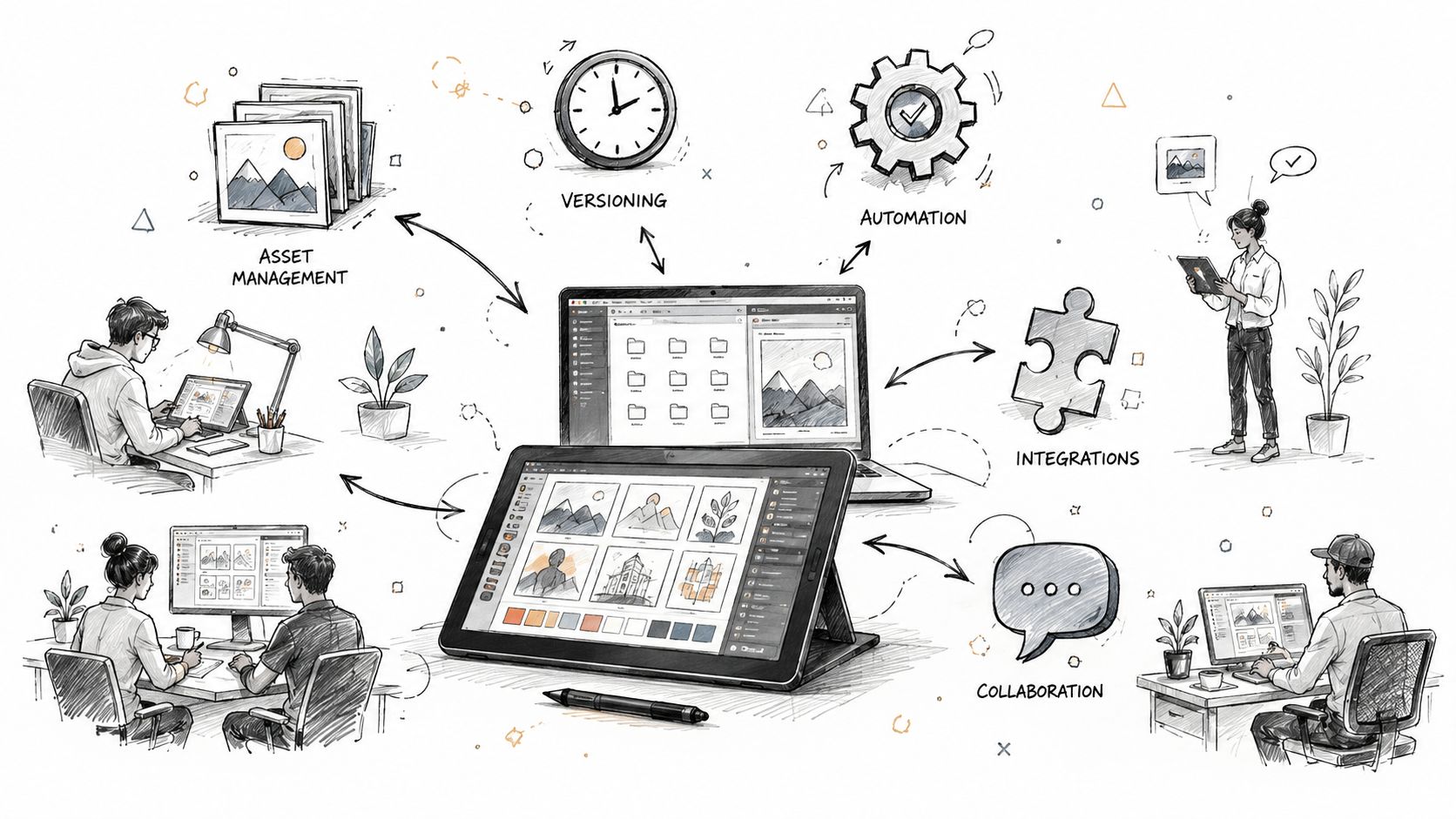
The best creative workflow software isn't a single universal winner. A design team may care most about multiplayer editing and developer handoff, while a content operation may need structured intake, metadata, approvals, and reporting. A video team has a different bottleneck again, usually precise feedback on versions rather than another task list.
I'm evaluating these tools by the job they perform in a creative workflow: briefing, production tracking, design collaboration, ideation, review, video approval, asset governance, or AI-assisted ad production. The comparison considers asset management, collaboration, versioning, automation, integrations, use case, governance, migration effort, and pricing-tier constraints. The right answer may be one platform, but a paired stack is often more effective.
The category has moved well beyond basic project tracking. One estimate placed the creative software market at USD 9.93 billion in 2023, with a projection of USD 14.98 billion by 2030, while another forecast estimated growth from USD 4.8 billion in 2024 to USD 15.2 billion by 2033. These are different market models, but both point to the same conclusion: creative workflow software is now a mainstream enterprise category. (Grand View Research market estimate)
The list below focuses on practical fit and trade-offs, not feature-count theater. Check each vendor's linked pricing page before committing, because plan limits for seats, storage, reviewers, permissions, integrations, and AI usage can change.
Table of Contents
- 1. Maxfusion AI
- 2. Notion
- 3. Airtable
- 4. ClickUp
- 5. monday.com
- 6. Asana
- 7. Figma
- 8. Miro
- 9. Frame.io
- 10. Bynder
- 11. Filestage
- Top 11 Creative Workflow Tools Comparison
- Build the Smallest Workflow That Removes Rework
1. Maxfusion AI
Maxfusion AI is built for a specific, demanding job: high-volume performance advertising. Instead of separating competitor research, concept development, image generation, video generation, editing, and export across several tools, it places those stages in a visual workflow called MaxFlows. That makes it a stronger fit for paid-media teams producing and testing many ad concepts than for a traditional design department managing a small number of polished brand projects.
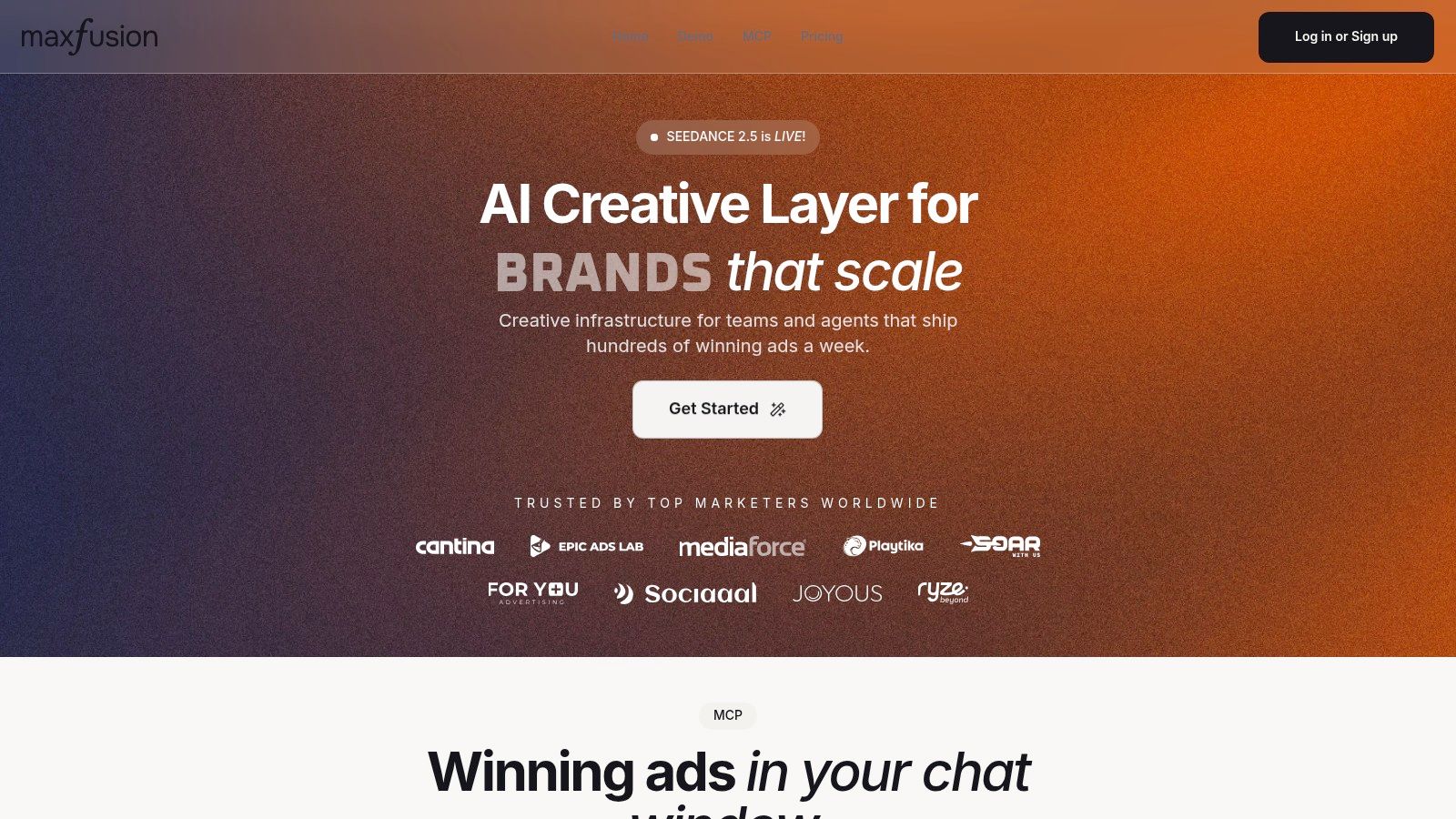
The research layer can pull competitor ads from the Meta Ad Library and analyze TikTok trends inside the workspace. An ideation assistant then helps structure hooks, angles, and scripts around brand guidelines and audience pain points. From there, teams can generate images and videos through a broad model roster, assemble outputs in the compositor, add captions, trim or stitch clips, remove backgrounds, and export finished variants.
Where Maxfusion AI earns its place
The practical advantage is fewer context switches. MCP connectors let teams operate the platform from agent environments such as Claude, ChatGPT, Cursor, or Hermes, including file-upload permissions. That matters when an operator wants an agent to move from a brief to research, generate concepts, create assets, and prepare an assembled output without manually copying context between applications.
Its AI actor tooling is also unusually relevant to UGC-style advertising. The Actor Library includes more than 300 AI actors, and teams can create actors or clone them from short footage with consent. Support for more than 35 languages, voiceover, lip sync, Switch Actor, Clone Voice, and background removal can reduce dependence on repeated shoots, although every output still needs human quality control and rights review.
Practical rule: Choose Maxfusion AI when production volume and iteration speed are the bottleneck. Don't choose it as a replacement for a DAM, formal legal approval system, or specialist design collaboration tool unless it demonstrably covers those requirements in your pilot.
The RIZZ audio-guided model targets expressive UGC-style videos and supports long-form clips of up to five minutes, while the platform also offers integrations such as Google Drive, a public API, CopyLab, and an optional ElevenLabs connection. Credit-based Starter, Pro, and Max tiers make output economics a central buying question. Ask how credits map to the models and formats you use, which plans include unlimited image generations, how multi-seat access works, and whether strategist support or done-for-you services are included.
Maxfusion AI is the right choice for performance-marketing teams that need research-to-ad assembly in one place, especially when AI actors, batch production, and agent-driven operation are more valuable than pixel-level collaborative design.
2. Notion
Notion works best as the briefing and creative knowledge layer. It combines documents, databases, comments, tasks, and templates, so a team can keep the campaign brief, brand guidance, meeting notes, content calendar, and production records connected rather than scattered across documents and chat.
A useful Notion setup starts with linked databases. Create separate records for briefs, campaigns, deliverables, assets, owners, and approval states, then connect them with relations and rollups. A brief can show its associated deliverables, while a content calendar can surface only work marked ready for publishing. Templates make repeatable intake easier, and formulas can flag missing information before a request reaches a designer.
Best fit and main risk
Notion is a strong choice for teams that need adaptability more than specialized proofing. Writers can draft beside tasks, strategists can document decisions, and stakeholders can comment in context. Optional Notion AI and custom agents can support summaries and routine automation, but teams should distinguish between helpful assistance and a controlled production workflow.
The weakness is governance. A flexible workspace can become a maze of duplicate databases, inconsistent statuses, and pages nobody owns. Guest access, roles, and AI usage also need review before rollout. Check the Notion pricing and plan details for current limits rather than assuming every collaborator has the same access.
Notion is excellent at preserving context. It isn't a specialist asset library or a frame-accurate video review system.
Pair it with Figma for design work, Frame.io for video approvals, or Bynder when asset rights, taxonomy, and expiration rules matter. For a small content team, Notion alone may be enough to manage briefs and editorial production. For a larger operation, define database owners, approved templates, naming rules, and the single source of truth before inviting the whole organization.
3. Airtable
Airtable is the strongest option in this list when creative work needs to behave like structured operational data. Its spreadsheet-like interface feels familiar, but relational bases can connect campaigns, requests, assets, deliverables, versions, channels, and owners in a much more deliberate model.
That makes Airtable useful for content operations. A request form can capture campaign details and automatically create a record. Interfaces can then give marketing, clients, or executives simplified views without exposing the underlying base. Teams can use calendar, timeline, Gantt, gallery, and grid views for different jobs, while automations and scripting route records, notify owners, and connect external systems.
What to model before building
The flexibility is also the cost. Airtable doesn't hand you a finished creative process. Someone must decide which fields matter, how versions relate to master assets, what qualifies as approved, and when an archived record should stop appearing in active views.
Start with a narrow model:
- Campaign record: Store objective, market, owner, and deadline.
- Deliverable record: Track format, channel, status, reviewer, and approval date.
- Asset record: Connect files to versions, rights information, and final usage.
- Request form: Collect the minimum information needed to begin production.
Advanced capabilities may require a higher tier, so inspect Airtable's pricing page alongside your expected builder, editor, and viewer roles. Its API is valuable for operations and analytics, but integrations can create duplicate sources of truth if ownership isn't documented.
Airtable pairs particularly well with a dedicated proofing tool. Use it to answer “what work exists, who owns it, and where is it in the pipeline,” then send the actual asset to Filestage or Frame.io for contextual review. It's a better operational database than a polished creative canvas, and that distinction should guide the purchase.
4. ClickUp
ClickUp is for teams that want to consolidate tasks, docs, whiteboards, dashboards, goals, chat, approvals, and automation in one work-management environment. It can model a creative workflow with custom statuses such as brief received, in production, internal review, client review, revisions, approved, and delivered.
The platform is particularly useful when design, content, video, marketing, and product teams all need visibility into the same work. Task templates can standardize recurring deliverables, while dashboards expose workload, deadlines, and blocked approvals. Optional ClickUp AI can help with summaries and writing, but it shouldn't replace an editorial or brand approval decision.
The consolidation trade-off
ClickUp's biggest strength is also its main liability. A team can replace several disconnected tools if it adopts ClickUp consistently, but feature breadth can overwhelm new users. A workspace with too many spaces, custom fields, views, and statuses becomes difficult to maintain. Collaborator roles and seat types need planning, especially when many clients or reviewers participate.
The ClickUp pricing page should be checked for current limits around seats, automation, storage, AI, permissions, and guest access. Don't compare only the headline plan. Compare the cost of the roles your workflow needs.
A useful pairing: Use ClickUp for work orchestration, then use Figma for design collaboration or Frame.io for video review.
ClickUp is a strong candidate for a cross-functional team that wants one operating layer and has someone responsible for workspace architecture. It's less attractive when the central problem is specialist proofing, large-scale asset governance, or complex design production. Teams considering broader team collaboration workflows should define which work stays in ClickUp and which system remains authoritative for files.
5. monday.com
monday.com is a good starting point for teams that need a visual request and production board without a long implementation project. Boards can track campaign calendars, creative requests, owners, deadlines, statuses, dependencies, and client approvals. Kanban, timeline, Gantt, and calendar views let different stakeholders see the same workflow in a familiar format.
Its WorkForms are useful for intake. Instead of accepting requests through scattered messages, a team can ask for campaign objective, format, audience, due date, reference files, and reviewer information in a structured form. Automations can assign work, update statuses, send reminders, and connect tools such as Slack or Adobe.
Why teams choose it
monday.com is often easier to adopt than a heavily configured operations platform. Creative templates give small teams a usable starting point, while dashboards and workload views support growth into more formal governance. External stakeholders can receive focused views rather than access to every internal board.
The trade-off appears as workflows become more demanding. Proofing is useful for ordinary approvals, but a specialist review tool may be better for detailed annotations, video feedback, or audit-heavy sign-off. Per-seat pricing can also become significant when a process includes many reviewers, so use the monday.com pricing page to verify current permissions, automation allowances, storage, and guest rules.
A practical stack might use monday.com for intake and scheduling, Figma for design, and Filestage for final approval. That division keeps the board from becoming a substitute for every creative application. Choose monday.com when the bottleneck is visibility and routing. Choose something more specialized when the bottleneck is asset intelligence or precise review.
6. Asana
Asana is strongest at the brief to production to approval sequence. It gives creative requests a clear home, assigns ownership, supports dependencies, and provides timelines, calendars, workload views, portfolios, and reporting for larger programs.
For a campaign launch, a team can create an intake form, route the request to the right project, assign a strategist and designer, add custom fields for channel and priority, and create approval steps before delivery. Rules can update statuses or notify owners when work moves between stages. File comments and proofing help reviewers discuss an asset without separating every decision from the task.
Where Asana stops
Asana is a work-management system, not a full digital asset management platform. It can track files and versions, but teams with extensive metadata, rights, expiration dates, or distribution requirements will need another layer. It also won't match Figma for collaborative design or Frame.io for professional video review.
The Asana pricing page matters because power features, portfolio reporting, and advanced controls may depend on the selected tier. Review seat requirements for requesters, collaborators, and external approvers before modeling total cost.
Asana is a sensible default for a cross-functional marketing organization that values clear ownership and predictable execution. Pair it with Figma when the design team needs component libraries and developer handoff. Pair it with Bynder when approved assets must remain searchable and governed after the project closes.
A common failure is treating every custom field as useful. Keep fields limited to decisions that change routing, reporting, or approval. If a field doesn't help someone act, filter, or govern an asset, it probably doesn't belong in the initial workflow.
7. Figma
Figma is the clear specialist for design collaboration and developer handoff. Multiplayer editing, comments, version history, prototypes, components, libraries, FigJam, Dev Mode, and Sites give design teams a connected environment from early exploration through implementation.
Designers can work together in the same file, reviewers can comment beside the relevant object, and developers can inspect specs, tokens, and assets through Dev Mode. Shared components and libraries help teams maintain brand and interface consistency, while FigJam gives product and marketing stakeholders a more accessible place to participate in workshops and concept development.
Best for design, not every workflow stage
Figma isn't a replacement for creative operations software. It won't provide the same structured intake, portfolio reporting, asset governance, or formal multi-stage approval logic as specialized workflow platforms. Teams can track decisions in comments, but a campaign pipeline still needs an operational system such as Asana, Airtable, or monday.com.
License planning can be nuanced across designers, developers, editors, viewers, and external collaborators. Check the Figma pricing page for current role definitions and feature limits. Heavy files also need governance. Shared libraries, page structure, naming conventions, and archival rules protect performance and reduce duplicate work.
Design decision: Keep Figma authoritative for editable design files and component systems. Keep the project-management tool authoritative for deadlines, owners, and delivery status.
Figma is the best choice when the work is interactive design, product UI, brand systems, or collaborative marketing design. Teams looking for a low-friction entry point can also compare freemium design tools, but the decision should be based on collaboration depth and handoff needs, not merely access to a free tier.
8. Miro
Miro performs the upstream job that many project platforms handle poorly: creative exploration with non-design stakeholders. Its infinite canvas supports storyboards, customer journeys, moodboards, mind maps, workshop exercises, strategy frameworks, and early campaign planning.
The value isn't just a large whiteboard. Timers, voting, comments, presentation mode, and templates give facilitators a way to make workshops structured rather than turning them into untraceable brainstorming sessions. Product managers, marketers, researchers, writers, and clients can contribute without needing to understand a professional design file.
Pair ideation with execution
Miro is not a full project-management system, and treating it as one creates a predictable gap. A completed workshop board doesn't automatically become a clean brief, production queue, or approval record. Someone must convert decisions into structured work in Asana, ClickUp, Airtable, or another execution tool.
Integrations with Asana, Jira, Slack, Figma, and other platforms help, but integration doesn't eliminate process design. Decide which objects move downstream. Usually that means a finalized concept, selected direction, key audience insight, or approved storyboard, not every sticky note created during the session.
The Miro pricing page should be reviewed for current board, collaborator, guest, and advanced-feature limits. Miro is a strong purchase for distributed teams that depend on workshops and early alignment. It's unnecessary overhead for a team whose creative work begins with a fully specified request and moves directly into production.
Use Miro for thinking, Figma for making, and Asana or Airtable for coordinating. That pairing respects the strengths of each system instead of forcing a whiteboard to behave like a production database.
9. Frame.io
Frame.io is purpose-built for video review and approval. Editors, producers, clients, and stakeholders can leave time-coded comments and draw-over annotations on the exact frame that needs attention. Version stacks and comparisons make it easier to distinguish current work from superseded exports.
That precision changes the review conversation. “The opening feels slow” is difficult to action. A comment attached to a specific timecode can identify the shot, caption, transition, audio issue, or visual detail that needs revision. Deep integrations with professional non-linear editing tools reduce the need to download, rename, upload, and manually reconcile every version.
The cost of specialization
Frame.io is most valuable when video is central and the whole team agrees to use it. It can support secure sharing, roles, watermarking, and enterprise controls, but storage and collaborator access need careful planning. A team that only produces occasional short clips may not use enough of its specialist capability to justify a dedicated review layer.
Check the Frame.io pricing page for current storage, user roles, reviewer access, and integration details. If the team already uses Adobe Creative Cloud, assess how the combined workflow affects both administration and total spend rather than evaluating Frame.io in isolation.
Frame.io should sit beside a project-management system, not replace it. Use Asana, ClickUp, or monday.com for the brief, schedule, owner, and launch dependency. Use Frame.io as the authoritative record for video versions and time-specific feedback.
For video teams, this division is clean. For static design teams, Figma or Filestage may be a better fit. The right tool depends less on whether a platform supports “creative assets” and more on whether its review model matches the asset type.
10. Bynder
Bynder is the governance and distribution layer for organizations that need a centralized digital asset management system. It organizes approved creative assets with taxonomy, rights information, expiration rules, brand guidelines, templates, permissions, and secure portals for internal and external users.
This matters after production ends. A project-management tool can show that an asset was delivered, but it may not answer whether the file is approved for a particular market, whether usage rights have expired, or which version is the current master. Bynder is designed to make those questions operational rather than dependent on tribal knowledge.
Enterprise governance has implementation costs
Bynder is a strong fit for complex organizations with multiple brands, regions, partners, channels, and asset types. Integrations with Adobe Creative Cloud, CMS, PIM, commerce, and other systems can connect creation with distribution. Brand templates can also support self-serve production while retaining guardrails.
The trade-off is clear: quote-based pricing and implementation effort can make it excessive for a small team. Review the Bynder pricing information with a realistic asset inventory, user map, integration list, taxonomy plan, and migration timeline. Don't buy a DAM before deciding who owns metadata and archival policy.
Bynder pairs naturally with Asana or Airtable. The work-management tool manages requests and production; Bynder manages the approved asset lifecycle. It can also pair with Frame.io, where video moves through review before final files enter governed distribution.
For organizations selling into multiple markets, provenance and disclosure deserve a place in the workflow too. One 2026 analysis says that EU AI Act Article 50 transparency obligations are scheduled to become enforceable on August 2, 2026, including machine-readable marking for AI-generated or AI-modified outputs. (Futuramo's analysis of AI and creative work) That makes metadata, approval history, and evidence of human or AI involvement a practical buying criterion, not merely a compliance afterthought.
11. Filestage
Filestage focuses on the stage where many creative teams lose time: stakeholder review and final approval. It supports threaded comments and annotations across design, copy, video, and web assets, with multi-stage review flows, due dates, versioning, side-by-side comparisons, branded portals, and review reports.
The client experience is its main advantage. Reviewers don't need to search email for the latest attachment or type vague feedback into a shared document. They can comment on the relevant part of an asset, while the team retains a clearer record of what changed and who approved it.
A review layer, not a project system
Filestage won't replace your intake, resourcing, or campaign planning system. That limitation is healthy if you treat it as a specialist layer. Pair it with Asana, monday.com, ClickUp, or Airtable, then send only production-ready proofs into Filestage.
Storage and seat requirements affect plan selection, particularly when agencies involve many clients or organizations need formal approval groups. Check the Filestage pricing page for current reviewer, storage, workflow, and reporting limits. Also verify whether the people who only comment or approve require paid access.
Filestage is especially useful when feedback loops are the bottleneck, when external clients need a polished review experience, or when regulated teams need auditability. It can also complement video editing workflows, but Frame.io may be the better specialist choice when frame-accurate video review and editing integrations dominate the process.
Top 11 Creative Workflow Tools Comparison
| Product | Core capability | Unique strengths ✨ / Excellence 🏆 | Best for 👥 | Cost & launch value 💰 / Quality ★ |
|---|---|---|---|---|
| Maxfusion AI | End‑to‑end ad creative: research → generation → edit; MCP & agent access | ✨ RIZZ UGC model; 300+ AI actors; large‑batch ad production; 🏆 | 👥 Performance ad teams, studios, agencies | 💰 Credit tiers (Starter→Max); high creative lift for launches; ★★★★★ |
| Notion | Docs + linked databases for briefs, pipelines, approvals | ✨ Strong templates, relations, automations | 👥 Small–mid creative teams, makers | 💰 Freemium → paid; excellent coordination, indirect SEO impact; ★★★★ |
| Airtable | Relational bases for tracking campaigns, assets, versions | ✨ Interfaces/forms + robust API for ops | 👥 Ops‑heavy teams needing structured asset management | 💰 Tiered subscription; ideal for systematic launch asset tracking; ★★★★ |
| ClickUp | All‑in‑one work management: tasks, docs, approvals, dashboards | ✨ Deep customization & reporting | 👥 Cross‑functional teams replacing multiple tools | 💰 Tiered per‑seat plans; consolidates launch workflows (higher setup); ★★★★ |
| monday.com | Visual boards, automations, workload & timeline views | ✨ Fast templates + scalable governance | 👥 Teams scaling from small to enterprise | 💰 Mid‑tier features; quick campaign onboarding & tracking; ★★★★ |
| Asana | Project/program management, timelines, approvals, portfolios | ✨ Mature templates and program reporting | 👥 Program managers and cross‑team orchestration | 💰 Freemium → paid; clear brief→production→approval flow for launches; ★★★★ |
| Figma | Real‑time design, prototyping, component libraries, Dev Handoff | ✨ Multiplayer design & component systems; 🏆 | 👥 Design teams, brand & marketing | 💰 Freemium → paid; essential for landing pages and creative consistency; ★★★★★ |
| Miro | Infinite canvas for ideation, storyboarding, workshops | ✨ Voting, timers, facilitation templates | 👥 Creative leads, facilitators, non‑design stakeholders | 💰 Freemium → paid; great for upstream concepting before launch; ★★★★ |
| Frame.io | Video review & approval with time‑coded comments and C2C | ✨ Frame‑accurate feedback; deep NLE integrations | 👥 Video editors, producers, clients | 💰 Subscription; speeds video QA and reduces review cycles for launch assets; ★★★★ |
| Bynder | Enterprise DAM & brand portal with governance and templates | ✨ Rights, taxonomy, templating and partner portals | 👥 Enterprises needing strict brand control | 💰 Quote‑based; strong asset governance and distribution for launches; ★★★★ |
| Filestage | Online proofing: time‑stamped comments, multi‑stage reviews, versioning | ✨ Clear client UX and audit trails | 👥 Teams needing regulated reviews or tight client feedback | 💰 Subscription; reduces feedback loops and speeds approvals pre‑launch; ★★★★ |
Build the Smallest Workflow That Removes Rework
The best buying decision starts with the bottleneck, not the vendor category. If requests arrive through chat and email, start with structured intake. If the team can't tell which asset is current, fix versioning and ownership. If reviewers leave vague or contradictory feedback, choose a proofing layer. If approved assets disappear into folders, invest in governance. If ad production is slow because research, generation, and assembly happen in separate tools, evaluate an AI-native production platform such as Maxfusion AI.
Map the workflow from request to final asset before configuring anything:
- Request: Where does work enter, and what information must be complete?
- Brief: Who defines the objective, audience, channel, constraints, and success criteria?
- Production: Which tool owns the editable source file?
- Review: Where do comments, annotations, and revisions live?
- Approval: Who has authority to approve, and is approval sequential or parallel?
- Delivery: Where does the final asset go, and how is its status recorded?
- Governance: Who manages metadata, rights, expiration, disclosure, and archival?
Then choose the smallest tool or combination that addresses the actual failure. Solo makers and small content teams may get enough from Notion, monday.com, or ClickUp. Design teams should usually keep Figma at the center and add Asana or Airtable for operational tracking. Content operations teams often benefit from Airtable or Asana paired with Filestage, while video teams should seriously consider Frame.io for review. Enterprise brand organizations may need Bynder alongside a work-management platform. Performance-advertising teams producing large volumes of variants should test Maxfusion AI against their research-to-export process.
Don't assume one platform should own every stage. A practical stack could use Miro for exploration, Notion for the brief, Airtable for structured production data, Figma for design, Filestage for approvals, and Bynder for governed distribution. That sounds like more software, but clear boundaries can create less confusion than one overloaded workspace. The goal is not the fewest applications. It's the fewest ambiguous handoffs.
Migration risks to control
Migration fails when teams move files without moving decisions. Inventory current assets, identify duplicates, separate working files from approved masters, and record rights or expiration information before importing anything. Define naming and version rules that people can follow without a manual explanation every time.
Map existing statuses into a small, shared vocabulary. Assign owners for each stage, recreate only essential templates, and pilot one representative workflow before migrating every campaign. Train reviewers separately from producers, because a reviewer needs to know how to comment and approve, while a producer needs to understand statuses, versions, permissions, and handoffs.
Measure operational outcomes rather than login volume alone. Track approval time, rework, searchability, missed handoffs, and adoption by the people who submit or review work. If a new system produces more fields but doesn't reduce repeated questions, duplicate exports, or lost feedback, the implementation hasn't solved the workflow.
Pricing deserves the same practical scrutiny. Check each linked pricing page for current seat types, storage, reviewer access, guest permissions, automation allowances, AI credits, API availability, integrations, and enterprise controls. Ask vendors to model the exact mix of creators, editors, clients, approvers, and viewers you expect. A low entry tier can become a poor fit if the workflow depends on capabilities reserved for higher plans.
Creative workflow software is becoming more than a place to assign tasks. Market estimates describe a category expanding from USD 15.29 billion in 2025 to a projected USD 16.82 billion in 2026, while creative automation estimates project growth from USD 2.51 billion in 2026 to USD 5.51 billion by 2031. These figures come from separate reports and shouldn't be combined as a single market forecast, but they reinforce the direction of travel: teams are buying systems that coordinate production, automate repetitive work, and govern outputs. (2026 creative software estimate, creative automation estimate)
Choose the platform that removes your most expensive rework first. Pilot it with a real brief, a real reviewer group, and a real delivery deadline. Then expand only after the workflow is clear, the ownership model works, and the pricing still makes sense at the scale you need.
Ready to reduce creative rework? Map one live workflow today, choose the bottleneck it must fix, and test the most suitable tool with a representative project before signing a long-term contract. Review the linked pricing pages, document your approval and version rules, and invite the people who submit, produce, review, and approve the work to the pilot.