The Chaos of Busywork: A Common Problem
In today's fast-paced work environment, busy professionals often find themselves overwhelmed by repetitive tasks that consume valuable time and mental energy. From sifting through a cluttered inbox to managing endless calendar invites, the daily grind can lead to burnout and decreased productivity. This is where Reclaw comes in as a game-changer, offering a solution tailored for those who want to focus on what truly matters.
Imagine a day where emails are triaged before you even open your inbox, meetings are summarized automatically, and reminders are sent without you having to lift a finger. With Reclaw, this isn't just a dream—it's a reality. This AI assistant is designed to take over the mundane tasks that bog you down, allowing you to reclaim your time and energy for higher-priority projects.
What is Reclaw?
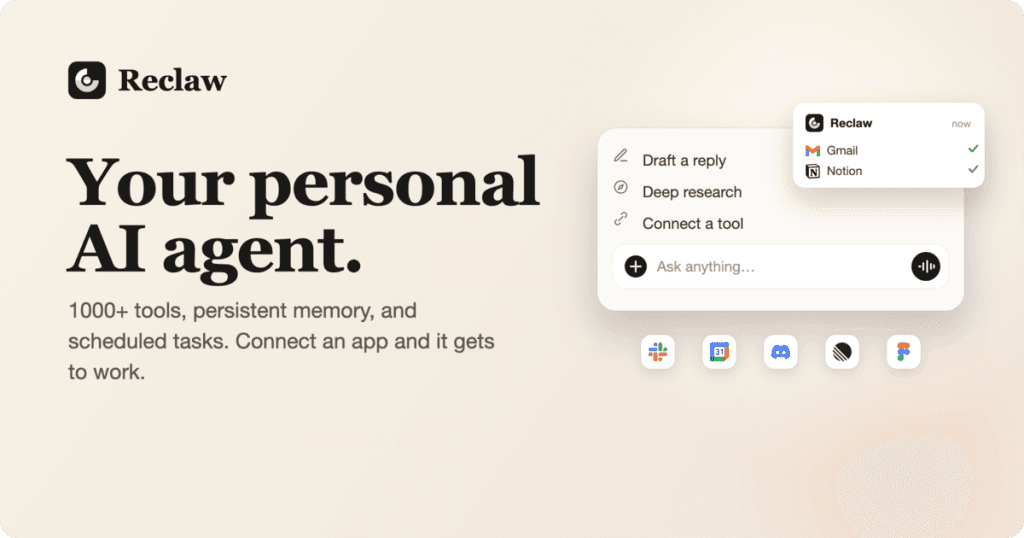
Reclaw is an innovative AI assistant that automates tasks across more than 500 applications. Unlike traditional chatbots that require constant prompts and interactions, Reclaw operates proactively, acting as a digital assistant that learns your preferences and manages your commitments effectively.
At its core, Reclaw connects seamlessly with your existing tools, from email clients to project management software, without the need for cumbersome API keys. This means you can set it up quickly and start benefiting from its features in just a few minutes. Whether it's drafting replies to emails, summarizing meeting notes, or managing your calendar, Reclaw does it all with an impressive level of autonomy.
The Problem Reclaw Solves
For busy professionals, managing emails, meetings, and tasks can feel like trying to juggle too many balls at once. The constant barrage of notifications and reminders often leads to chaos and confusion. The pain point is clear: how can one stay organized and productive amidst the distractions of modern work life?
Reclaw addresses these issues by eliminating busywork and allowing users to focus on their core responsibilities. By managing routine tasks, it reduces the risk of burnout and helps maintain a sense of control over one’s schedule and commitments. Users can breathe a sigh of relief knowing that their digital assistant is on top of everything, taking care of the small yet important details that often slip through the cracks.
How Reclaw Works
Reclaw's setup process is designed to be user-friendly and straightforward, allowing you to get started within minutes. Here’s how it typically works:
- Sign Up: Visit Reclaw and create an account. No credit card is required for the initial trial.
- Connect Your Tools: Link your existing applications such as Gmail, Slack, and Calendar using simple OAuth connections. This step ensures that Reclaw has access to the information it needs to assist you effectively.
- Meet Your Agent: Customize your assistant by naming it and selecting its personality traits. Your agent will get its own email address, just like a human assistant.
- Start Delegating: Communicate with your assistant via chat or voice notes. You can ask it to handle tasks such as drafting replies or scheduling meetings.
- Receive Daily Briefings: Each morning, Reclaw sends a briefing summarizing your meetings, overdue tasks, and important reminders, ensuring you start your day informed.
- Enjoy Proactive Management: Reclaw monitors your commitments and follows up on tasks automatically, keeping you organized without additional effort.
- Review and Approve: You get to review drafted replies and action items before they are sent or executed, maintaining control over your correspondence.
This workflow illustrates how Reclaw integrates into your daily routine, allowing you to delegate busywork and focus on strategic initiatives.
Key Features of Reclaw
- Email Triage: Automatically sorts and drafts replies for known contacts, helping you manage your inbox effectively.
- Meeting Notes: Joins meetings as a silent participant, taking notes and generating action items for you to approve.
- Task Management: Tracks overdue tasks and sends reminders, ensuring nothing falls through the cracks.
- Daily Briefings: Provides morning summaries of your schedule and overdue tasks, allowing you to plan your day proactively.
- Customizable Assistant: Offers personalization options, including naming your assistant and choosing its personality traits.
These features collectively enhance productivity by automating routine tasks and providing valuable insights into your daily responsibilities. With Reclaw managing the busywork, you can concentrate on high-value tasks that drive your work forward.
Who Reclaw is For
Reclaw is specifically designed for busy professionals who struggle to keep up with the demands of their work environment. This includes:
- Executives and Managers: Who need to juggle multiple responsibilities and ensure their teams are aligned.
- Freelancers and Entrepreneurs: Who handle various clients and tasks simultaneously and need to stay organized.
- Remote Workers: Who must manage their schedules independently without traditional office support.
Each of these personas benefits from Reclaw's ability to automate and manage tasks, freeing them up to focus on strategic decision-making and creative work.
Reclaw vs Alternatives
When it comes to AI assistants, Reclaw faces competition from various platforms like x.ai, Clara, Meekan, and Otter.ai. Here's how Reclaw compares:
- Proactivity: Unlike many alternatives that require continuous prompts, Reclaw operates proactively, managing tasks and commitments without needing constant interaction.
- Integration: Reclaw connects to over 500 applications with ease, using OAuth for secure access, while competitors may have limited app support or require complex API integrations.
- Customization: Users can personalize their AI assistant's traits with Reclaw, a feature that not all competitors offer.
- Data Security: Reclaw emphasizes user privacy with strict data access controls, ensuring your information stays secure even as it automates your tasks.
Overall, Reclaw offers a comprehensive solution that prioritizes user autonomy and security, making it a standout choice among AI assistants.
Real-World Use Cases
1. Email Management
A busy executive uses Reclaw to manage their overflowing inbox. Reclaw triages incoming emails, drafting replies to known contacts, and flagging important messages for the executive to review.
2. Meeting Summaries
A project manager relies on Reclaw to join team meetings, taking notes and summarizing key points into actionable items. This ensures that everyone is on the same page without the manager needing to jot down notes during the meeting.
3. Task Reminders
A freelancer uses Reclaw to track multiple client deadlines. The assistant sends timely reminders for upcoming tasks, helping the freelancer stay organized and meet client expectations.
4. Calendar Management
A remote worker connects their calendar to Reclaw. The assistant automatically adjusts meeting times when conflicts arise, sending updates to participants without the worker needing to intervene.
5. Invoice Follow-Ups
An entrepreneur uses Reclaw to manage overdue invoices. The assistant sends follow-up emails automatically, helping the entrepreneur get paid on time without tedious manual tracking.
Getting Started with Reclaw
Ready to take control of your busywork? Getting started with Reclaw is easy. Simply visit the website, sign up for a free trial, and connect your favorite tools. In no time, you'll have your very own AI assistant managing the mundane tasks that slow you down.
FAQ
How does Reclaw connect to my apps?
Reclaw uses OAuth for secure connections, allowing you to link your apps without API keys.
What happens if I exceed my credits?
You can upgrade your plan or purchase additional credits as needed.
Can I customize my AI assistant's personality?
Yes, you can name your assistant and choose its personality traits.
Is my data secure with Reclaw?
Yes, Reclaw ensures your data is kept private and secure, with strict access controls.
How does Reclaw handle scheduling conflicts?
Reclaw is designed to detect scheduling conflicts in real-time and will automatically suggest alternative times to all participants.
Can Reclaw summarize long documents?
Yes, Reclaw can read and summarize lengthy documents to provide you with concise insights, saving you time.
Bottom Line
In a world where busywork can overwhelm even the most organized professionals, Reclaw stands out as a reliable AI assistant designed to lighten your load. By automating repetitive tasks, managing your schedule, and enhancing your productivity, Reclaw allows you to focus on what matters most. Don't let busywork dictate your day—let Reclaw take care of the details while you concentrate on your core responsibilities.