About alt-tabr
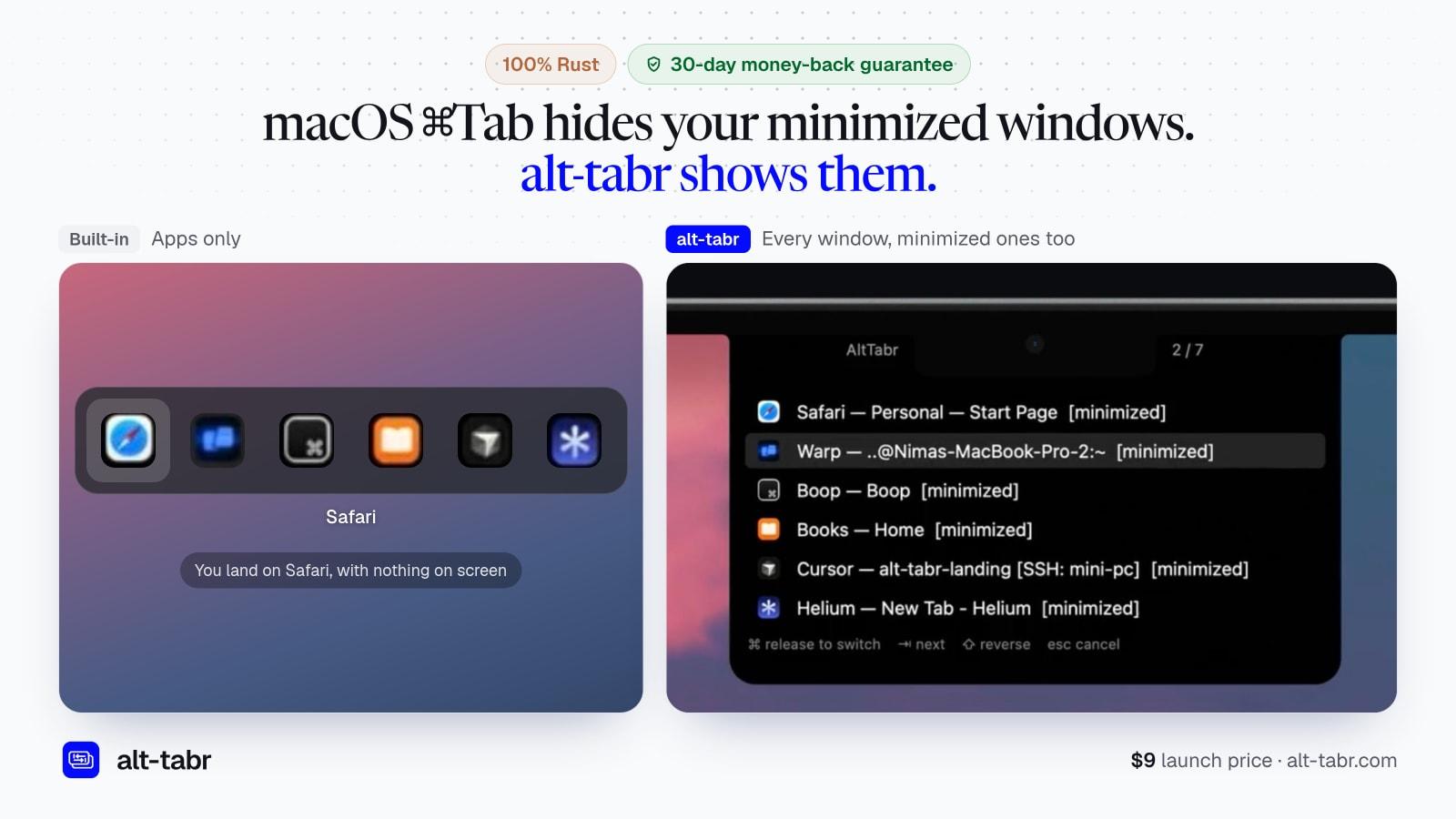
macOS's ⌘Tab is an app switcher, not a window switcher, and it never brings back minimized windows. alt-tabr is for anyone who wants to switch to any window, even minimized ones, on their Mac.
What it does:
- 🪟 Switch windows directly, even in apps with several open
- 🔽 Minimized windows open when you pick them
- 📐 Snap windows to half the screen or maximize them
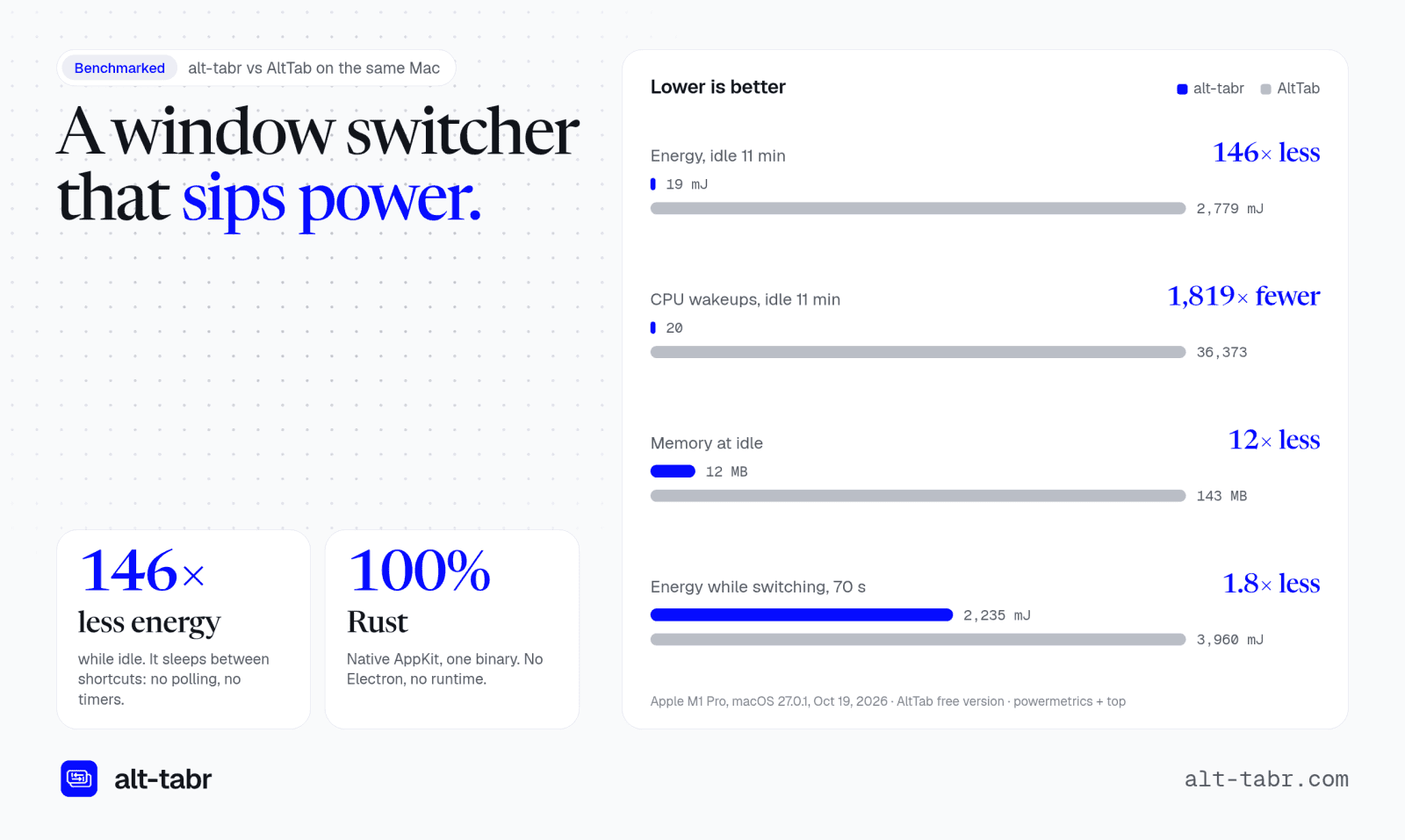
- 🔋 Uses 146× less energy than AltTab at idle
- 🦀 Built with 100% Rust
- ⚙️ Customize every option and restore it all from your dotfiles
- 🔄 Updates install from inside the app
- 🔒 No telemetry and only one permission (Accessibility)
- 💻 One license works on up to 3 Macs
Gallery
Overview
Who is it for?
mac users
Problem
Using macOS's built in Command + Tab will not make any minimized windows pop up, and switching between an app that has multiple windows in not possible.
Solution
alt-tabr enhances the window switching experience by displaying all open windows, including minimized ones. It allows users to switch quickly and efficiently, using minimal system resources and with three different themes.
What makes it unique
Unlike competitors, alt-tabr is a lightweight, native app with no telemetry, offering a smaller memory footprint and better performance. It focuses solely on window management, providing a tailored experience without unnecessary features.
FAQ
- What is alt-tabr?
- alt-tabr is a switcher for Mac. It replaces Command+Tab with a switcher that lists every open window instead of every app and can open minimized apps too.
- How is this different from Command+Tab?
- It opens minimized apps and it switches between windows, not just apps.
- What Macs does it run on?
- Any Mac running macOS 13 or later.
- Does it collect any data?
- No, it has no analytics or telemetry.
- Can I use one license on multiple Macs?
- Yes, one license covers up to 3 Macs.
- Is there a refund policy?
- Yes, a 30-day money-back guarantee.
- What styles does it offer?
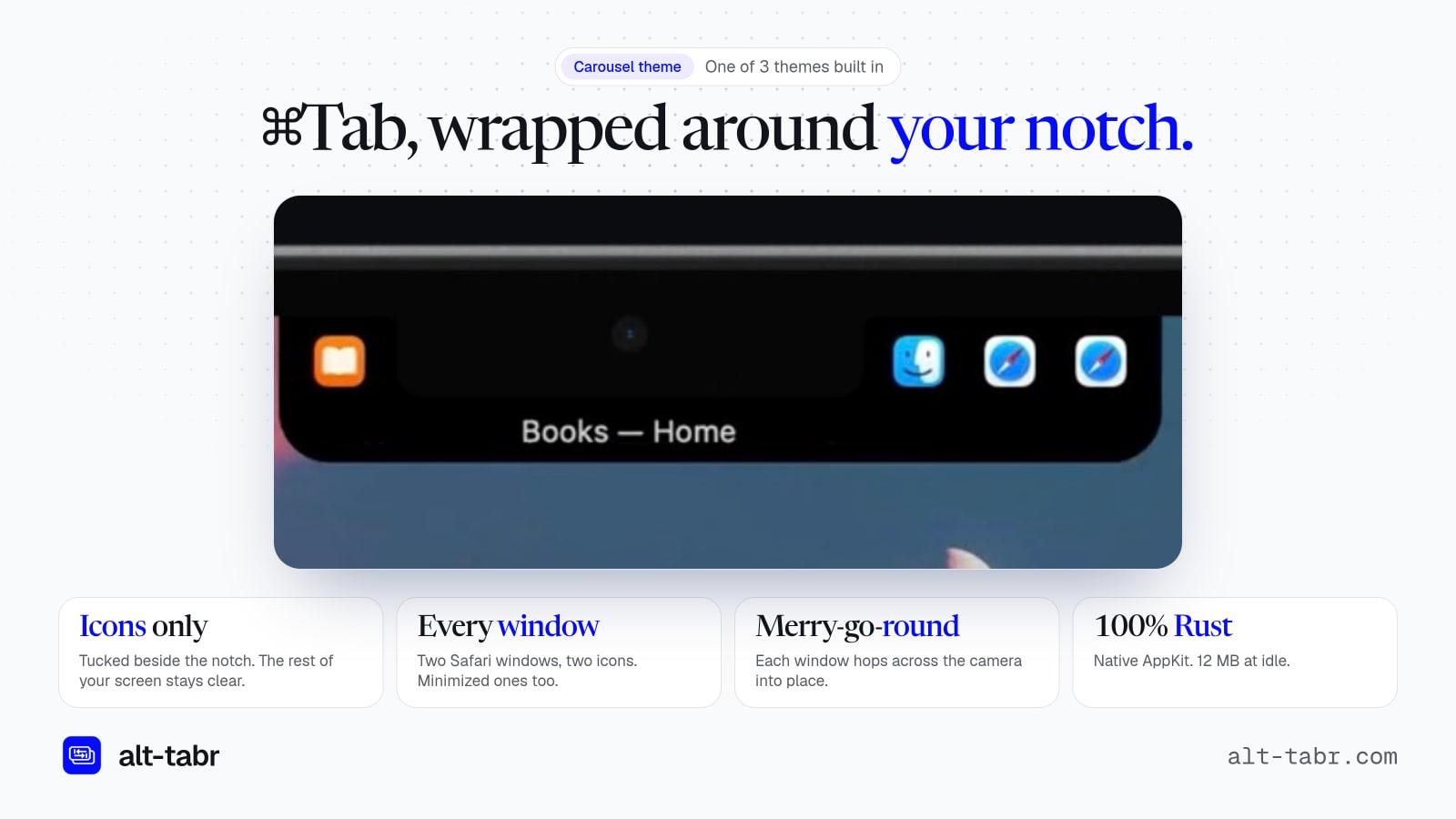
- Notch, Carousel, and Liquid Glass styles.
- How much does it cost?
- $9 for a one-time payment.
- What permissions does it need?
- Only Accessibility permissions.
- Can I request a feature?
- Yes, you can email the developer with requests.