Understanding the Challenge of Web Analytics
In the fast-paced world of online business, understanding your website traffic is crucial. However, traditional web analytics tools often come with a myriad of complexities. From cookie consent banners to intricate setup processes, many startups and small businesses struggle to grasp their visitor data effectively. This lack of clarity can lead to missed opportunities, especially when it comes to understanding which traffic sources are driving revenue.
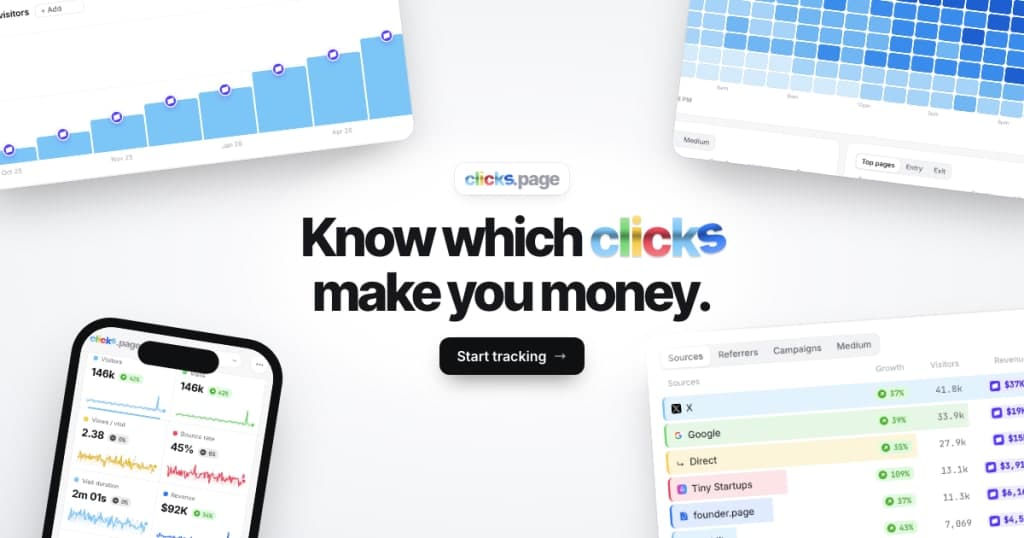
This is where clicks.page steps in. It aims to simplify the analytics process for businesses by providing real-time insights into visitor behavior and revenue attribution without the complications associated with traditional tools. With its user-friendly interface and AI capabilities, clicks.page empowers businesses to make informed decisions swiftly.
What is clicks.page?
Clicks.page is a web analytics tool designed to help businesses track their website traffic and understand revenue sources effortlessly. Unlike conventional analytics platforms that often rely on cookies and complex configurations, clicks.page offers a cookieless tracking solution. This means you don't have to worry about compliance issues or cluttering your website with cookie consent banners.
With just a simple prompt, your AI agent sets up the tracking for you, enabling you to monitor live visitors, analyze traffic sources, and evaluate conversion rates. The platform is particularly tailored for startups and small businesses, making powerful analytics accessible without the steep learning curve typically associated with such tools.
The Problem clicks.page Solves
Many businesses today face a significant challenge: understanding which of their marketing efforts are effectively driving traffic and, ultimately, revenue. Traditional analytics solutions, like Google Analytics, often require cookie tracking, which has become increasingly problematic due to privacy regulations such as GDPR. This can lead to a lack of accurate data, making it difficult for companies to understand their performance fully.
Furthermore, the complexity of these tools can deter small business owners from utilizing them effectively. The need for technical expertise to set up and interpret these systems creates a barrier. This leads to wasted resources on marketing efforts that may not be yielding the desired results. Clicks.page addresses these issues head-on by providing a clear, straightforward solution that ensures businesses can focus on what truly matters—growing their revenue.
How clicks.page Works
Using clicks.page is designed to be straightforward and user-friendly. Here’s a step-by-step overview of how the platform typically works:
- Sign Up: Start by visiting clicks.page and signing up for an account. You can begin with a free trial without needing to input payment details.
- Set Up Your AI Agent: Your AI agent will handle the installation process for you. Simply provide a prompt, and it will manage coding needs and integration with your website.
- Monitor Traffic: Once set up, you can view real-time traffic data, including the number of visitors and their sources.
- Analyze Revenue Attribution: clicks.page tracks which sources are converting into revenue, allowing you to see where your income is coming from.
- Adjust Strategies: Use the insights gained to refine your marketing strategies based on what works best for your business.
- Continuous Learning: The more you use clicks.page, the more insights you’ll gain, allowing for continuous improvement.
- Upgrade as Needed: Should your business grow, you can easily upgrade to a plan that suits your traffic needs without losing any data.
Key Features of clicks.page
- Cookieless Tracking: No need for cookie consent banners or privacy concerns, making it GDPR-friendly.
- Real-Time Visitor Monitoring: See live visitor counts and determine where they are coming from instantly.
- Revenue Attribution: Identify which traffic sources are driving revenue, providing clarity on your marketing efforts.
- Bot Filtering: Automatically filter out bot traffic, ensuring that your analytics reflect genuine user behavior.
- Clean Dashboard: A user-friendly interface displaying all critical metrics at a glance.
- AI-Powered Setup: Let your AI agent manage the setup process, reducing technical barriers for users.
These features collectively enhance the user experience by simplifying the analytics process. For small businesses, this means less time wrestling with data and more focus on making strategic decisions that can propel growth. With everything from live visitor tracking to revenue attribution available without complex setup, clicks.page democratizes access to effective web analytics.
Who clicks.page is For
The ideal users of clicks.page are startups and small businesses that need a straightforward solution to track website performance. Here are some personas who would benefit from this tool:
- Startup Founders: Individuals looking to launch their business online who need quick insights without getting bogged down in technical details.
- Small Business Owners: Owners who want to understand their customer base better and determine which marketing channels are effective.
- Marketers: Professionals seeking to optimize campaigns based on data-driven decisions rather than guesswork.
- E-commerce Operators: Online store owners who need to track sales and understand which traffic sources convert into purchases.
clicks.page vs Alternatives
When comparing clicks.page to traditional analytics tools like Google Analytics, Mixpanel, or Matomo, several key differences emerge:
- Ease of Use: Clicks.page is designed for users without a technical background, whereas tools like Google Analytics can be overwhelming for beginners due to their complexity.
- Cookieless Tracking: Unlike most competitors, clicks.page does not rely on cookies, thus eliminating privacy concerns and allowing for compliance with regulations like GDPR.
- Transparent Pricing: With clicks.page, all users have access to the same features regardless of the plan they choose. This contrasts with tools like Mixpanel, which often have tiered features that can leave budget-conscious users wanting.
- Real-Time Insights: Clicks.page offers live tracking capabilities, allowing businesses to respond to visitor behavior as it happens, which is not always the case with more traditional analytics platforms.
In summary, while competitors offer a wealth of features, they often come with complexities that can deter small business owners. Clicks.page's focus on simplicity and transparency sets it apart in the crowded analytics market.
Real-World Use Cases
- E-commerce Optimization: An online retail store uses clicks.page to identify that most of its sales come from social media ads. By focusing on these ads, they improve their return on investment and reduce spending on less effective channels.
- Campaign Tracking: A startup launching a new product uses clicks.page to monitor traffic spikes from its email marketing campaign. By analyzing which emails drive the most revenue, the startup tailors future campaigns accordingly.
- Live Event Monitoring: A small business hosting a webinar can see in real-time how many participants are joining and from which sources, allowing them to adjust their marketing efforts accordingly.
- Content Performance: A blog owner tracks which articles bring in the most visitors and revenue. Using this data, they focus on writing similar content that resonates with their audience.
- Bot Filtering: A SaaS company filters out bot traffic to ensure their analytics reflect real user engagement, enabling them to assess the effectiveness of their outreach efforts accurately.
Getting Started with clicks.page
To begin your journey with clicks.page, simply visit clicks.page and sign up for a free trial. The setup process is intuitive; just provide a prompt for your AI agent, and it will handle the installation for you. You’ll have access to all features during your trial, allowing you to evaluate the platform thoroughly.
FAQ
How does revenue attribution work?
Revenue is credited to the source that brought the visitor, using anonymous session references to ensure privacy while accurately tracking conversions.
Do I need a cookie banner?
No, clicks.page does not use cookies or store IP addresses, making it unnecessary for you to have a cookie banner on your site.
How can I use it for free?
You can use clicks.page for free by adding the 'Tracked by clicks.page' badge to your site, allowing for up to 10,000 pageviews per month.
What happens if I exceed the free plan limit?
If you exceed the limit, data continues to be collected, but you will need to upgrade to access it.
Is clicks.page suitable for large businesses?
While clicks.page is designed with small businesses and startups in mind, it can scale to accommodate larger businesses as well, with plans that adjust according to traffic needs.
Can I cancel my subscription anytime?
Yes, you can cancel your subscription at any time without any penalties, offering flexibility as your business needs change.
Bottom Line
Clicks.page offers a robust solution for businesses looking to simplify their web analytics without the complexities of traditional tools. By providing cookieless tracking and real-time insights, it empowers startups and small businesses to make informed decisions based on clear data. If you’re ready to enhance your understanding of website traffic and revenue sources, visit clicks.page today to start your free trial and experience the difference.