The Documentation Dilemma: Keeping Up with Code Changes
In the fast-paced world of software development, keeping documentation aligned with code changes can be a daunting task. Developers often find themselves spending too much time on documentation instead of focusing on writing code. As codebases evolve, documentation can quickly become outdated, leading to confusion and inefficiencies within teams.
This is where Moxie Docs steps in to alleviate the burden of manual documentation. By providing automated documentation generation directly from your GitHub repositories, Moxie ensures that your documentation is always current, searchable, and easily accessible to all team members.
What is Moxie Docs?
Moxie Docs is an automated documentation tool designed specifically for GitHub repositories. It connects seamlessly with your GitHub account, indexing your codebase and generating architecture pages, conventions, and walkthroughs based on your existing code. Moxie not only automates the creation of documentation but also monitors changes in the code, flagging any discrepancies between the code and the documentation.
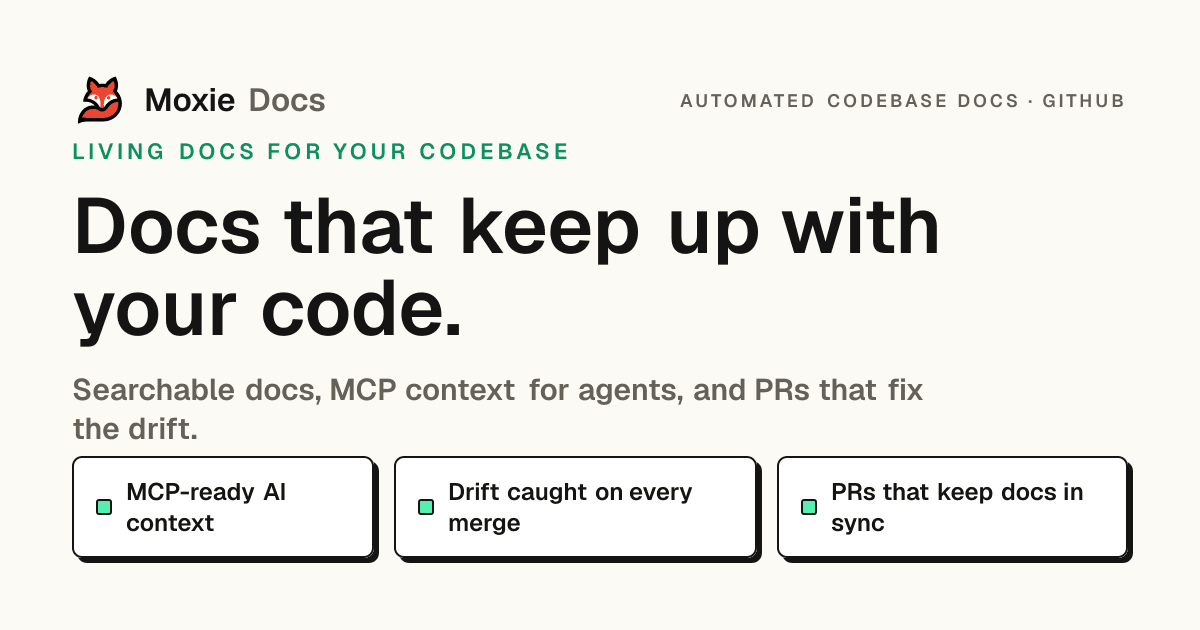
The platform's unique feature set includes automatic drift detection, which alerts teams to any documentation that has fallen out of sync with the codebase. Furthermore, Moxie serves documentation to AI agents, allowing for enhanced context and efficiency in managing documentation. The platform also implements features like Friday Cleanup PRs, which consolidate documentation updates into a single reviewable pull request at the end of the week, simplifying the process of maintaining accurate documentation.
The Problem Moxie Docs Solves
Many software teams experience the challenge of outdated and inaccurate documentation, which can lead to confusion among team members and slow down development processes. Without up-to-date documentation, developers may struggle to understand the codebase, leading to inefficient onboarding processes and increased time spent clarifying code functionality.
Imagine a new developer joining a team and being handed a codebase with documentation that hasn’t been updated for months. They have to dig through the code to understand how things work, which can lead to frustration and delays in project timelines. This scenario is all too common in development teams and highlights the urgent need for a solution that keeps documentation aligned with code changes.
By automating the documentation process, Moxie Docs ensures that as your code evolves, your documentation evolves alongside it. This reduces the risk of discrepancies, streamlines onboarding, and ultimately enhances team productivity.
How Moxie Docs Works
Moxie Docs operates through a simple yet effective workflow that integrates directly with your GitHub repositories. Here’s a step-by-step breakdown of how it works:
-
Connect Your GitHub Repository: Begin by linking your GitHub account to Moxie Docs. This connection allows Moxie to access your codebase and begin indexing it.
-
Indexing the Repository: Once connected, Moxie indexes the entire repository, creating a searchable database of your code and generating documentation from it. This includes architecture pages, coding conventions, and walk-throughs that are essential for understanding your project.
-
Automatic Documentation Generation: Moxie generates documentation based on the indexed data, ensuring that it reflects the current state of the codebase. This documentation is organized and easily navigable, making it accessible for all team members.
-
Drift Detection: Moxie continuously monitors your code for changes. Whenever a pull request is submitted, Moxie checks for discrepancies between the documentation and the code. If any drift is detected, it flags the outdated sections.
-
Documentation-Only Pull Requests: When discrepancies are identified, Moxie creates documentation-only pull requests for review. This allows team members to easily assess changes and ensure that documentation remains accurate before merging.
-
Friday Cleanup PRs: At the end of each week, Moxie compiles all documentation changes that need to be reviewed into a single pull request. This process, known as Friday Cleanup, helps teams manage documentation updates without overwhelming them with multiple PRs throughout the week.
-
Ongoing Updates: As code continues to evolve, Moxie keeps the documentation up-to-date, ensuring that it is always reflective of the current state of the project.
This workflow not only simplifies the documentation process but also ensures that all team members have access to accurate and relevant information at all times. It allows developers to focus more on coding rather than getting bogged down in the details of documentation.
Key Features of Moxie Docs
- Automated Documentation Generation: Automatically generates documentation from your codebase, reducing the need for manual updates.
- Drift Detection: Alerts teams to discrepancies between the code and documentation, ensuring accuracy.
- Documentation-Only PRs: Creates reviewable pull requests for documentation updates, streamlining the review process.
- Friday Cleanup PRs: Consolidates documentation changes into a single pull request each week for easy review.
- Searchable Documentation: Provides a searchable interface for documentation, making it easy for team members to find the information they need.
- AI Context Integration: Serves documentation to AI agents for enhanced context and efficiency.
These features work together to reduce the manual effort required to maintain documentation, ensuring that teams have access to current and accurate information while minimizing the risk of human error.
Who Moxie Docs is For
Moxie Docs is designed primarily for software teams and developers who need to maintain accurate and up-to-date documentation for their GitHub repositories. Key personas that can benefit from Moxie include:
- Software Developers: Developers who need quick access to current documentation while working on code changes will find Moxie invaluable. It reduces the time spent searching for information and helps them stay focused on writing code.
- Team Leads and Project Managers: These roles benefit from Moxie's ability to keep documentation aligned with ongoing project changes. This ensures that all team members are on the same page regarding project requirements and code functionality.
- DevOps Teams: DevOps professionals can use Moxie to maintain documentation for CI/CD pipelines and other operational processes, ensuring that documentation is always reflective of the current environment.
- Onboarding Specialists: Teams responsible for onboarding new developers can use Moxie to provide them with up-to-date resources, reducing the time required for acclimating new hires.
By addressing the needs of these user groups, Moxie Docs streamlines the documentation process and enhances collaboration among team members.
Moxie Docs vs Alternatives
While Moxie Docs is a powerful tool for automating documentation, there are several alternatives in the market, including Mintlify, Swimm, GitBook, and Confluence. Each of these tools has its strengths and weaknesses, and understanding these trade-offs is crucial for selecting the right solution for your team.
- Mintlify: Similar to Moxie, Mintlify offers self-updating documentation and is particularly effective for teams building for AI agents. However, it may not have the same level of integration with GitHub as Moxie Docs, which could be a drawback for teams heavily reliant on GitHub for version control.
- Swimm: Swimm focuses on providing documentation that is embedded within the code, allowing for a more integrated approach. However, it lacks some of the automated PR features that Moxie offers, which can streamline the review process.
- GitBook: GitBook is a widely used documentation platform that allows for collaborative editing and publishing. While it excels in creating user-friendly documentation, it does not offer the same level of automation as Moxie Docs, requiring more manual input to keep documentation current.
- Confluence: Confluence is a robust collaboration tool used for documentation, but it can be cumbersome and may not integrate directly with code repositories, making it less suitable for teams looking for automated solutions.
Ultimately, the choice between Moxie Docs and these alternatives will depend on the specific needs of your team, particularly in terms of automation, integration, and ease of use.
Real-World Use Cases
-
Automated Documentation for a Microservices Architecture: A software team managing a microservices architecture can use Moxie Docs to automatically generate documentation for each service. As services evolve, Moxie keeps the documentation updated, allowing developers to quickly understand how various services interact without having to sift through outdated docs.
-
Onboarding New Developers: When new developers join a team, Moxie Docs can provide them with immediate access to current documentation, including coding conventions and architecture overviews. This accelerates their onboarding process and allows them to become productive more quickly.
-
Documentation Review Process: A team can utilize Moxie’s Friday Cleanup feature to regularly review documentation changes. By consolidating updates into a single PR, they can ensure that documentation remains accurate without overwhelming team members with multiple change requests.
-
Enhancing AI Agent Efficiency: By serving documentation to AI agents, teams can ensure that agents have access to the latest information about coding conventions and architectural decisions. This reduces the need for agents to rediscover information, streamlining their workflow.
-
Maintaining CI/CD Documentation: For teams using continuous integration and deployment, Moxie can help maintain documentation related to CI/CD pipelines. As changes are made to the pipeline configuration, Moxie can automatically update the relevant documentation, ensuring that all team members are aware of the current processes.
Getting Started with Moxie Docs
If you’re ready to automate your GitHub documentation, getting started with Moxie Docs is simple. You can connect your GitHub repository for free, with no credit card required. Here’s how:
- Visit the Moxie Docs website.
- Click on the “Connect GitHub” button to link your GitHub account.
- Select the repository you want to document.
- Allow Moxie to index your codebase and generate documentation.
- Review and manage documentation changes as they occur.
By following these steps, you can transform your codebase into living documentation that evolves with your project.
FAQ
What happens after I connect a repo?
After connecting your GitHub repository, Moxie indexes the repository, generates searchable documentation, summarizes conventions, and starts checking every new pull request for description alignment and documentation impact.
Will Moxie change my code automatically?
No, Moxie does not automatically change your code. Instead, it edits the pull request description on GitHub, and documentation updates arrive as reviewable documentation-only pull requests.
How does the MCP layer cut agent costs?
The Model Context Protocol (MCP) allows agents to pull your conventions, documentation, gaps, and verified commands directly instead of re-crawling the codebase on every prompt, reducing rediscovery and costs.
What is Friday Cleanup?
Every Friday, Moxie compiles the week’s merges and opens a documentation-only pull request for anything that was missed, making it easy for teams to review all documentation updates at once.
Can I publish a public help center for my users?
Yes, Moxie allows you to publish a public knowledge base from your code, providing documentation for end users while keeping internal documentation private.
How much does Moxie Docs cost?
Moxie Docs offers various pricing plans, including a free tier for one repository and paid plans that increase in features and repository limits.
Bottom Line
Moxie Docs offers a powerful solution for automating documentation in GitHub repositories, effectively addressing the common challenges of outdated and inaccurate documentation. By integrating directly with GitHub, Moxie ensures that your documentation evolves with your codebase, allowing developers to focus on coding while maintaining clarity and accuracy in documentation. If you’re ready to streamline your documentation process, visit Moxie Docs today to get started.