The Need for Better Video Playback on Mac
In today’s digital age, the demand for high-quality video playback has never been greater. As more people stream movies and TV shows in stunning High Dynamic Range (HDR) formats, traditional video players often fall short of delivering the full visual and audio experience. Users are left frustrated by subpar color accuracy, poor sound quality, and the inability to play advanced formats. This is where Stoic Player comes into play, transforming your Mac into a cinematic powerhouse.
Stoic Player is designed specifically for those who want more from their video playback experience. If you’ve ever watched a film and felt that something was missing, it’s likely due to the limitations of your current video player. Imagine vibrant colors and immersive sound that truly bring your favorite films to life. With Stoic Player, that vision becomes a reality.
What is Stoic Player?
Stoic Player is a native HDR and Dolby Vision video player optimized for Apple silicon Macs, specifically designed to work with macOS 26 or later. Unlike standard video players that struggle with advanced formats, Stoic Player excels at playing Dolby Vision, HDR10+, and MKV files effortlessly. This player allows Mac users to enjoy breathtaking visuals and immersive sound without any hassle.
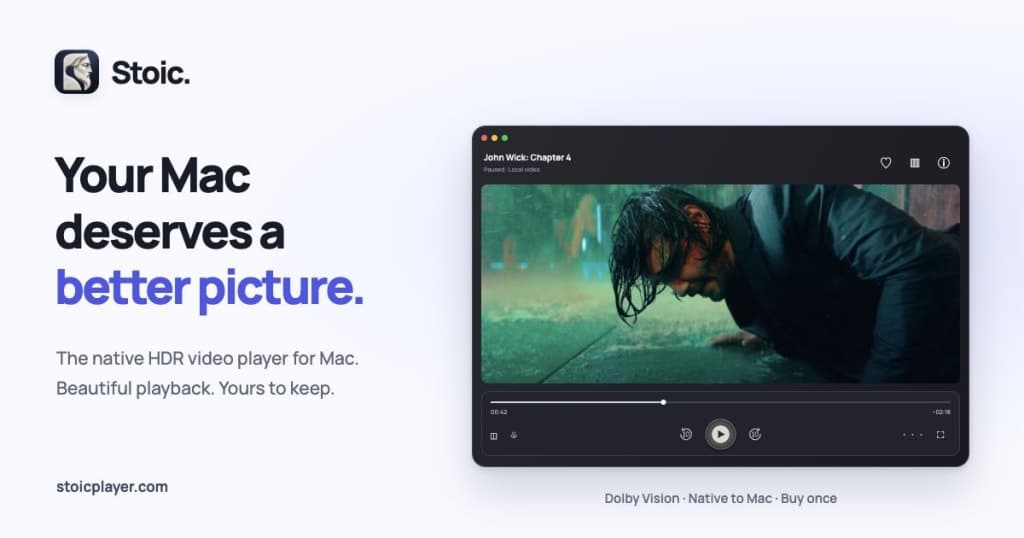
The interface of Stoic is sleek and intuitive, tailored for a seamless experience on Mac devices. Users can manage their video library with ease, take notes, and even export clips without complications. Whether you're a film enthusiast or just looking to enhance your viewing experience, Stoic Player provides all the tools you need right at your fingertips.
The Problem Stoic Player Solves
Many Mac users are frustrated with standard video players that fail to deliver the full HDR experience. You might find that colors look washed out or that the sound lacks depth and clarity. Additionally, compatibility issues with advanced video formats often lead to playback problems. In a world where streaming quality matters, these shortcomings can significantly detract from the viewing experience.
Users need a reliable player that supports advanced formats without the constant need for updates or subscriptions. Stoic Player addresses these pain points by providing a straightforward, one-time purchase model that allows you to use the software on up to three Macs. This means no more monthly fees or worrying about whether your favorite films will play correctly.
How Stoic Player Works
Using Stoic Player is straightforward and user-friendly. Here’s a step-by-step workflow to get you started:
- Download and Install Stoic Player: Visit Stoic Player and download the application. After installation, you can try it free for five days.
- Open Your Video File: Launch Stoic Player and open your favorite video file. The player supports popular formats such as MKV and MP4.
- Adjust Playback Settings: Take advantage of the ten-band equalizer to fine-tune the audio settings to your liking. You can also enable dual subtitles for a more immersive experience.
- Enjoy Enhanced Playback: Sit back and enjoy the breathtaking HDR visuals and crystal-clear audio. The player is optimized for Apple silicon, ensuring smooth playback.
- Take Notes and Export Clips: Use the built-in features to take notes or export clips from your favorite scenes. This is particularly useful for educators or content creators.
- Manage Your Library: Keep your video library organized with Stoic Player's intuitive interface, making it easy to find and access your media.
- Regular Updates: Benefit from ongoing software updates included with your purchase, ensuring you always have the latest features and performance improvements.
Key Features of Stoic Player
- Native HDR and Dolby Vision Support: Enjoy stunning visuals with support for HDR10+, Dolby Vision, and HLG.
- User-Friendly Interface: Designed specifically for Mac users, providing an intuitive experience.
- Ten-Band Equalizer: Fine-tune audio settings to enhance dialogue clarity and overall sound quality.
- Dual Subtitles: View two subtitle tracks simultaneously, perfect for learning languages or enjoying multilingual films.
- Clip Export and Notes: Take notes during playback and export clips for sharing or educational purposes.
Each of these features contributes to an enhanced viewing experience. For example, the native HDR support ensures that colors are vibrant and true to the filmmaker's vision, while the ten-band equalizer allows users to customize audio settings for clarity and depth. These thoughtful features make Stoic Player a standout choice for Mac users looking to elevate their video playback.
Who Stoic Player is For
Stoic Player is ideal for a variety of users, including:
- Film Enthusiasts: Those who appreciate high-quality cinema and want to experience movies as they were intended to be seen.
- Educators: Teachers and professors who need to show video content in a clear and engaging manner while taking notes or exporting clips for further discussion.
- Content Creators: YouTubers and filmmakers who require precise audio and visual quality when reviewing their work or showcasing clips.
- Multi-Language Learners: Users interested in learning new languages can take advantage of the dual subtitles feature.
Regardless of your background, if you're a Mac user seeking a superior video playback experience, Stoic Player is designed to meet your needs and exceed your expectations.
Stoic Player vs Alternatives
When considering video players for Mac, Stoic Player stands out in several ways, particularly when compared to alternatives like VLC, QuickTime, and Plex.
- VLC: While VLC is a popular choice due to its wide format support, it often lacks the finesse in HDR playback that Stoic provides. Users frequently report that the color accuracy and sound quality do not match what Stoic Player offers.
- QuickTime: This built-in Mac player is limited in format support compared to Stoic. QuickTime struggles with MKV files and does not support advanced HDR features, making Stoic a more versatile option.
- Plex: Although Plex excels in media organization and streaming, it typically requires a server setup and ongoing subscriptions. Stoic Player offers a straightforward one-time purchase model, making it more accessible for users who prefer not to manage servers or pay monthly fees.
Overall, the trade-offs between these options often boil down to ease of use, format support, and playback quality. Stoic Player delivers on all fronts, ensuring that users have a seamless and enjoyable experience.
Real-World Use Cases
- Cinematic Movie Nights: Imagine hosting a movie night with friends and family. With Stoic Player's HDR support, everyone will appreciate the stunning visuals and immersive sound, making it a night to remember.
- Educational Screenings: A teacher can use Stoic Player to show a film in class, utilizing the dual subtitles feature to aid students learning a new language while ensuring clear audio for discussions.
- Video Editing Reviews: A content creator can use Stoic Player to review their video projects, taking advantage of the clip export feature to share specific scenes with collaborators.
- Personal Video Library Management: Users can effortlessly manage their video libraries, organizing their favorite films in a way that's easy to navigate and access whenever they want to watch.
- Research and Note-Taking: For researchers, Stoic Player's note-taking capabilities allow them to jot down insights while watching documentaries or educational videos, enhancing their learning experience.
Getting Started with Stoic Player
Ready to elevate your viewing experience? Getting started with Stoic Player is a breeze. Simply head over to Stoic Player and download the application. You can try it free for five days, allowing you to experience all its features without any commitment. After the trial, if you love what you see, you can purchase it for a one-time fee of $7.99, which allows you to use it on up to three Macs.
FAQ
Does Stoic support MKV files?
Yes, Stoic supports MKV and MP4 formats, allowing you to play your favorite videos without hassle.
Is there a free trial available?
Yes, you can try Stoic free for 5 days, giving you a chance to explore its features fully.
Can I use Stoic on multiple Macs?
Absolutely! One purchase allows you to use Stoic on up to three Macs, making it a cost-effective solution.
Does Stoic require a subscription?
No, Stoic is a one-time purchase with no subscription fees, letting you enjoy your videos without ongoing costs.
What happens after I buy Stoic?
Upon purchase, you'll receive a license key and can immediately download the application. Your key will also be sent via email for your convenience.
Can I open Dolby Vision movies with Stoic?
Yes, Stoic supports Dolby Vision Profiles 5 and 8.x, ensuring you can watch your favorite films in stunning quality.
Bottom Line
In conclusion, Stoic Player provides a robust solution for Mac users seeking a superior video playback experience. With its focus on HDR support, user-friendly interface, and one-time purchase model, it stands out in a crowded market. Whether you're a film enthusiast, educator, or content creator, Stoic Player is designed to meet your needs. Don't settle for subpar playback; elevate your viewing experience today by visiting Stoic Player and trying it free for five days.