The Challenge of Web Development Tools
In today’s fast-paced web development environment, developers and designers often find themselves juggling multiple tools to accomplish their tasks. With a plethora of extensions and applications available, navigating through them can become frustrating. You might be using one tool for color picking, another for inspecting CSS, and yet another for SEO audits. This fragmentation not only clutters your workspace but also slows down your workflow, making it cumbersome to manage various tasks simultaneously.
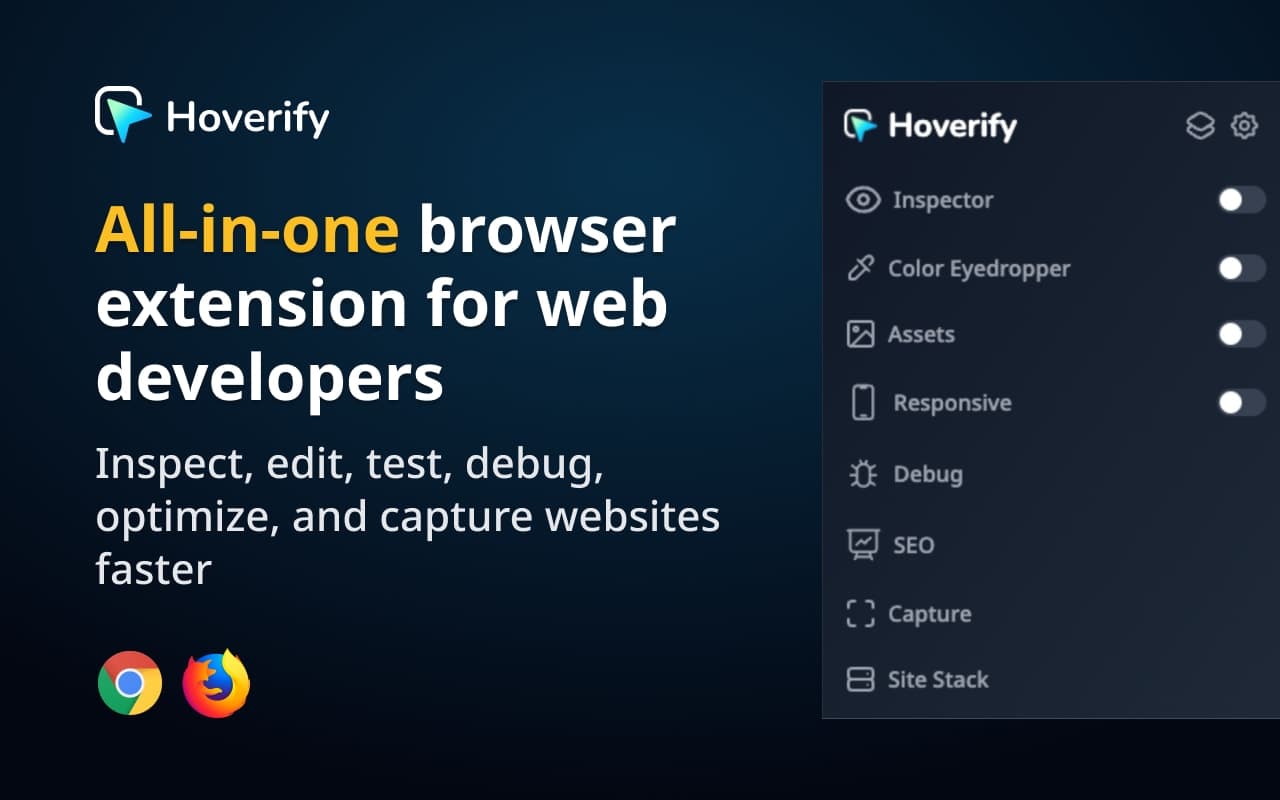
The demand for a more streamlined approach to web development is more crucial than ever. Enter Hoverify, an all-in-one browser extension designed specifically for web developers and designers. It eliminates the need for numerous single-function tools, allowing you to inspect, edit, test, debug, capture, and optimize websites faster and more efficiently.
What is Hoverify?
Hoverify is a powerful browser extension available for Chrome, Edge, and Firefox that consolidates essential web development tools into one interface. This extension allows developers to inspect elements on web pages, edit HTML and CSS live, test responsiveness across various devices, perform SEO audits, and capture screenshots, all without leaving the browser.
With features like a color eyedropper, responsive viewer, asset extractor, and built-in debugging tools, Hoverify significantly improves productivity by providing all necessary functionalities at your fingertips. It’s designed to cater to both seasoned developers and those new to web development, making it a versatile choice for anyone in the industry.
The Problem Hoverify Solves
Imagine you are in the middle of a web development project, and you need to check the CSS of a specific element, pick a color from an image, and perform an SEO audit. Instead of switching between multiple extensions or tools, you find yourself losing valuable time and focus. This is a common pain point for many developers and designers.
Hoverify addresses this issue by offering a single solution that integrates various functionalities. It reduces the clutter of browser tabs and toolbars, enabling you to focus on your project without distraction. By streamlining the workflow, Hoverify helps save hours each week, allowing developers to deliver projects more efficiently and effectively.
How Hoverify Works
Using Hoverify is straightforward and intuitive. Here’s a typical workflow to get you started:
- Install the Extension: Download and install Hoverify from the Chrome Web Store, Firefox Add-ons, or Microsoft Edge Add-ons.
- Launch Hoverify: Click on the Hoverify icon in your browser toolbar to activate the extension.
- Inspect Elements: Hover over any element on the webpage to view its CSS properties. Click to edit styles live, making adjustments in real-time.
- Pick Colors: Use the color eyedropper feature to select colors from anywhere on the page, including images and iframes.
- Test Responsiveness: Open the responsive viewer to see how your site looks on different devices, with the ability to click and type on all screens simultaneously.
- Capture Assets: Extract images, videos, and other assets from the page with just a few clicks.
- Perform Audits: Use the SEO and GEO features to audit your webpage for performance, accessibility, and AI readiness.
This streamlined process allows developers to accomplish multiple tasks without the hassle of switching between various tools. To experience the full capabilities of Hoverify, visit Hoverify today.
Key Features of Hoverify
- Inspector: Easily inspect HTML and CSS by hovering over any element. Edit styles live, and export your work to CodePen.
- Color Eyedropper: Pick colors from any source on the web, including iframes, with options for multiple formats like Hex, RGB, and CMYK.
- Responsive Viewer: Test site responsiveness across multiple devices at once with synchronized interactions.
- Assets: Extract images, videos, and SVGs from any webpage, including hidden elements.
- Library: Save your favorite assets and colors to the cloud, organized into projects for easy access.
- Site Stack: Discover the technologies behind any website, including frameworks, CMS, and hosting services.
- SEO and GEO Tools: Conduct comprehensive audits for SEO performance and AI readiness with detailed reports.
- Capture: Take screenshots of selected areas or full pages, with editing options for annotations and branding.
- Debug Tools: Inject custom HTML, CSS, and JS, and clear browsing data with fine control.
These features combine to create a powerful toolkit that enhances productivity, allowing developers to focus on design and functionality rather than managing multiple tools. With Hoverify, you get an all-in-one solution that adapts to your workflow.
Who Hoverify is For
Hoverify is designed for a variety of users in the web development space, including:
- Web Developers: Professionals who need to inspect and debug code efficiently. Hoverify simplifies their workflow by providing all necessary tools within a single extension.
- Web Designers: Designers looking to optimize their designs for functionality and aesthetics can use Hoverify to make adjustments in real-time.
- Freelancers and Indie Hackers: Individuals working on multiple projects will benefit from the efficiency and convenience Hoverify delivers. It helps manage time and resources effectively.
This versatile tool caters to the needs of anyone involved in web development, regardless of their experience level. Whether you are a seasoned developer or just starting, Hoverify provides the essential tools you need to succeed.
Hoverify vs Alternatives
When comparing Hoverify to alternatives, several key differences emerge. For instance, tools like ColorZilla and WhatFont focus on specific tasks like color picking and font identification. While these tools are effective in their niches, they fall short in providing the comprehensive functionality that Hoverify offers.
Additionally, traditional DevTools can be cumbersome, requiring users to navigate multiple menus and tabs, which can be time-consuming and confusing for new users. In contrast, Hoverify provides a more user-friendly interface, enabling quicker access to essential features without the steep learning curve.
While there are other comprehensive tools available, Hoverify stands out with its unique GEO audit feature, which evaluates how well a page is optimized for AI crawlers. This functionality is increasingly relevant as AI search technologies evolve, providing developers with insights that many other tools lack.
In summary, while alternatives exist, they often require multiple applications to achieve what Hoverify can do in one extension. The choice becomes clear for those seeking efficiency and ease of use.
Real-World Use Cases
Here are a few scenarios showcasing how Hoverify can be utilized effectively:
- A Developer Debugging a Website: A web developer encounters a bug on a staging site. By using Hoverify’s Inspector tool, they can quickly isolate the problematic CSS and make changes on-the-fly, saving time and reducing frustration.
- A Designer Testing Responsiveness: A designer needs to ensure their design looks good on various devices. Hoverify allows them to view multiple screens at once, adjusting the design in real time without switching between tools.
- SEO Audit for a Client: A freelancer is tasked with improving a client’s website SEO. Using Hoverify’s SEO tools, they can quickly assess meta tags, headings, and other critical elements to provide actionable insights.
- Extracting Assets for a Project: A developer needs to gather images and SVGs from a site. With Hoverify, they can extract all assets at once, streamlining the process of gathering project resources.
- Color Selection for a New Design: A designer uses Hoverify to pick colors from a live webpage, ensuring consistency with existing branding without needing to switch to a separate color picker tool.
These scenarios illustrate the versatility and practicality of Hoverify in real-world applications, highlighting how it can enhance productivity and streamline workflows.
Getting Started with Hoverify
Ready to improve your web development experience? Getting started with Hoverify is simple. Visit Hoverify to download the extension for your browser. Once installed, you can begin exploring its features and see how it can transform your workflow. With a money-back guarantee, there’s no risk in giving it a try.
FAQ
What browsers does Hoverify support?
Hoverify is compatible with Chrome, Firefox, and Edge, making it accessible to a wide range of users.
Is Hoverify suitable for beginners?
Yes, Hoverify is user-friendly and designed for both beginners and experienced developers. Its intuitive interface makes it easy to navigate.
Can I use Hoverify for SEO audits?
Absolutely! Hoverify includes powerful SEO tools that allow you to audit your website's performance, focusing on core elements like meta tags and headings.
Does Hoverify require a subscription?
No, Hoverify operates on a one-time purchase model. Once you buy it, you receive lifetime updates without any additional fees.
How does Hoverify enhance productivity?
By consolidating multiple web development tools into one extension, Hoverify eliminates the need to switch between different applications, saving time and enhancing focus.
What is the GEO audit feature?
The GEO audit feature assesses how well a webpage is optimized for AI crawlers, providing insights on how to improve visibility in AI search results.
Bottom Line
Hoverify offers a comprehensive solution for web developers and designers looking to streamline their workflow and enhance productivity. With its all-in-one functionality, it replaces the need for multiple tools, allowing you to focus on what really matters: building and optimizing websites. If you’re ready to take your development experience to the next level, visit Hoverify to get started today.