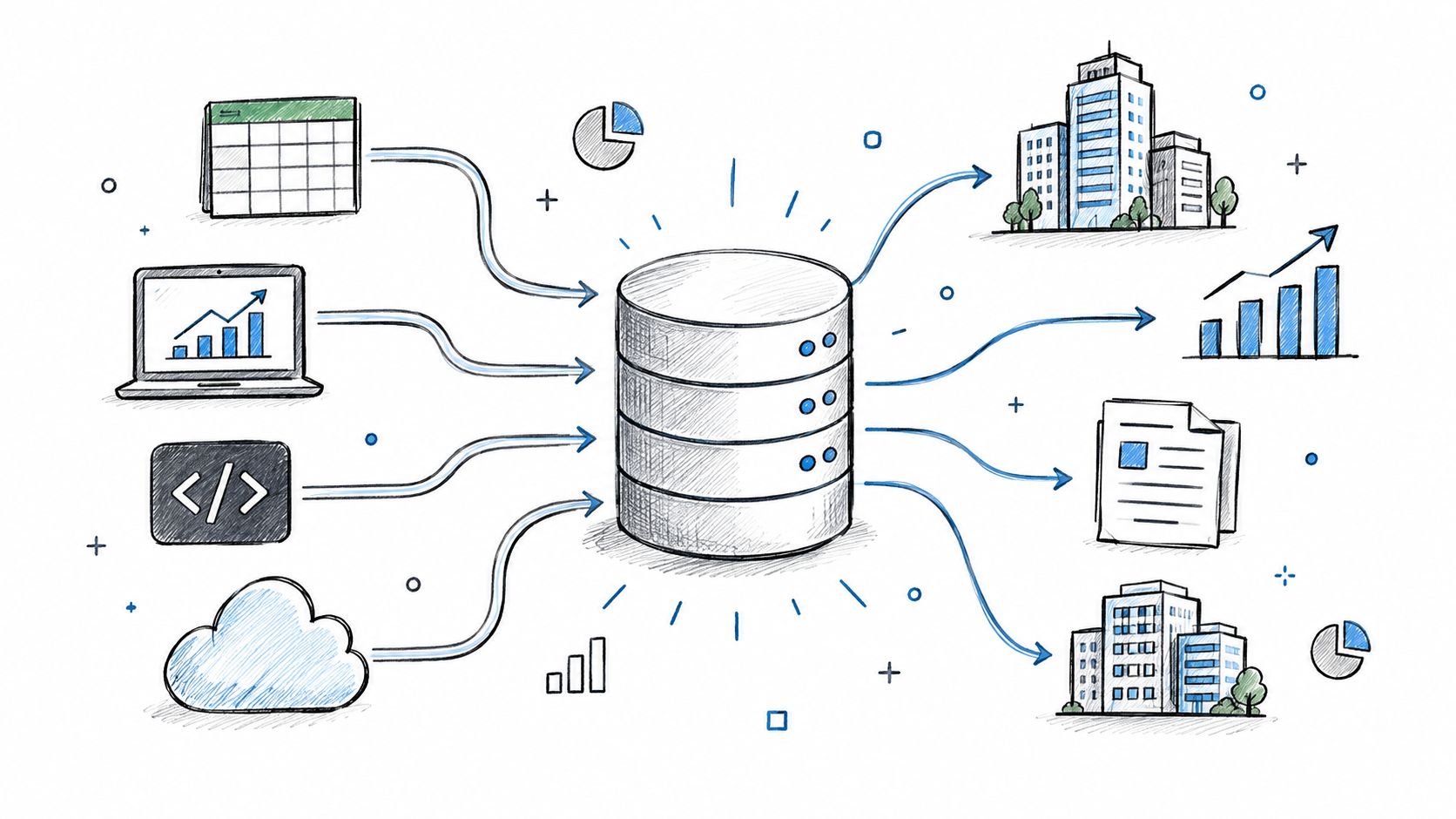
You've shipped a product, shared it with the world, and opened your analytics dashboard before your first coffee. Then the copying starts. Launch activity sits in one tool, comments in another, a spreadsheet holds the investor summary, and a Slack thread contains the only explanation for why two totals disagree. By the time you reconcile everything, the data is already old.
A business data API replaces that manual relay with a programmable connection to structured commercial information. Your dashboard, CRM, spreadsheet automation, CLI, or AI agent can request records from a consistent source instead of relying on someone to copy and paste them. The important questions aren't limited to whether an endpoint responds. You also need to know what the records mean, how current they are, how access is controlled, and whether the interface will remain predictable as your integration grows.
Table of Contents
- The Problem Every Growing Team Hits With Business Data
- What a Business Data API Actually Does
- The Core Components Behind Every Business Data API
- Comparing the Four Main Types of Business Data API Providers
- How Context.dev Can Help With Web Scraping
- A Live Walkthrough of ScrollLaunch's Public Business Data API
- Why Uptime Is Not the Same as Data Quality
- Security, Rate Limits, and an Agent-Readiness Checklist
- Choosing and Integrating the Right Business Data API for You
The Problem Every Growing Team Hits With Business Data
Maya launched her SaaS on Product Hunt and expected the hard part to be over. Instead, she found herself maintaining five versions of the same launch story. The launch platform showed one set of figures, her Notion tracker contained hand-edited notes, a Slack thread held corrections, an email sequence reported engagement, and an investor spreadsheet demanded a different format.
Every morning, Maya copied values between those systems. Totals drifted because one tool counted calendar dates while another used launch timestamps. A renamed product appeared as two records. A missing value became a zero in one sheet and an empty cell in another. None of these failures came from a lack of effort. They came from a lack of shared, machine-readable plumbing.
A business data API gives each system a way to ask for the same underlying information. A reporting tool can retrieve launches, a CRM can enrich a company record, and an internal script can check changes on a schedule. Instead of treating a web page as the only place where data exists, the team uses a structured interface designed for software.
Practical rule: If a person has to copy the same business fact into more than one system, look for a reusable data interface before adding another spreadsheet.
The questions worth answering before you integrate
A useful evaluation starts with four practical questions:
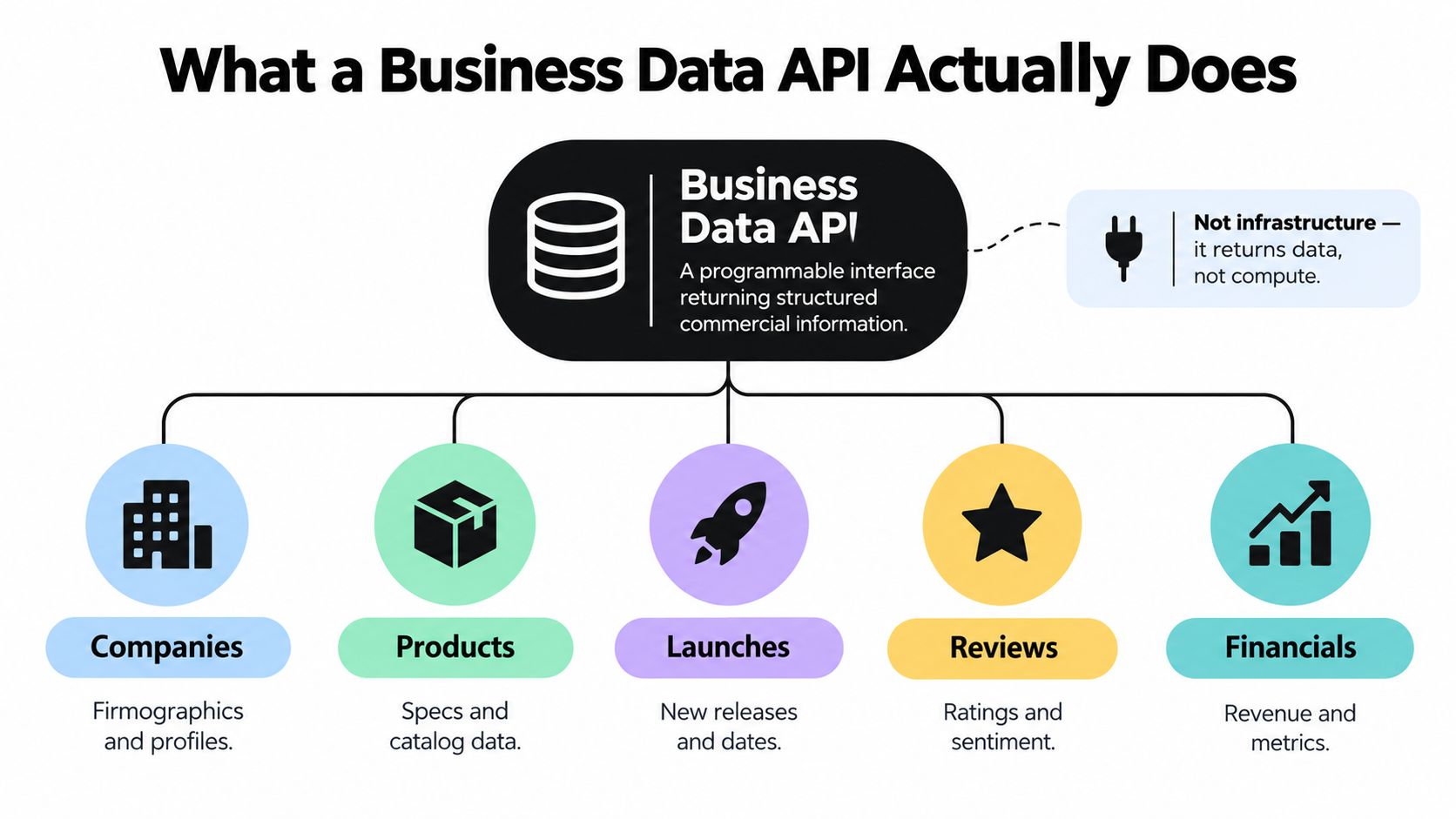
- What does the API describe? It might expose companies, products, launches, reviews, financial records, or directory entries.
- How is the data delivered? Look for predictable endpoints, structured responses, pagination, filtering, and clear error messages.
- Who controls access? Public, partner, commercial, and internal APIs carry different costs and operational risks.
- Can you trust the records? Transport uptime tells you whether the server responds. It doesn't prove that a record is fresh, complete, accurate, or consistent.
That last distinction matters most for growing teams. A technically elegant API can still create bad decisions if it returns stale company statuses, incomplete profiles, or conflicting financial details. The rest of this guide treats integration and data stewardship as two connected but separate jobs.
What a Business Data API Actually Does
A business data API is a programmable interface that returns structured information about commercial entities and activity. It might answer questions such as, “Which products launched in this category?”, “What attributes belong to this company?”, or “Which records changed since the last import?”
That makes it different from several familiar API categories. A weather API usually reports changing environmental conditions. A payments API performs actions such as authorizing or capturing a transaction. A business data API primarily describes the commercial world, whether the records concern products, organizations, launches, reviews, or financial information.
The World Bank's open-data platform provides a useful foundational example. It launched in April 2010 with development indicators including GDP, poverty, health, education, and trade data. By 2014, the World Bank reported more than 54 million visits to the data site since launch, traffic representing more than one-third of visits to its wider website, and a tenfold increase in data use. A 2012 analysis also reported API use by approximately 250,000 unique IP addresses, while its DataBank query tool recorded 2.8 million visits during the same period.
The lesson isn't that every commercial API will reach that scale. It's that structured, reusable data can become infrastructure for analysts, researchers, journalists, software products, and decision-makers rather than remaining trapped in a browser interface.
How the request usually works
Most read-oriented business data APIs use HTTP GET requests. A client asks for a collection or a specific record, and the server returns structured JSON. Some providers also offer webhooks, where the server calls your endpoint when a relevant event occurs, such as a changed record or a new launch.
The underlying transport may be REST, GraphQL, or a downloadable format such as CSV. REST commonly organizes data around resource paths, while GraphQL lets a client request a selected shape of fields through a query. Neither approach guarantees good data. The value sits in the schema, provenance, and freshness, not in the protocol name.
For example, a product page is useful to a human who wants context. A JSON record is useful to a script that needs a stable name, url, categories, and launched_at field. The API turns the page's information into a contract that other systems can consume.
For a concrete example of a narrowly focused data interface, see the page views API. It illustrates how a product-oriented endpoint can expose a specific business signal for integration rather than requiring a user to browse a dashboard.
The Core Components Behind Every Business Data API
Every integration becomes easier when you separate the interface into four parts: where you request data, how access is authorized, how you shape the request, and how you interpret the response.
Endpoints define the resources
An endpoint is a URL representing a collection or an individual record. Common patterns include /companies, /products, /launches, and /companies/{id}. A collection endpoint answers a broad question, while a detail endpoint returns the fields for one object.
Good endpoint design makes the resource boundary clear. You should be able to tell whether a request returns a product, a relationship, a search result, or an activity feed without reverse-engineering an opaque action name.
Authentication controls access
A public read endpoint may require no credentials. Other APIs use API keys, OAuth 2.0, signed requests, or mutual TLS. Authentication answers, “Who is making this request?” It doesn't, by itself, answer, “Is this caller allowed to access this particular object or field?”
That distinction becomes important when an API exposes private company data, bulk exports, enrichment, or write operations. Authorization must be evaluated against the requested resource and the authenticated principal.
Parameters shape the query
Parameters let a client narrow or order results. Typical examples include category filters, date ranges, search terms, sort fields, page sizes, and pagination cursors. A well-designed API documents which fields can be filtered and sorted, rather than accepting arbitrary expressions that may trigger expensive database scans.
Use parameters to reduce the amount of data transferred. Avoid fetching an entire collection when your integration needs only records from a particular date range.
Responses establish the contract
A JSON response should use consistent field names, explicit data types, predictable timestamp formats, and metadata describing pagination or errors. A client needs to know whether a missing field means “unknown,” “not applicable,” or “not returned for this account.”
OpenAPI grew from Swagger, a REST documentation project created by Wordnik in 2010. SmartBear donated the specification to the Linux Foundation in 2015, after which it became the vendor-neutral OpenAPI Specification under the OpenAPI Initiative. The OpenAPI background and adoption overview cites the 2022 State of API Report, which found that 63% of surveyed organizations used OpenAPI 3.0 and 20% used OpenAPI 2.0. The same reporting found that only 24% used API specifications for every API they worked with.
A machine-readable contract supports generated clients, validation, discoverability, and automation. It also gives you something concrete to review before writing application code.
| Component | What It Does | Common Patterns |
|---|---|---|
| Endpoint | Identifies the resource being requested | /products, /launches, /records/{id} |
| Authentication | Establishes the caller's identity | No key, API key, OAuth 2.0, signed request |
| Request parameters | Narrows, sorts, or paginates results | Filters, date ranges, cursors, page size |
| Response payload | Delivers records and interpretation metadata | JSON objects, timestamps, errors, pagination details |
These four components recur whether the provider is free, commercial, or built inside your company. Learn to inspect them once, and you'll carry that skill into nearly every integration.
Comparing the Four Main Types of Business Data API Providers
The provider category determines more than the invoice. It affects the source of truth, the support you can expect, the stability of the schema, and what happens when an endpoint changes.
| Provider Type | Typical Cost | Data Freshness | Coverage | SLA / Support | Best For |
|---|---|---|---|---|---|
| Public government or open data | Often free or openly accessible | Depends on the publishing institution | Strong in defined public domains | Limited or formal rather than personalized | Verifiable reference data |
| Partner API | Often tied to an approved account or product relationship | Usually close to the source system | Deep within one platform | Provider documentation and partner support | Accessing a platform's own source of truth |
| Commercial aggregator | Metered or contract-based | Varies by source and refresh process | Broad across companies, products, or markets | Paid support and polished tooling may be available | Enrichment and breadth |
| Internal API | Engineering and operating cost | Controlled by your pipelines | Limited to your own warehouse and sources | Owned by your team | Proprietary workflows and data advantages |
A public government API can be the right choice when you need a traceable reference value, such as an indicator or official classification. It may have sparse documentation, limited filtering, or no strong availability commitment. Your team may need to cache responses and build its own validation layer.
A partner API makes sense when the provider owns the record you need. A CRM API is more useful than a third-party company database when you need the current state of your own accounts, contacts, permissions, or workflows. The trade-off is access control, approval requirements, and dependence on the partner's release policy.
Commercial aggregators save research time by combining sources. They can offer broader coverage and stronger developer tooling, but per-request billing, usage tiers, licensing restrictions, and refresh uncertainty require careful review. An indie maker may prefer a free endpoint with rough documentation, while a revenue-generating product may justify a paid provider that offers SDKs and support.
Internal APIs offer control, but they don't make the underlying data accurate automatically. Your team still needs ownership, schema versioning, monitoring, and a policy for stale or conflicting records. A practical discussion of combining web sources with a product workflow appears in this unified SEO scraping API guide.
Decision rule: Choose public APIs for verifiable reference data, partner APIs when you need the source of truth, aggregators for breadth, and internal APIs for proprietary advantage.
How Context.dev Can Help With Web Scraping
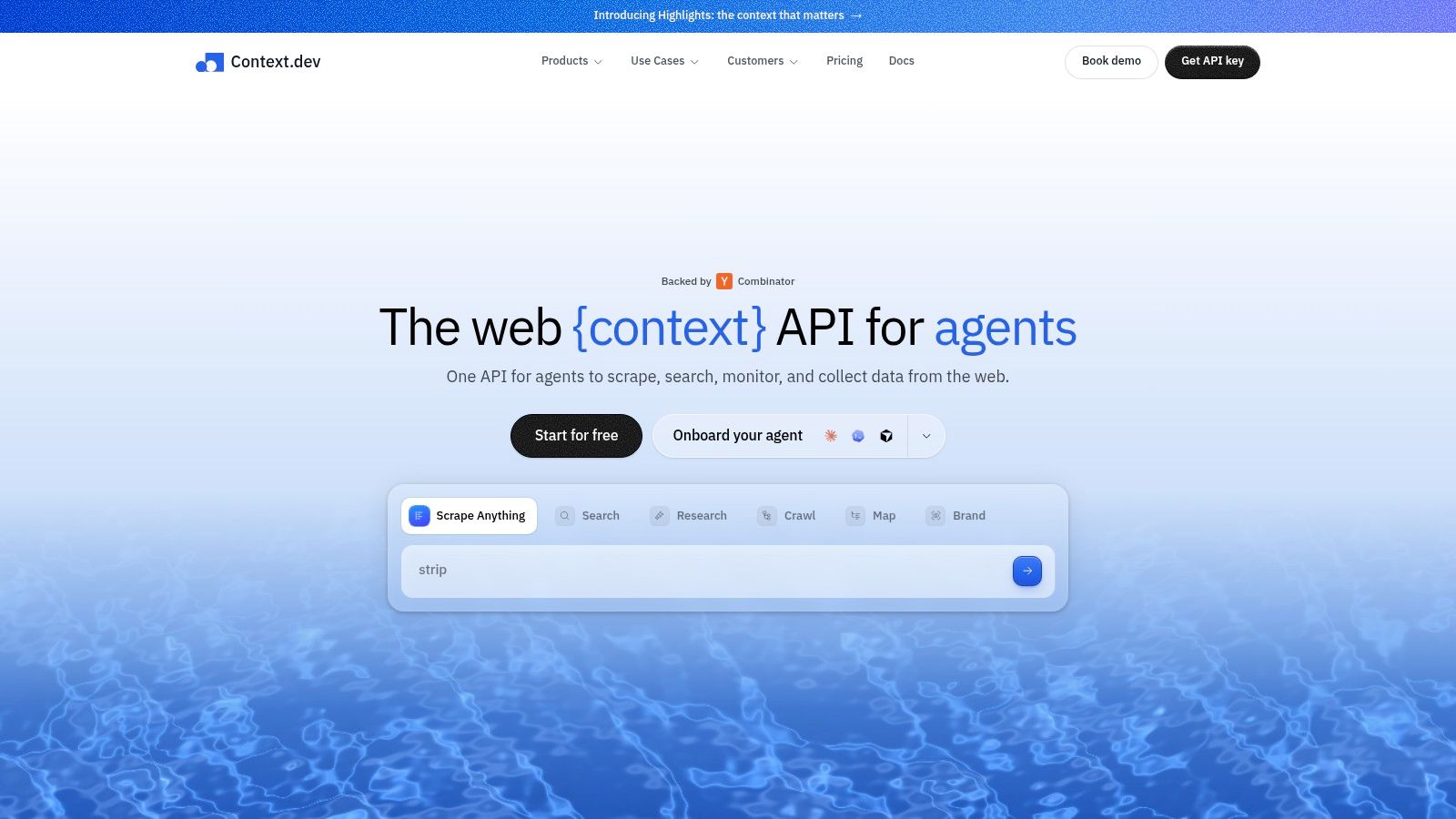
Some business-data workflows do not begin with a partner API or a clean catalog. They begin with public web pages. In those cases, the practical challenge is web scraping, collecting page content reliably, rendering modern sites, and turning messy markup into structured data a system can actually use. Context.dev focuses on that layer by giving developers one interface for rendered pages, clean Markdown, images, sitemap data, screenshots, and brand metadata.
That matters when your source of truth is distributed across websites rather than stored in one provider-owned dataset. A CRM enrichment job may start with only a domain. A competitive research workflow may need product pages, pricing details, company descriptions, and category signals pulled from live sites. An AI pipeline may need current page content without forcing your team to manage raw HTML cleanup, rendering edge cases, and repeated fetch logic in-house.
Context.dev also supports custom entity and product extraction through AI Query, which can help turn scraped page content into fields your application can inspect. Transaction identification can help map inconsistent merchant descriptors to recognizable brands. SDKs for TypeScript, Python, and Ruby reduce setup work, while caching and scheduled refresh behavior can make recurring web-data collection easier to operate.
When a web scraping layer is the right fit
Context.dev is a sensible option when your input is a URL, domain, merchant descriptor, or public page and your output needs to become structured data. It can support:
- Web scraping for enrichment: Pull descriptions, classifications, addresses, and brand assets from public company pages.
- Competitive monitoring: Collect and normalize visible product, pricing, or category information from live websites.
- RAG pipelines: Convert scraped pages into cleaner material for retrieval and grounding.
- Agent browsing: Give an automated client controlled access to web content instead of unrestricted browsing.
- Workflow automation: Connect scraping and extraction steps to downstream systems.
It is still important to keep web scraping and data authority separate in your architecture. A public page can be incomplete, contradictory, or changed without notice. You still need provenance, timestamps, field-level validation, and a policy for what your system may treat as authoritative.
If your workflow begins with public web content rather than a stable provider-owned catalog, evaluate the web data api as a web-scraping input layer for your stack. The important comparison is not just whether a request succeeds. Ask whether the service gives your downstream system enough structure, evidence, and refresh control to make scraped data operational.
A Live Walkthrough of ScrollLaunch's Public Business Data API
A no-key, read-only API is a useful first integration because you can test the data flow before setting up credential storage or OAuth redirects. The platform used here exposes a public product and launch catalog through REST documentation and machine-readable API artifacts.
The base URL is A collection request can be written ascurl "https://www.scrolllaunch.com/api/launches"`. In a real terminal, inspect the returned JSON rather than assuming that every record has the same completeness.
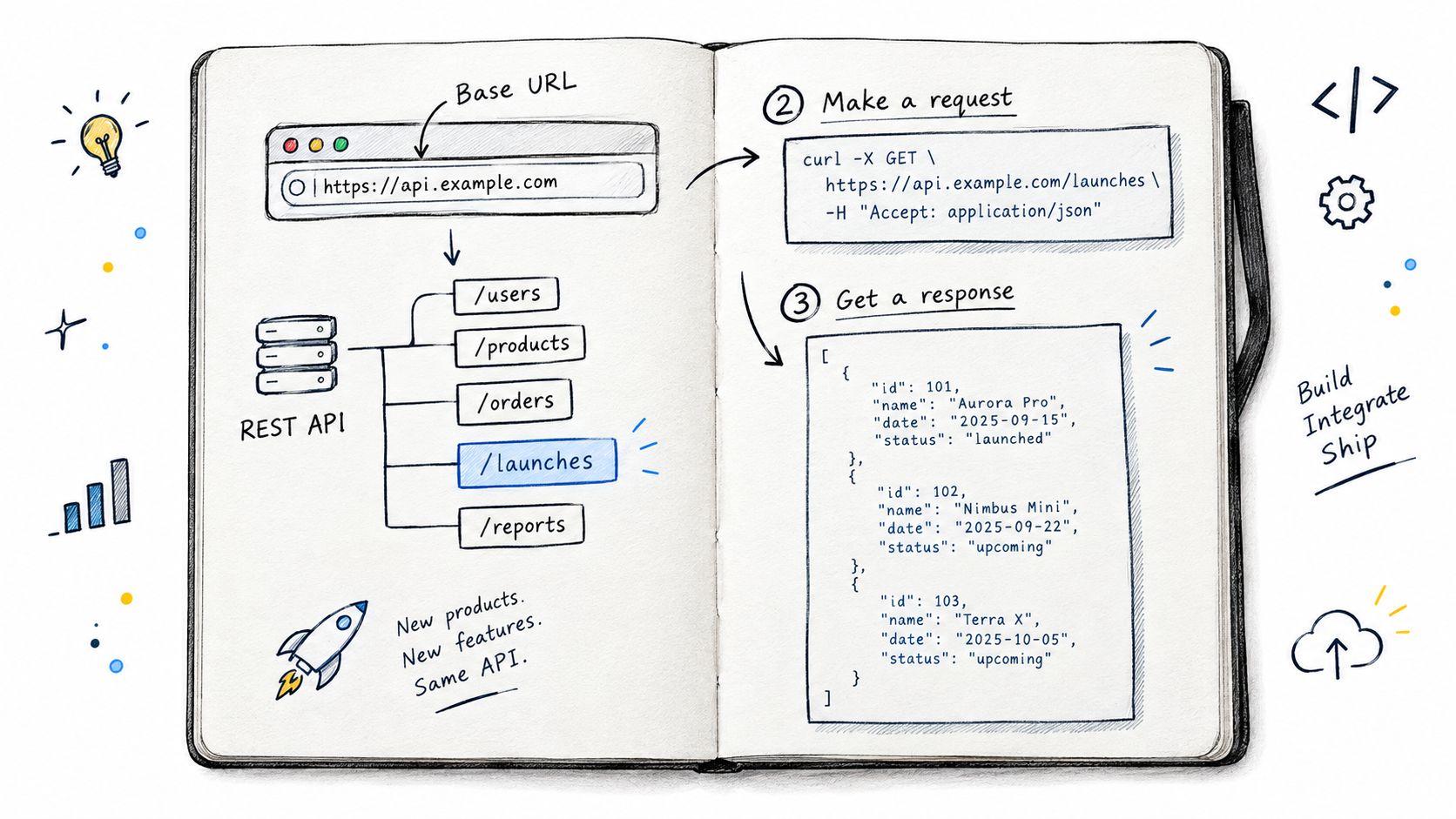
A launch object can contain fields such as id, name, url, launched_at, categories, and upvotes. Treat those fields differently:
idis the stable identifier you use to correlate records.nameis display text and may change.urlidentifies the product page or destination.launched_atrepresents the launch timestamp and should be parsed as a date, not treated as arbitrary text.categoriesis a collection, so your code shouldn't assume there is only one value.upvotesis a current activity value and may change between requests.
Filtering and pagination
A category and date-range request might look like curl "https://www.scrolllaunch.com/api/launches?category=ai&from=2026-01-01&to=2026-01-31". Use the exact parameter names and accepted date format from the provider's API documentation before shipping. The example shows the shape of a filtered request, not a reason to guess at undocumented filters.
If the endpoint uses page-based pagination, a second request can follow the documented contract with a query such as curl "https://www.scrolllaunch.com/api/launches?page=2&per_page=10". Page numbers are easy to understand, but they can become unstable when records are inserted or removed between requests. Cursor pagination is usually safer for frequently changing collections because a cursor can represent a stable position based on an indexed timestamp and unique identifier.
A solid response should make continuation explicit with fields such as next_cursor and has_more. It should also enforce a defensible maximum page size. Filtering and sorting should use fields the provider can execute predictably, or a harmless-looking request may create slow database scans.
The API documentation is also where you should verify rate-limit behavior, response caching headers, and the error format. ETag and Cache-Control can reduce repeated downloads, while a 429 Too Many Requests response paired with Retry-After lets a client back off instead of creating a retry storm.
Here's a compact Node-style example that fetches a small batch and prints names. The exact response envelope may differ, so inspect whether records are returned directly or under a property such as data.
Integration test: Make the first script read-only, log the raw response shape, and save the provider's timestamps before you build transformations around them.
After a substantive request and response check, a visual explanation can help teams review the interface with non-developers.
The key benefit of a public endpoint is low friction. The key risk is that convenience can encourage teams to skip data validation. A successful 200 OK proves that the server answered. It doesn't prove that a launch is current, that a category is complete, or that two related records agree.
Why Uptime Is Not the Same as Data Quality
A CRM import can succeed while the records inside it mislead your team. The server may respond quickly, return valid JSON, and still deliver information that is too old, incomplete, incorrect, or inconsistent for the decision you need to make.
The quality dimensions were introduced earlier. The practical question now is how to test them before data reaches a CRM, lead-scoring model, compliance workflow, or AI system.
Three staging failures show why this matters. A launches endpoint may return a future launch date because of a timezone conversion or faulty import. A company dataset may leave founding years empty across many records. A funding entry may conflict with the company's own announcement. The API can remain available during all three incidents.
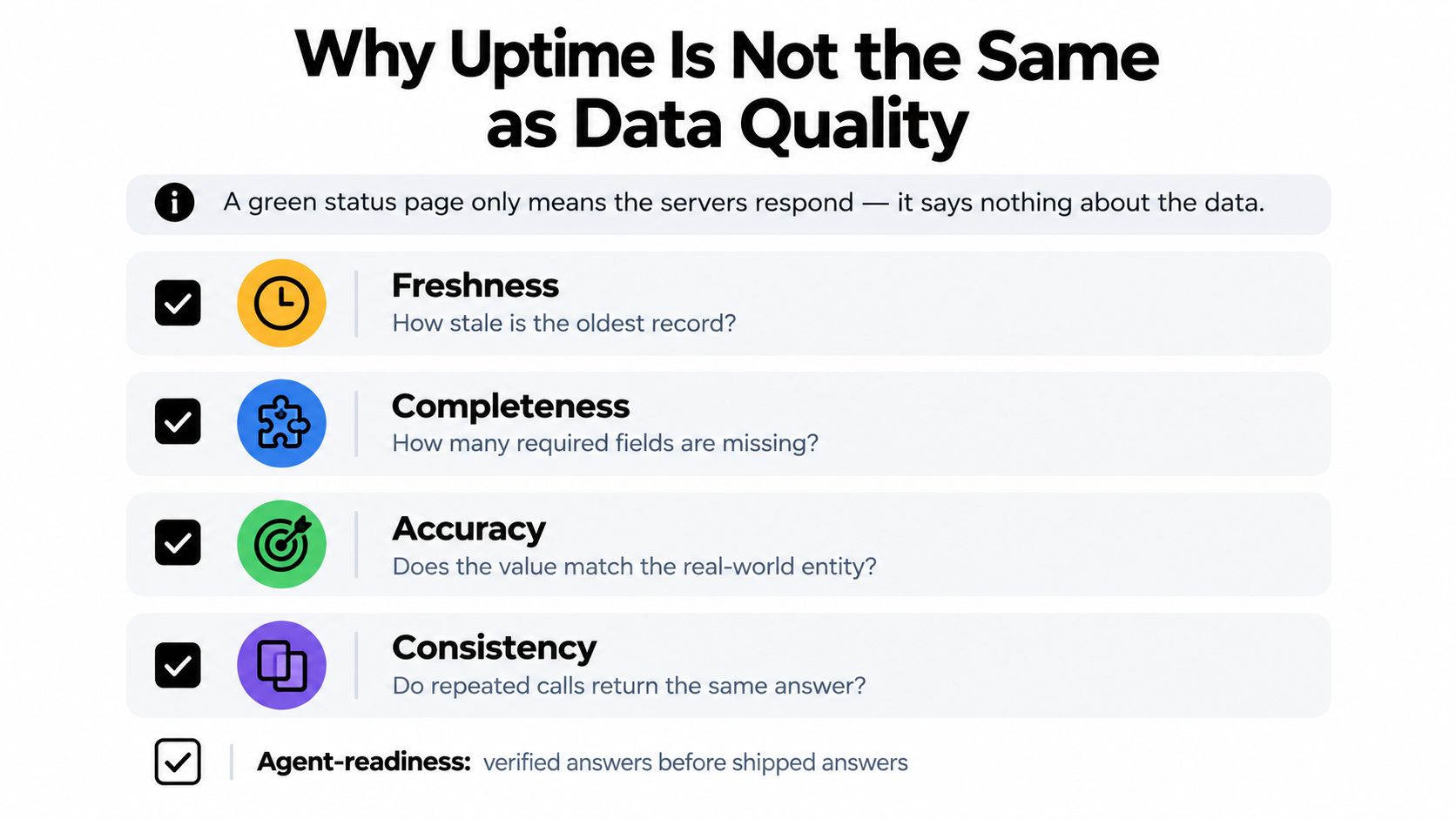
A practical validation routine
Run these checks before accepting records into an automated workflow:
- Spot-check timestamps. Compare the source timestamp, provider update timestamp, and your ingestion time. Preserve all three when possible, so a later review can show where staleness entered the pipeline.
- Sample missing fields. Measure required-field availability by source, record type, and import batch. Treat an empty value as unknown, not as evidence that the fact is false.
- Cross-reference sensitive records. Compare important claims with a relevant public source, such as an official company announcement or trusted public dataset. Give reviewers a path to inspect disagreements.
- Alert on schema drift. Detect renamed fields, changed types, removed values, and new response envelopes before an automated job fails or maps data into the wrong fields.
The data governance guidance on scaling public data products emphasizes freshness timestamps, update frequency, field-level provenance, completeness signals, schema-change history, known exclusions, release notes, and incident history. These details make provider comparisons operational rather than promotional.
A service with excellent availability but widespread missing fields may be less useful than one with occasional transport interruptions and carefully curated records. Keep transport reliability and data quality as separate scores in your provider review. That separation helps you identify whether a failure belongs in retry logic, validation rules, or vendor selection.
Security, Rate Limits, and an Agent-Readiness Checklist
Security review should cover the entire request lifecycle, not just the login step. Start with transport protection and credential handling, then inspect abuse controls, and finally test whether an automated client can operate without guessing.
Transport security
Check whether data travels over current TLS, where credentials are stored, how secrets are rotated, and whether sensitive operations support stronger controls such as OAuth 2.0, mutual TLS, or IP allowlisting. Verify webhook signatures before processing callbacks, and keep read credentials separate from mutation credentials.
Authorization deserves special attention. The API security analysis from Akamai reports that 87% of organizations experienced at least one API security incident during the measured year, with an average reported financial impact of approximately US$700,000 per organization. It also reports that 42% of incidents involved APIs connected to enterprise AI technologies.
A valid API key isn't enough. Each object-level read and write should check whether the authenticated principal may access the requested resource and fields.
Rate-limit behavior
Document both burst and sustained limits. Your client should recognize 429 Too Many Requests, read Retry-After, use exponential backoff, and stop retrying when the request cannot succeed. Idempotency keys are important for operations that create or change records, because a network timeout shouldn't cause a client to submit the same action repeatedly.
For public reads, pagination, field restrictions, and maximum page sizes protect both the provider and your own system. Cache responses where the data's freshness requirements allow it.
Agent readiness
An agent can chain valid requests quickly, so conventional API-key thinking isn't sufficient. The 2025 State of API Security research reports that 65% of surveyed respondents viewed generative AI as a serious or extreme API-security risk, while 21% reported high ability to detect attacks at the API layer and 13% could prevent more than half of API attacks. Separate research cited on the same topic reports API-security issues experienced by 99% of respondents in the prior year, while only 10% had an API-posture governance strategy.
Use this checklist when an agent will query the service:
- Machine-readable documentation: OpenAPI or JSON Schema describes fields, errors, and authentication.
- Predictable pagination: Cursors or documented page behavior prevent skipped and duplicated records.
- Per-agent scopes: Separate discovery, enrichment, export, and mutation permissions.
- Usage ceilings: Apply request, spend, and bulk-export limits to each agent identity.
- Audit logs: Record the principal, requested resource, authorization decision, and result.
- Provenance in context: Pass source timestamps and confidence signals alongside retrieved values.
- Human approval: Require review before high-impact writes or automated decisions.
- Revocation: Make it possible to disable a client or agent without taking down unrelated integrations.
For a related example of designing a narrow machine interface, see the speech to text API discussion. The same principle applies here: keep the contract explicit, constrain the operation, and make failure behavior visible.
Choosing and Integrating the Right Business Data API for You
Start with the business question, not the provider's feature list. “Which products launched in this category during a given period?” needs different data from “Which companies in our CRM have outdated profiles?” Define the record, the required fields, the acceptable age of the data, and the action your system will take.
Then classify the source. Public data may offer verifiable reference material, a partner API may be the authoritative system for one platform, a commercial aggregator may provide broader coverage, and an internal API may expose your proprietary advantage.
Score shortlisted providers against five practical criteria:
- Documentation: Can you understand the schema and errors without a support call?
- Data quality: Are freshness, provenance, exclusions, and completeness visible?
- Operational behavior: Are pagination, caching, rate limits, and versioning documented?
- Security posture: Can you scope credentials, audit usage, and revoke clients?
- Commercial terms: Do pricing, export rights, retention, and SLA language fit the workflow?
Prototype with curl or Postman before committing. Read the OpenAPI document, call the unauthenticated /launches collection where public access is supported, inspect pagination, and connect one returned field to an existing tool. A small working path will expose confusing field names and missing assumptions faster than a long procurement conversation.
Monitor availability and data quality separately after launch. Track response failures, latency, freshness, missing fields, schema changes, and contradictory records as different signals. That separation helps you fix the actual problem instead of treating every bad result as an uptime incident.
Choose one business question today and write down the exact fields your answer requires. Then make a read-only request, save the raw response with its timestamps, validate one record against an independent source, and wire one field into your existing workflow. If the result is useful, add pagination, caching, and authorization controls before expanding the integration.